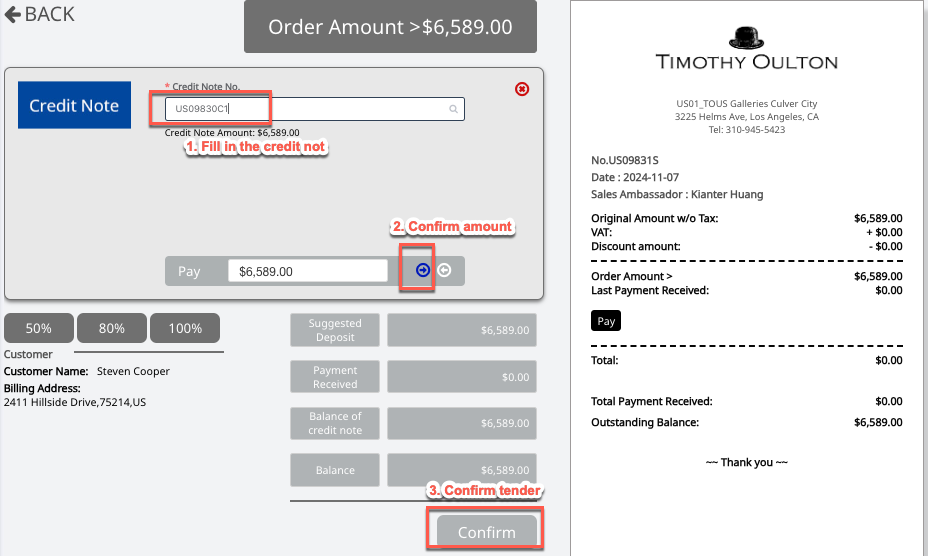
(1) Create an order for the associated customer and confirm the specified credit note as the tender.
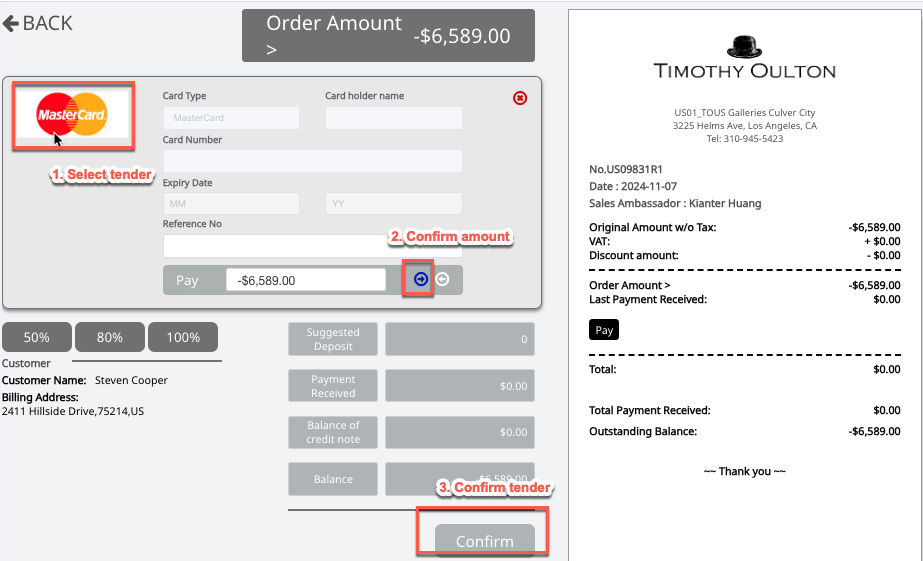
(2) Process a full refund to the customer using the designated tender.
Step1: Check and select the credit note (e.g., US09830C1) associated with the customer


Step2: Create a virtual order for the associated customer with the service item 'Misc. Rare,' and link it to credit note US09830C1.
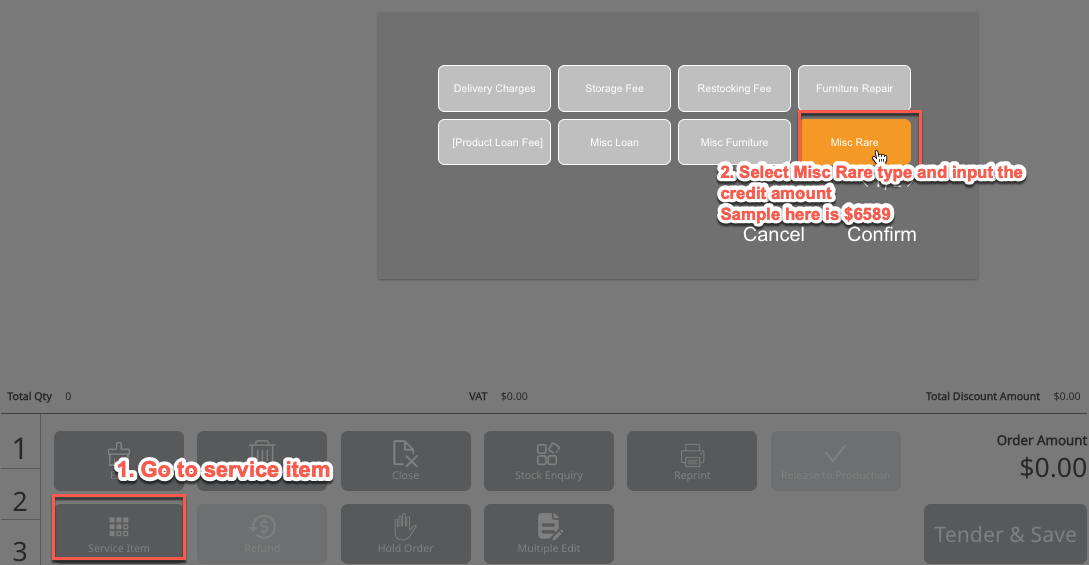
Step3: Apply and link the credit note, then save the order.
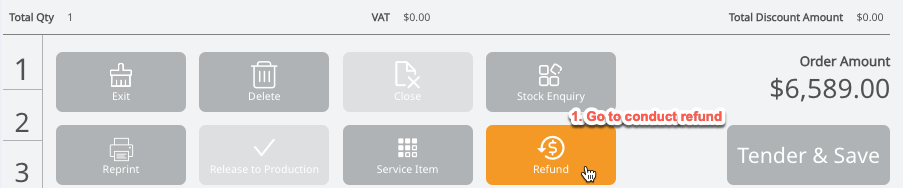
Step4: Proceed to refund the order: select Refund → confirm refund → confirm no restocking fee
Step5: Select the refund tender for the customer and confirm
Done.