1. login UX-POS admin
https://admin.prod.uxretail.cloud/
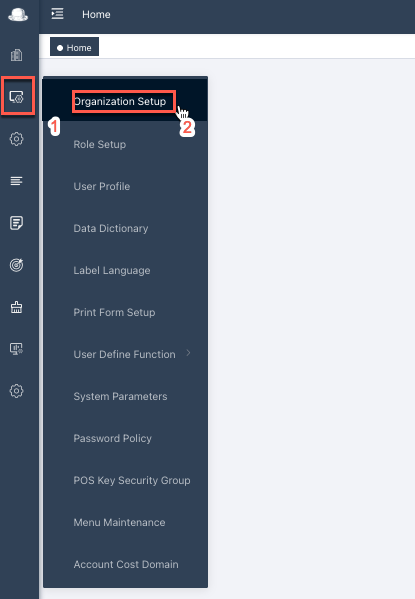
2. go to org view
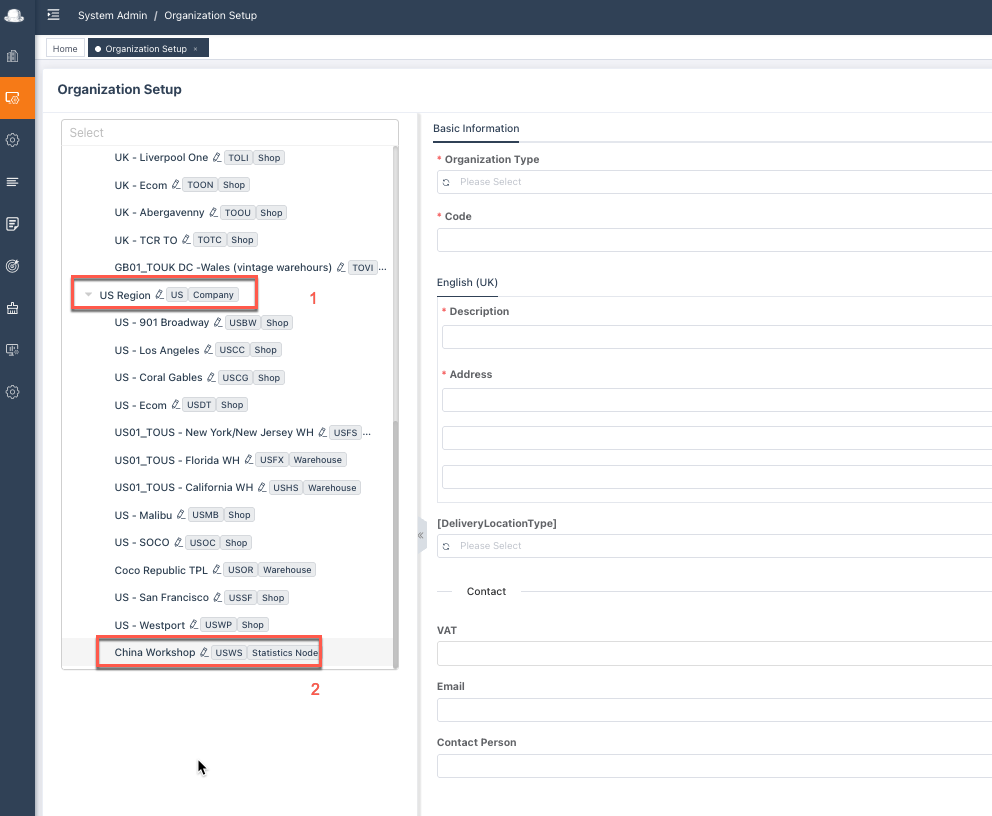
3. go to US region
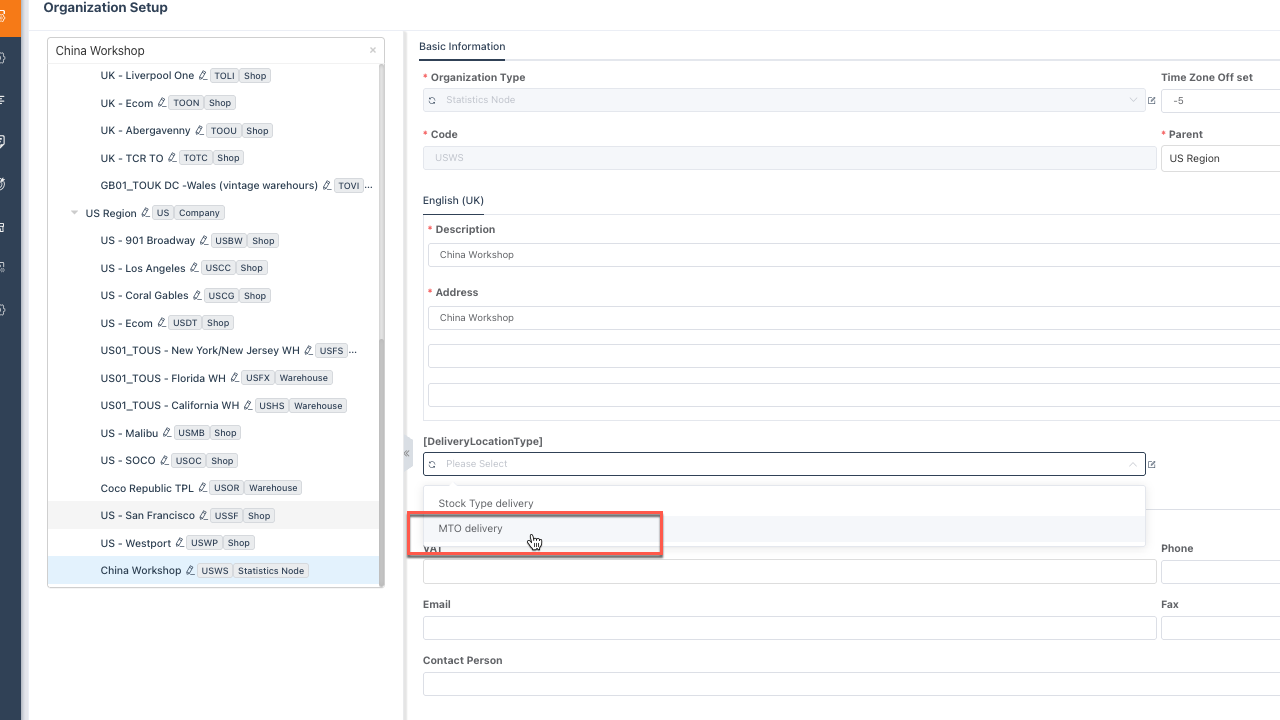
4. pick MTO option for the China workshop and save.
5. go to front end https://pos.prod.uxretail.cloud/ and refresh the system

then you can go to place the MTO order.
6. go back and remove the MTO delivery option from China workshop after MTO placed.
