Skip to content
English
  • There are no suggestions because the search field is empty.

UX-POS: Change Discount or service line for the shipped order (TMS = 2)

After the order ship from WLS to Retail, the TMS status = 4, But if sales team still need to change the discount or service line, need to change TMS to 4 and then change the order in POS

1. ask OPS team to change the TMS status = 4 to 2, refer to KB: https://itsm.halocreativedesign.com/en/knowledge/tms-convert-tms-status-from-9-to-4-or-from-4-to-2

2. refresh and go to POS order and see if the TMS status is = 2

3. change discount or service line
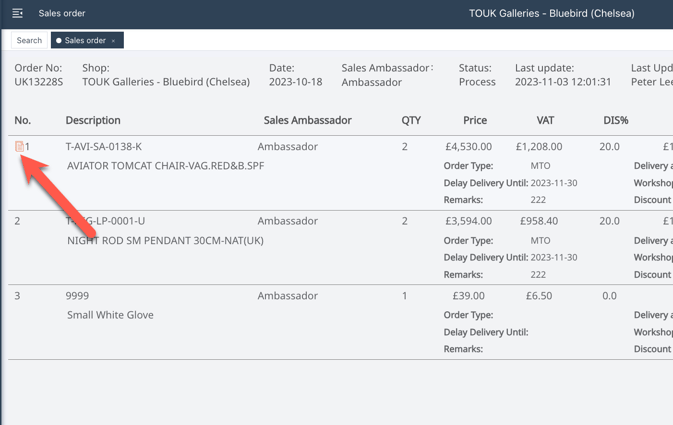
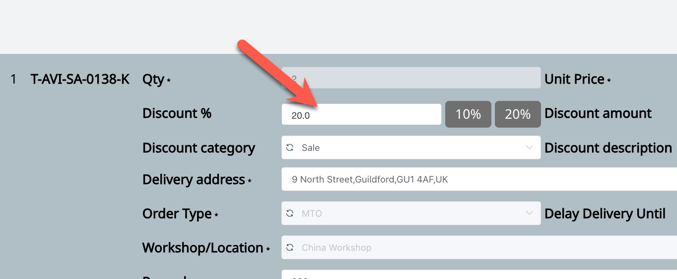
change service line

pick a specify one

3. save and confirm tender