1. first step to go to MB52 or ZMM020 to check if the stock is in system or not, if there is no stock then check if the WLS CCSTO order still not receive yet or add the stock via 501 for the STOCK order
2. after added the stock, please go to TMS to pick up a new delivery confirm date - like current date to confirm delivery.
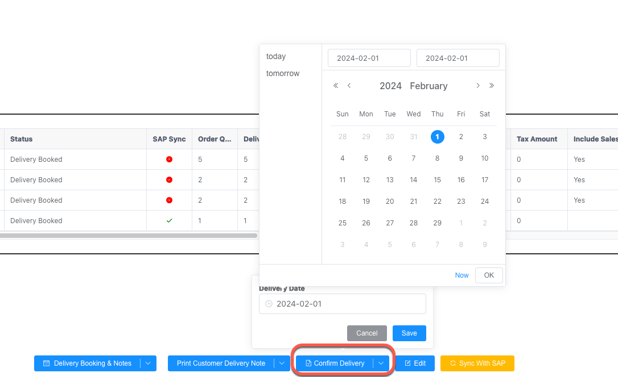
3. if it is still not work, means some stock assignment issue blocking the process, can raise to IT to check or can goto SAP to create DN and assignment stock to post PGI directly
4. Go to SAP to show the order via VA03
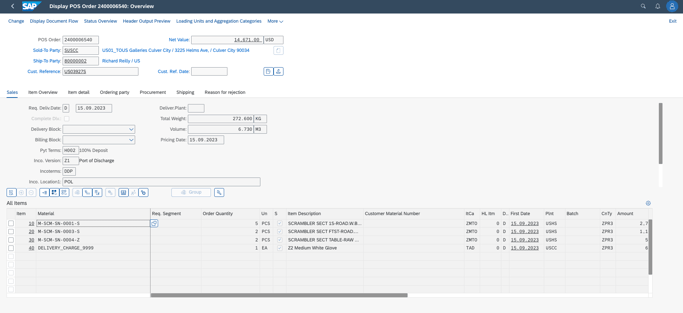
TO check if the DN is created
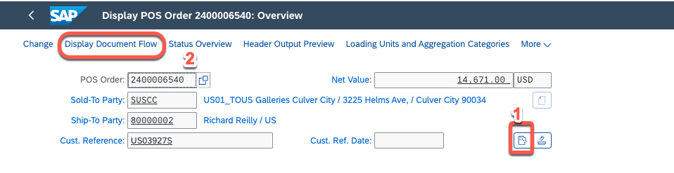
5. if there is no DN then go to SOP to create DN and assign batch and then PGI https://itsm.halocreativedesign.com/en/knowledge/sap-sd-create-dn-and-assign-batch-and-pgi
6. if there is DN like below.

there are two ways to handle this, (A) delete the DN to create a new one, or (B) assign the batch to the old DN.
(A) delete the DN to create a new one
1. go to show the DN and Delete it
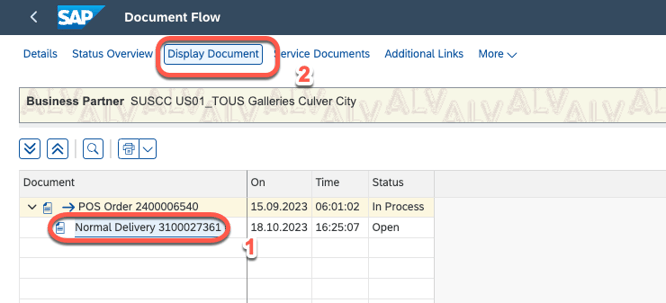
switch to change model
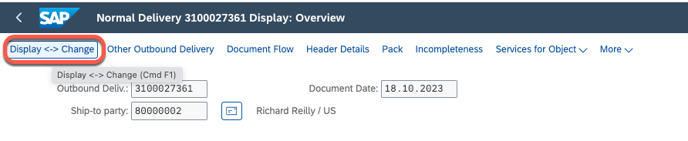
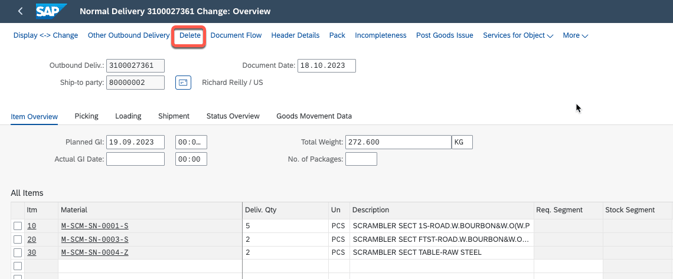
aftrer Delete the DN, go to SOP to create DN and assign batch and then PGI https://itsm.halocreativedesign.com/en/knowledge/sap-sd-create-dn-and-assign-batch-and-pgi
(B) assign the batch to the old DN.
1. go to assign the Batch to this DN
switch to change model
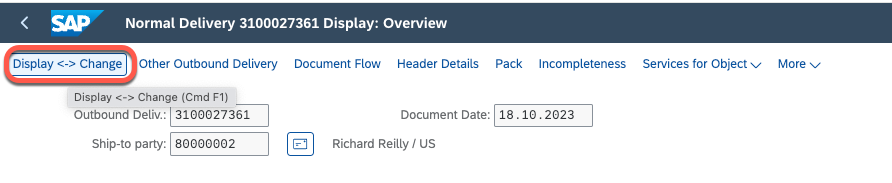
2. assign batch line by line
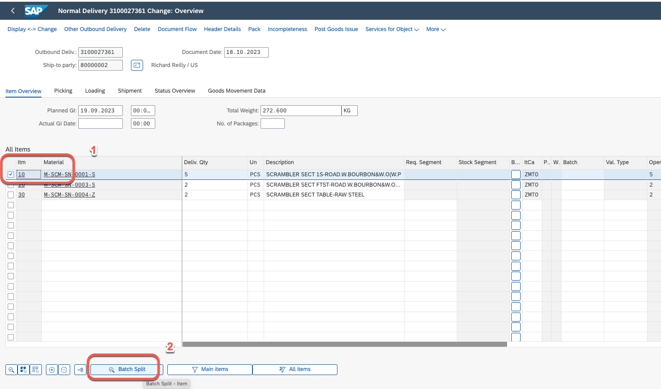
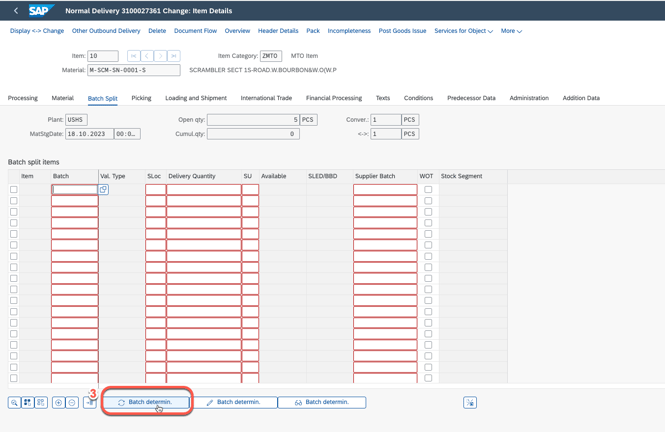
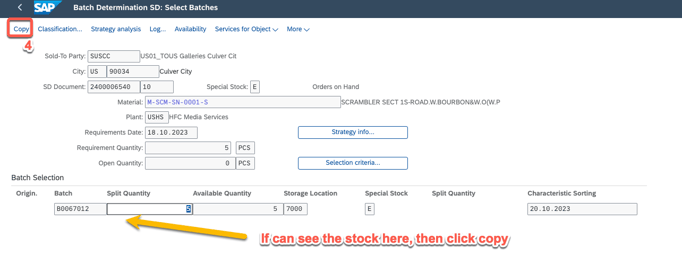
go back to first screen
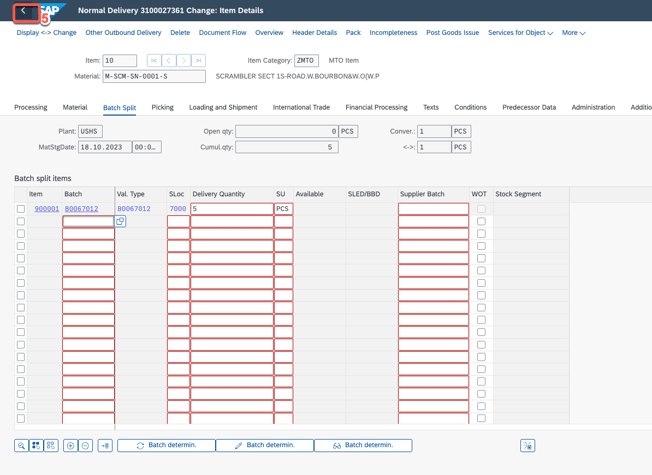
repeat the step#2 and complete all lines batch assignment.
3. after completed all the batch assignment, go to Post Goods Issues
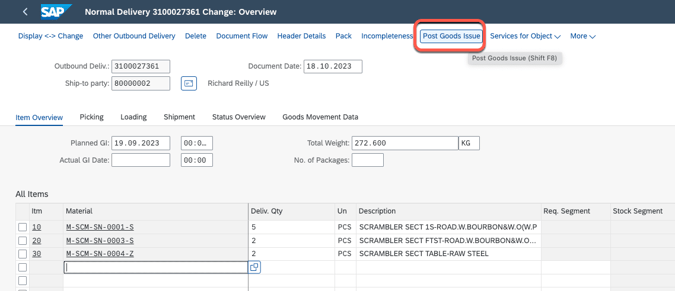
remark: in step number 2, please make sure all the stock has been assigned batch, otherwise PGI will faile, one of the failure error as below

4. go to refresh TMS