Description
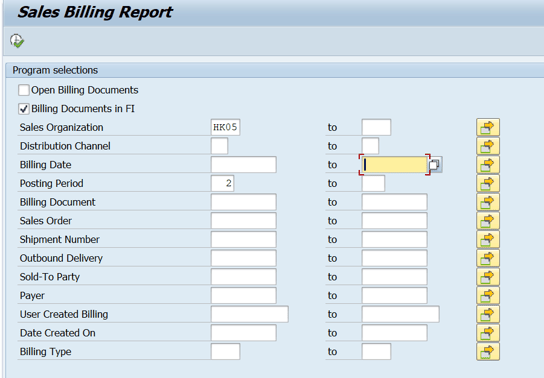
Here is an example to find a "billing" report in user group "ZSD_HALO".
1. Input T-code, then ENTER (In web Fiori search “SQ01”)

2. Choose “standard area”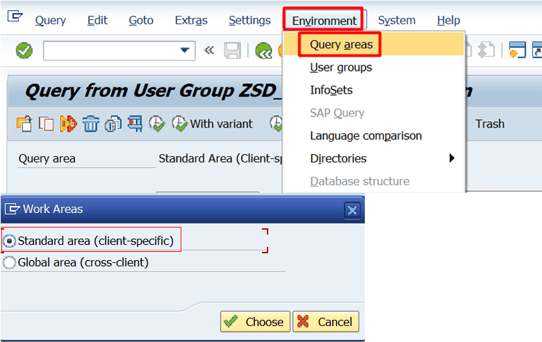
3. Double click below user group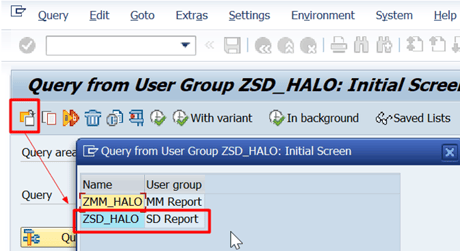
4. Select below report, then EXECUTE
5. Input parameter