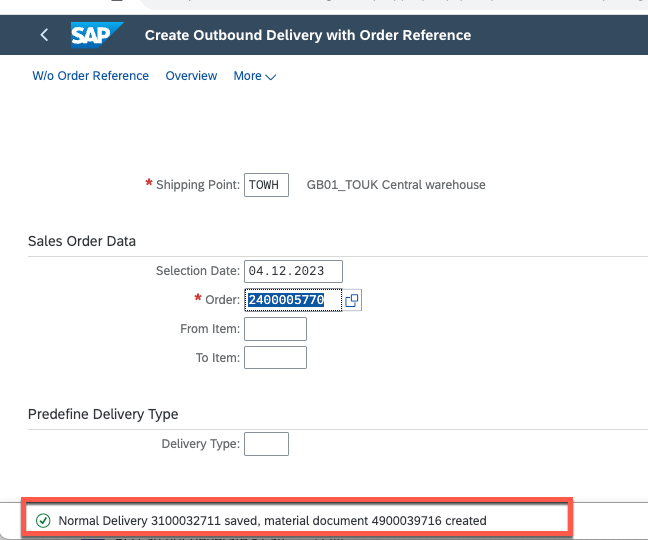
for example of : 2400005770 : Document is incomplete: You cannot post goods movement
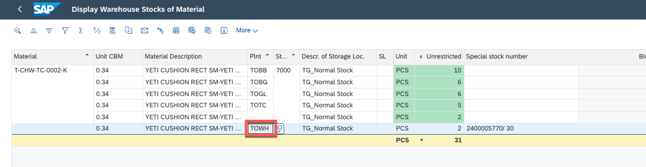
1. go to check where is the STOCK locating with MB52
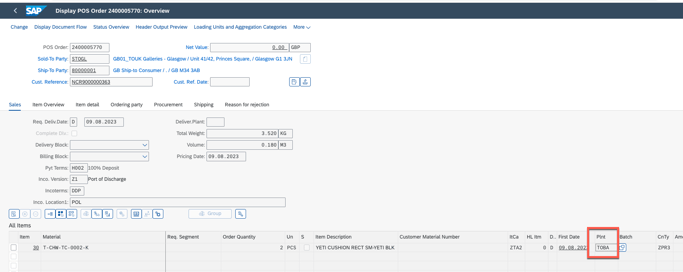
2. Check if the SO plant code is match to the stock order via VA03
3.1 if matched: follow the step here to reasign the batch: https://itsm.halocreativedesign.com/en/knowledge/sap-sd-tms-to-assign-the-batch-to-a-dn
3.2 if not, go to delete the DN and change SO Plant code and then recreate the DN
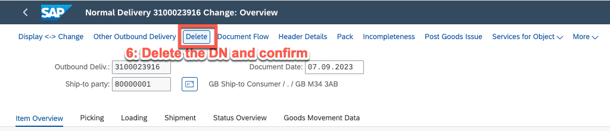
4. go to delete DN
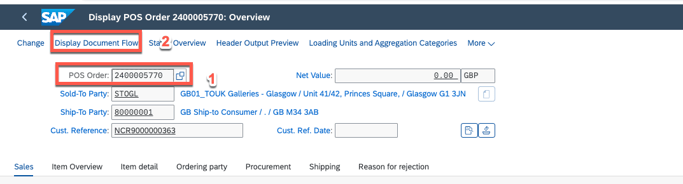
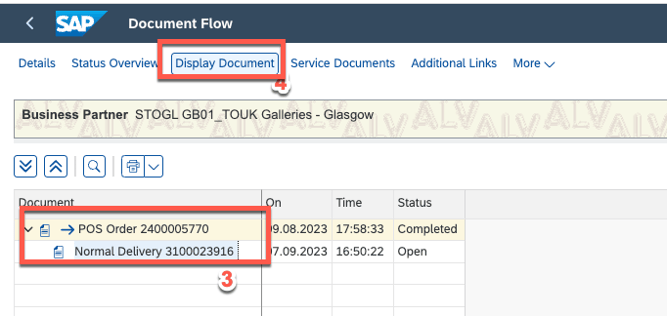
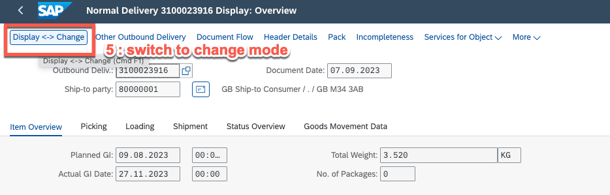
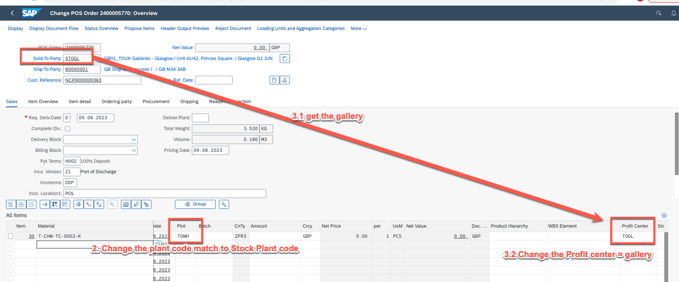
5. and then go back to sales order and witch to change Mode
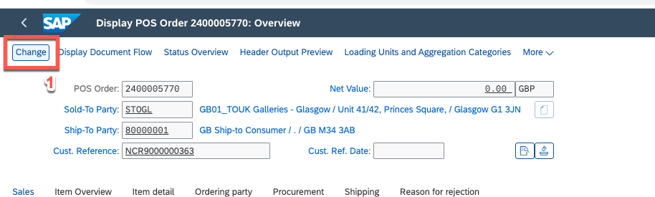
6. change plant code and profit center
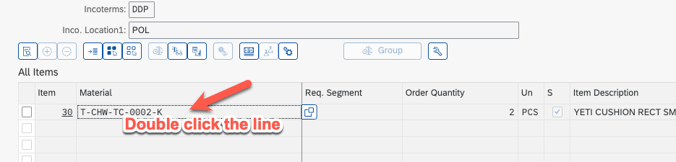
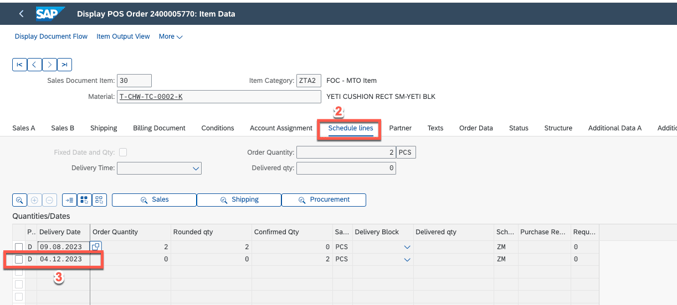
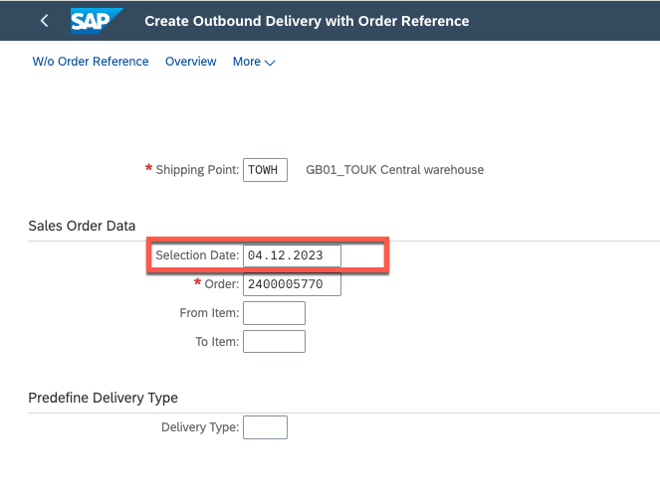
7. get the schedule delivery date and use it to create DN
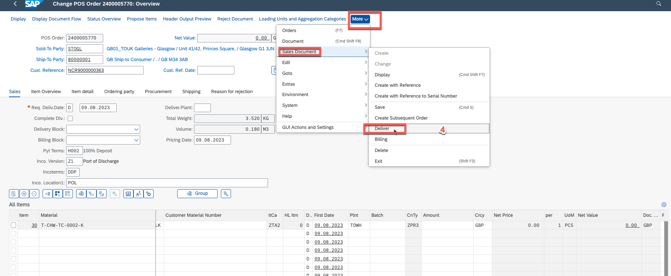
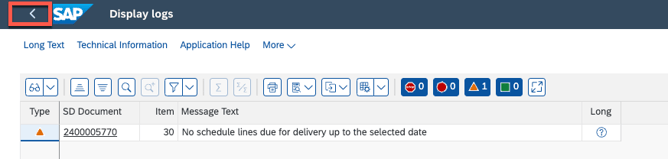
8. if see below error, then get one step back and input the selection date = schedule date
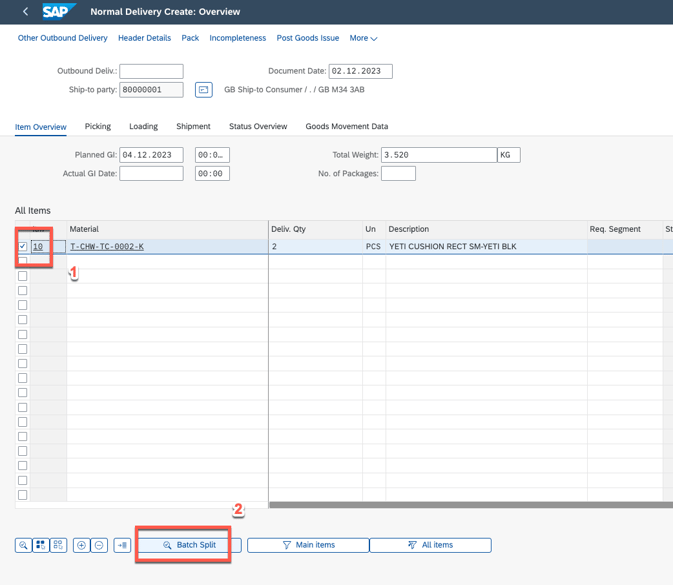
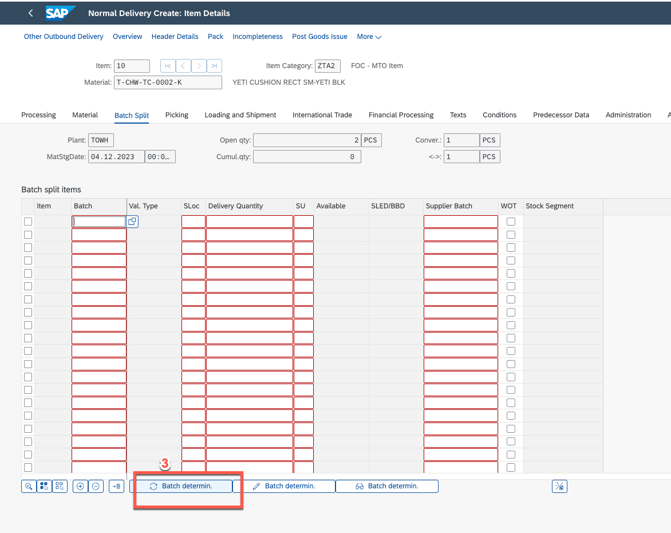
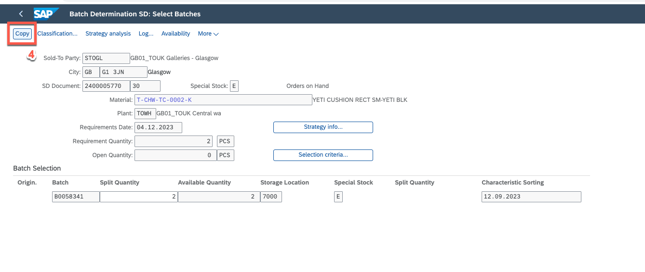
8. assign batch
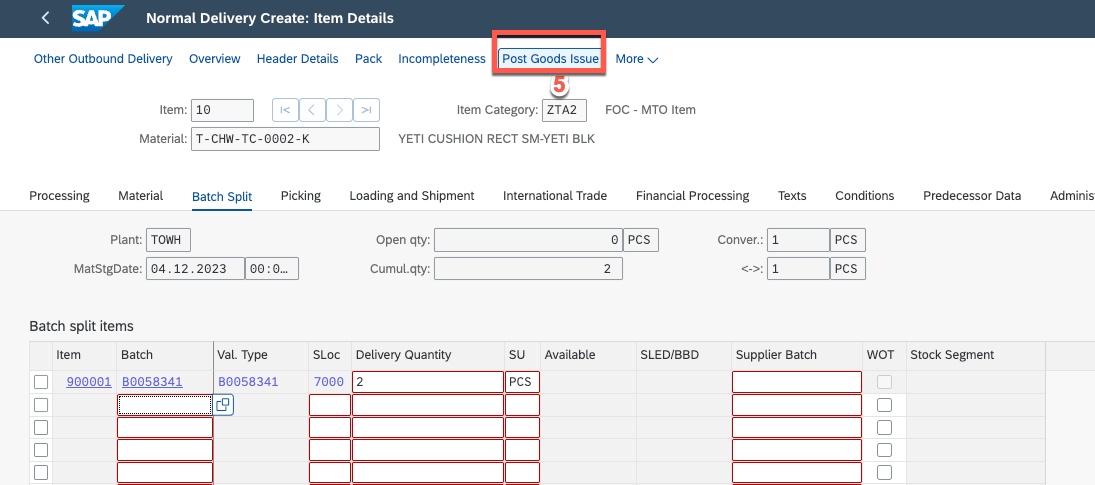
9. post goods issue
10. done and go to refresh TMS