1. Markdown the return sales order when created during NCR process
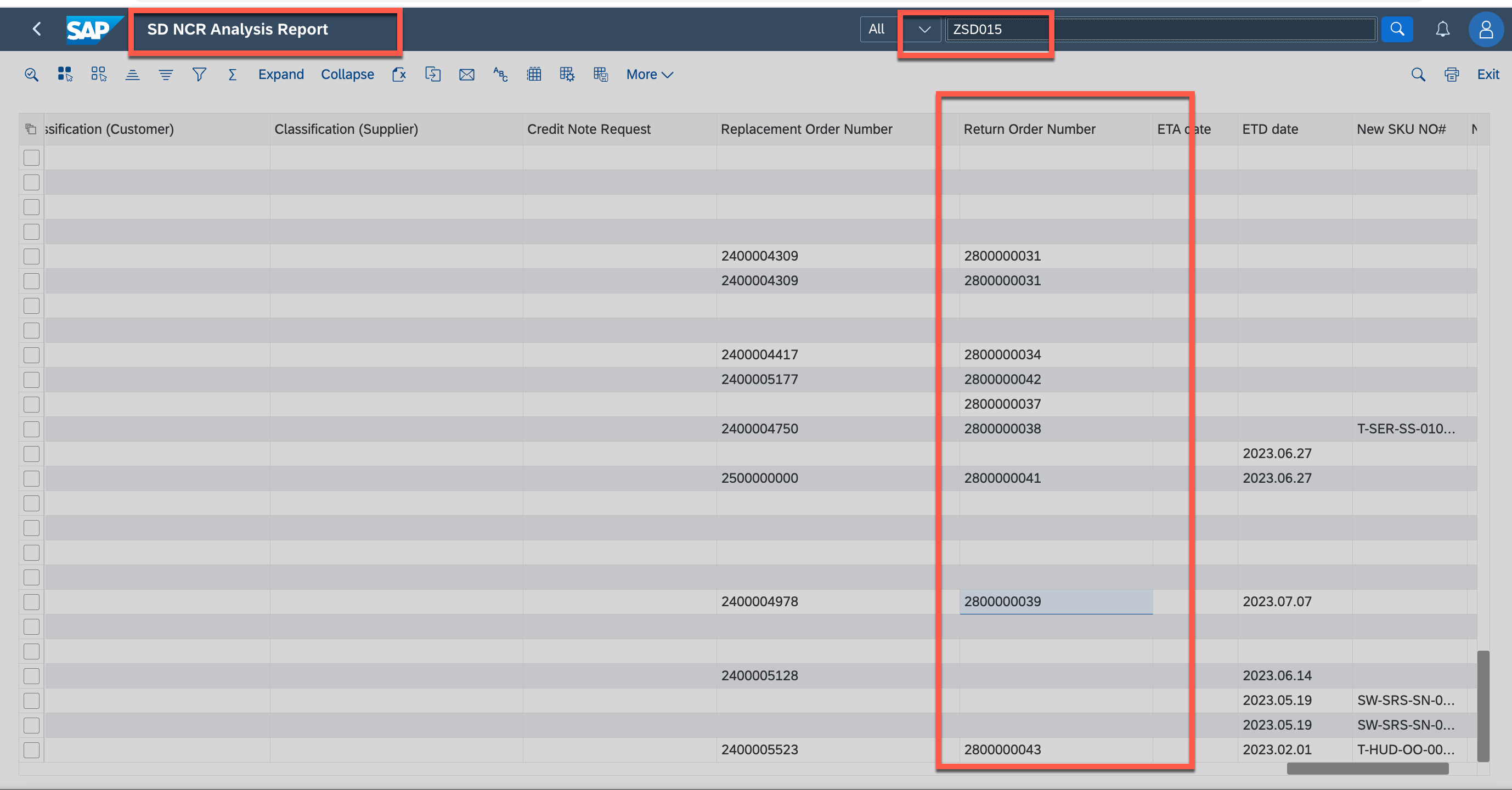
2. if forgot the NCR sales return number, could go to ZSD015, NCR Analysis report to check
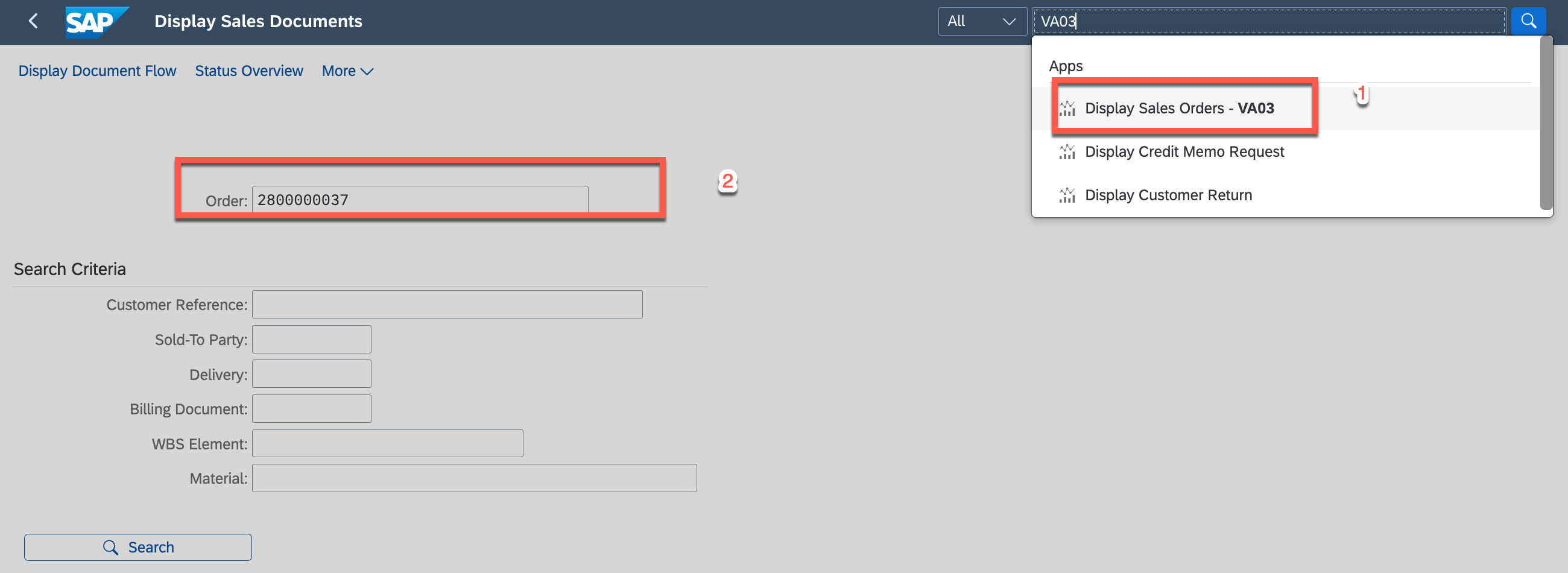
3. Go to VA03 - display sales order and input the return order and display
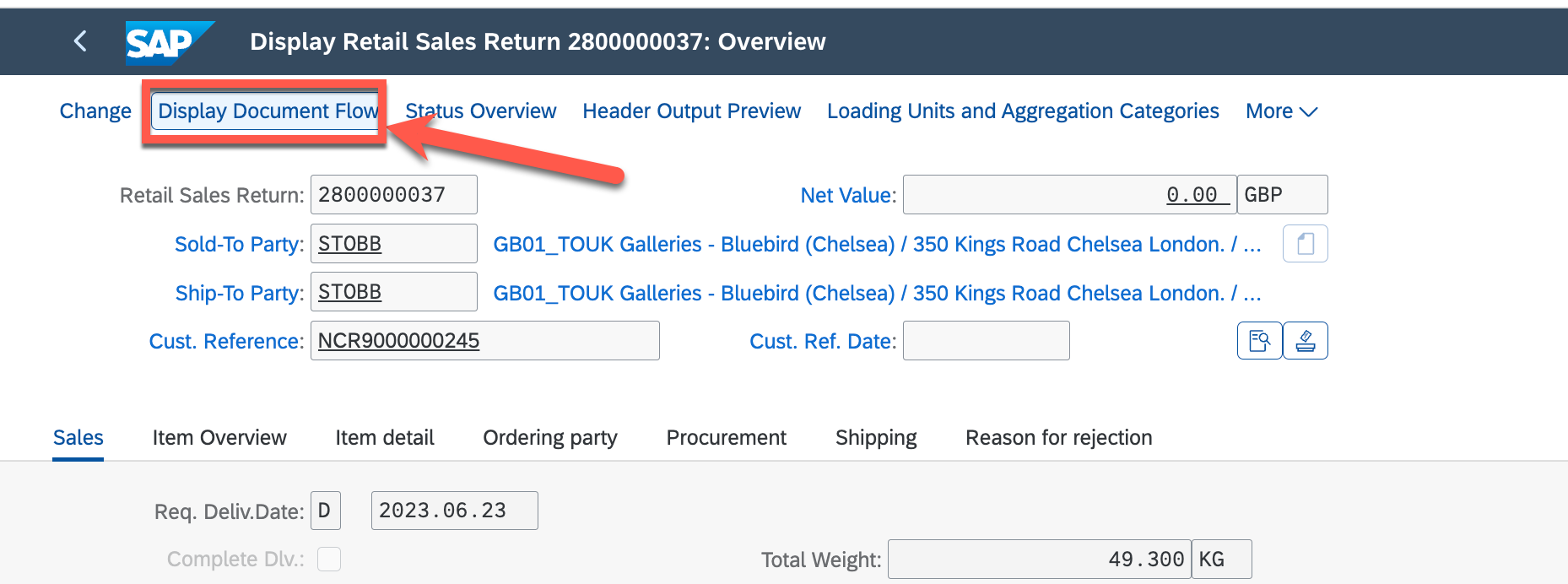
4. GO TO display document flow
5. select the Delivery note and display
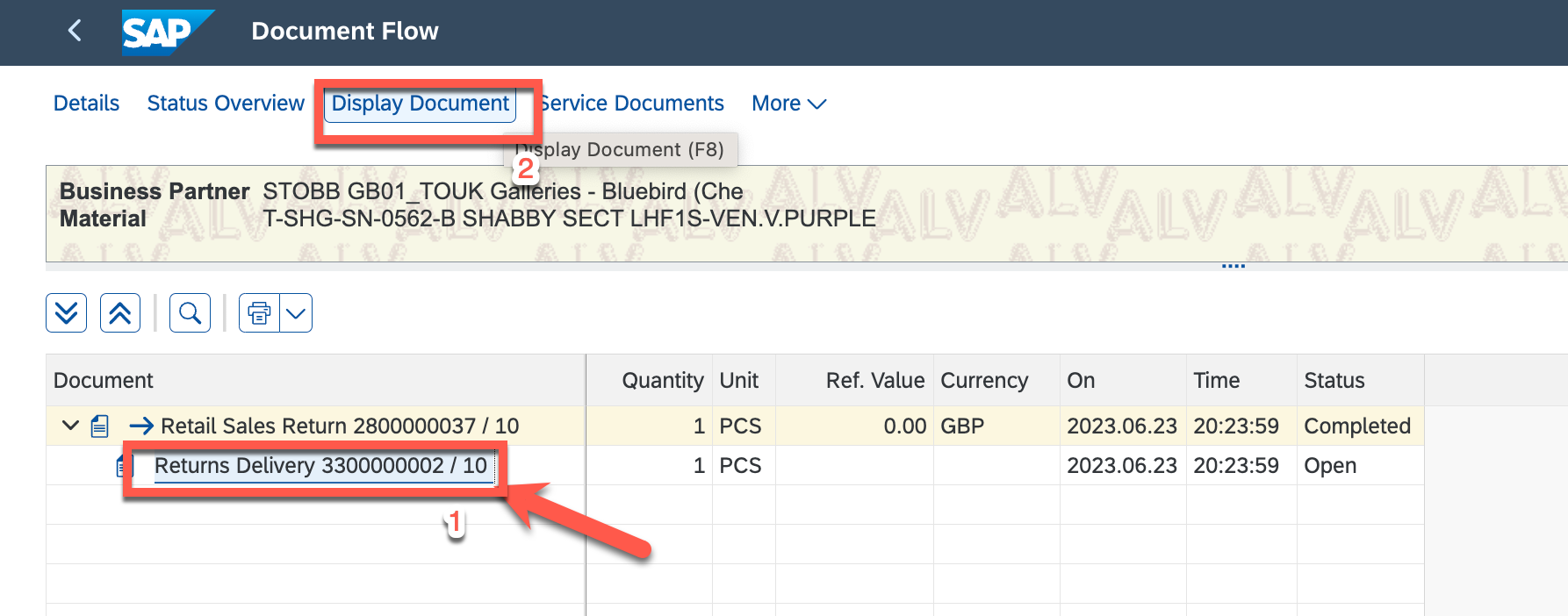
6. change to change modle
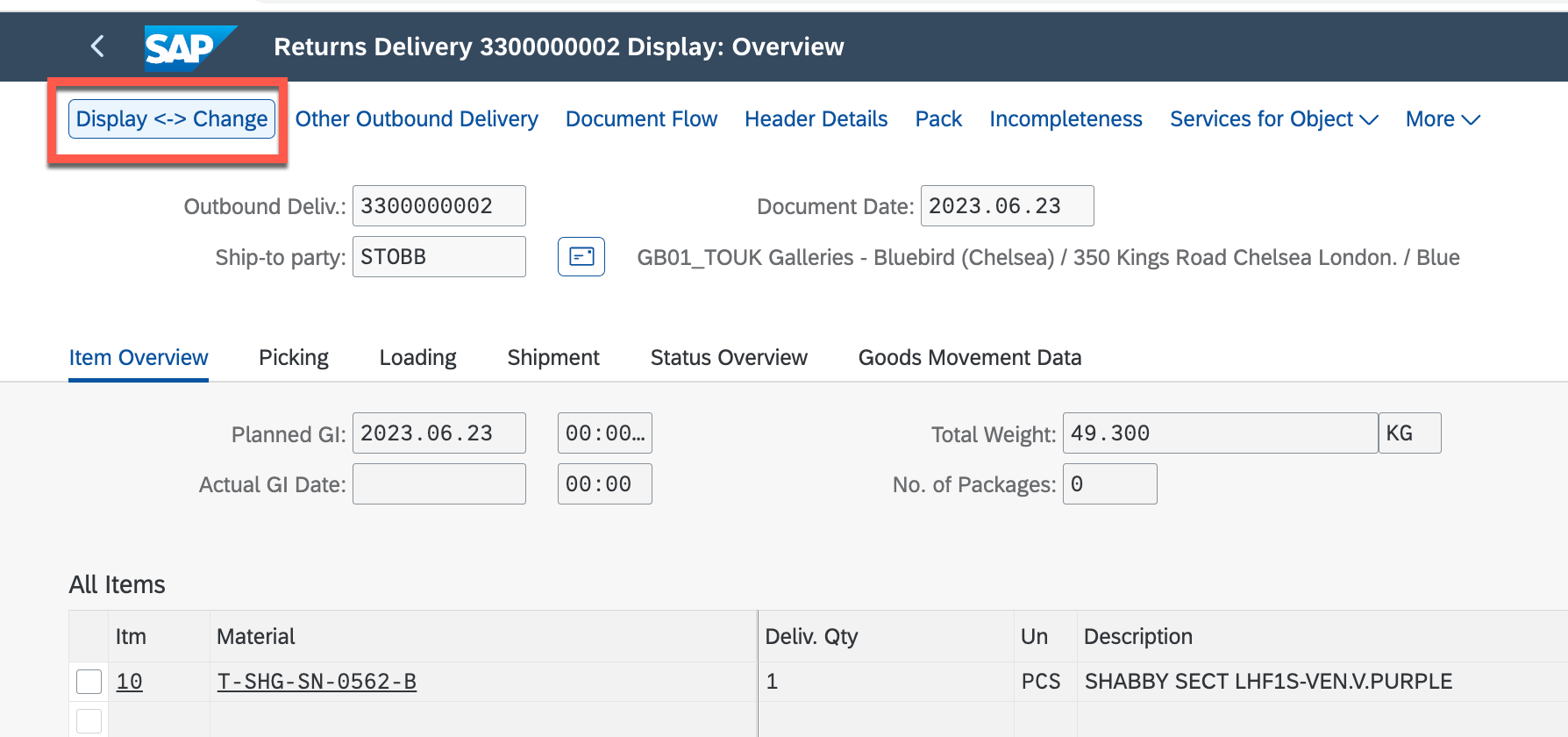
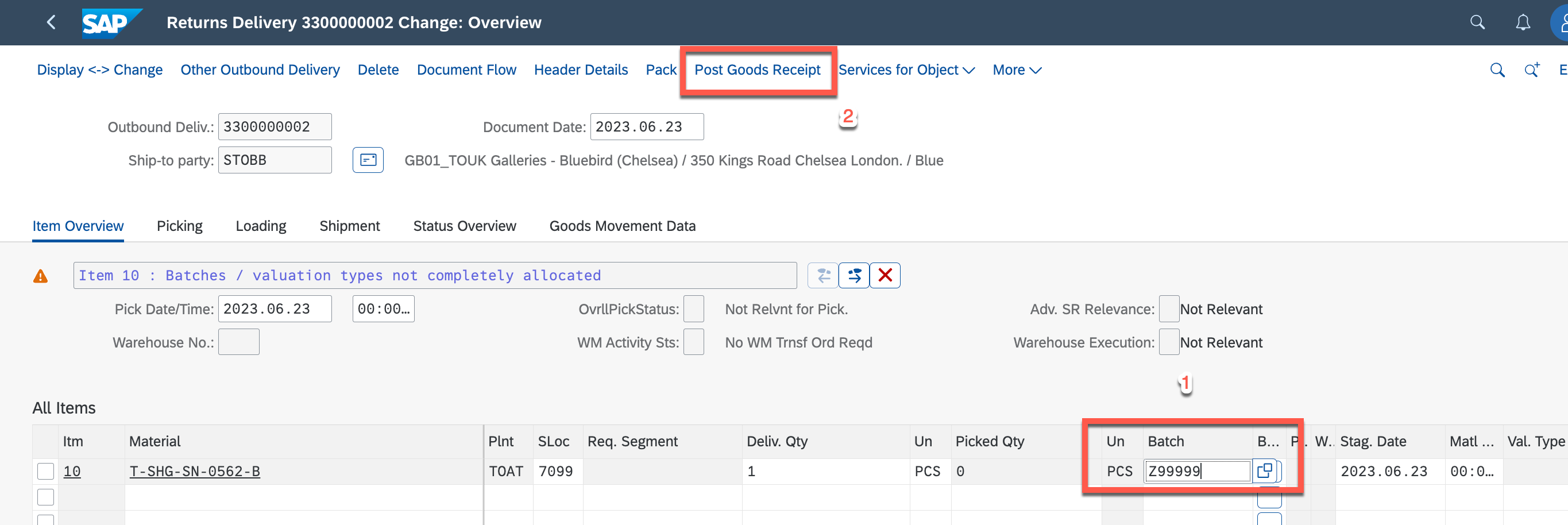
7. Input the BATCH post goods receive
If there is a Red Reminder: The batch does not exist in plant TOAT as below
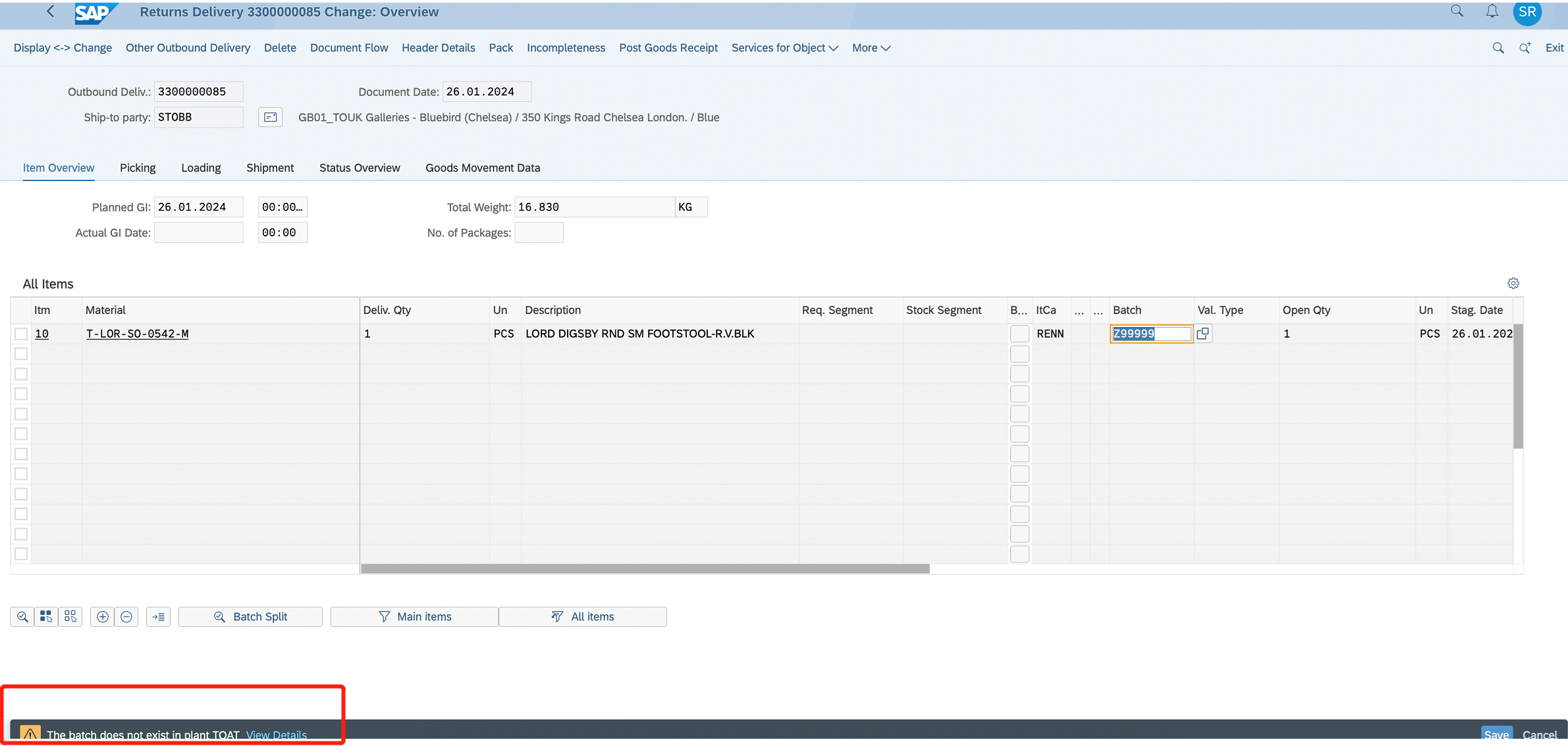 plz follow the KB link below to add a batch for it.
How to create a batch for an order? (halocreativedesign.com)
8. Save