1. select the SO and check if there is DN or not
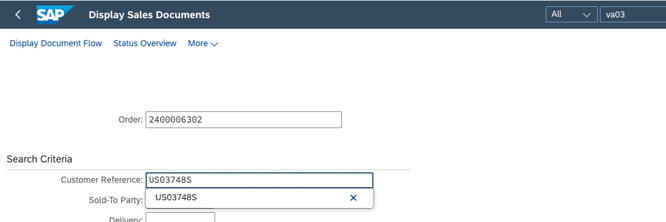
go to header and check the doucment flow to see if any DN already there
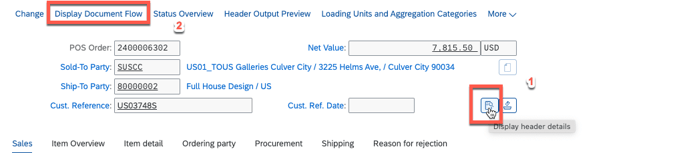
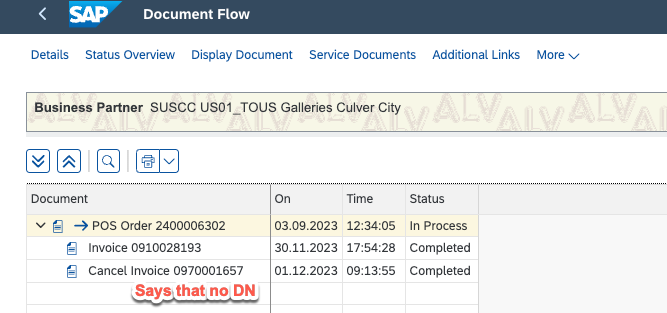
if there is DN then go to assign batch step #3, if no, go further to create DN
2. go to create DN
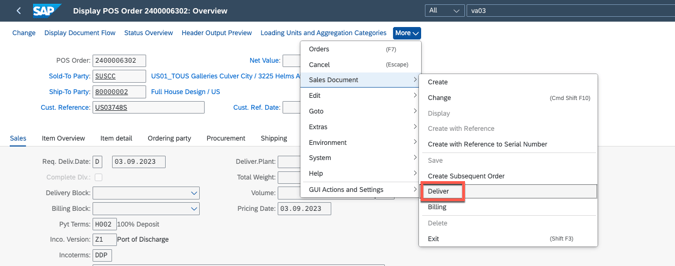
3. if you meet error as No Schedule lines due for delivery up to the selected date, go to check below two steps,
3.1 make sure there is stock under specific plant
3.2 make sure the Order batch and stock batch are the same.
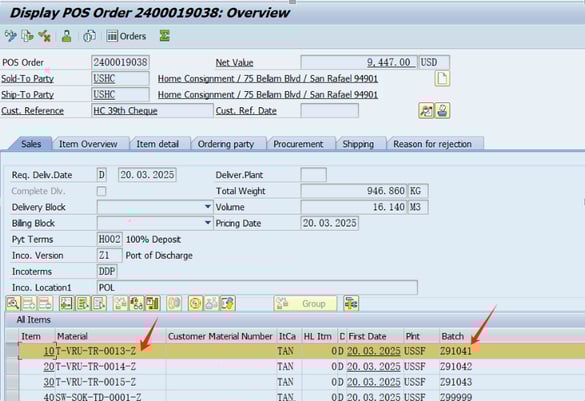
 3.3 if there is stock already, make sure the delivery date is after stock receive in date, go to below view to change
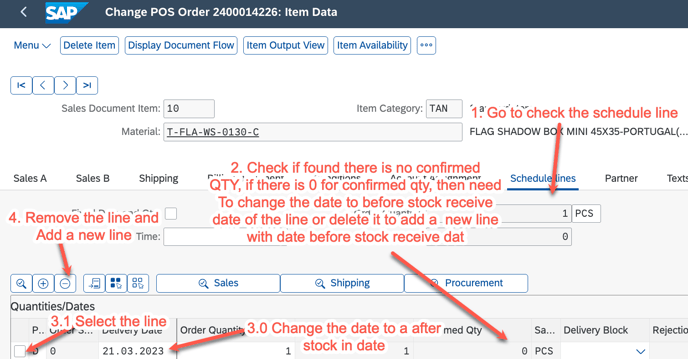
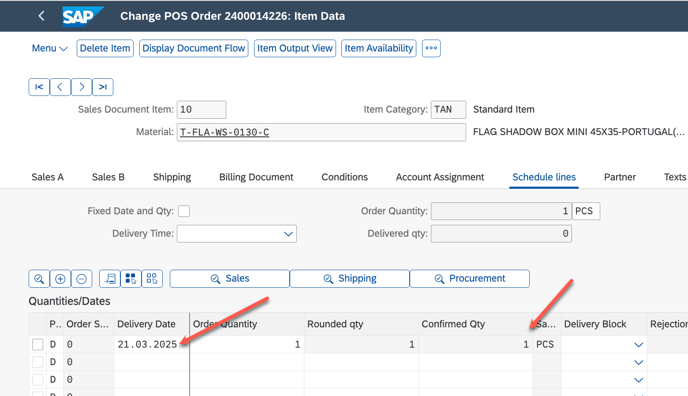
after that the DN can be created
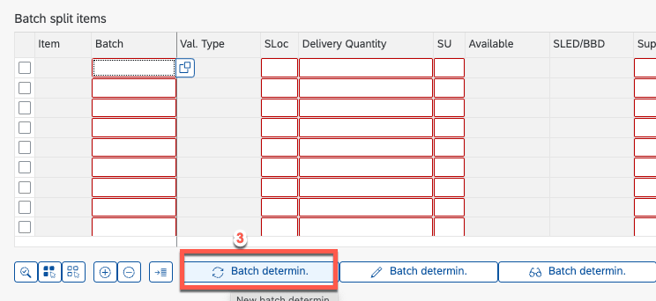
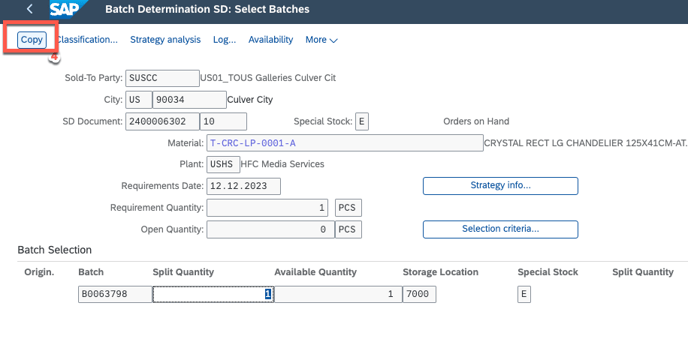
4. Assign batch
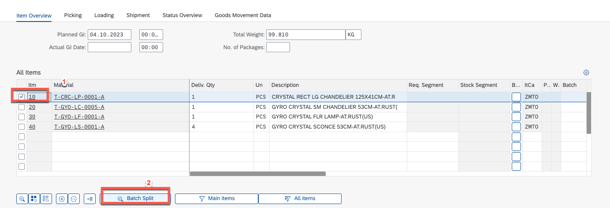
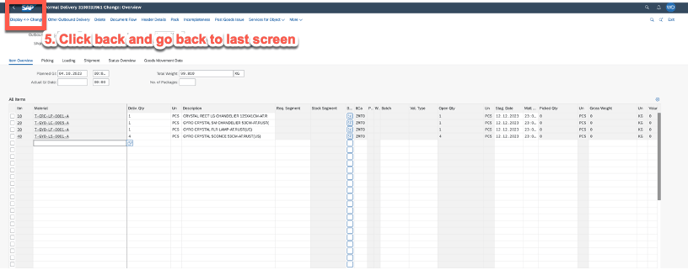
5. after all the batch assign, then go to Post goods issue

remark: if batch assign failure, then please check if the stock is there or not.