1. go to VA03 to show the SO and Check if the SO and the line want to be cancel has been created Delivery note or not
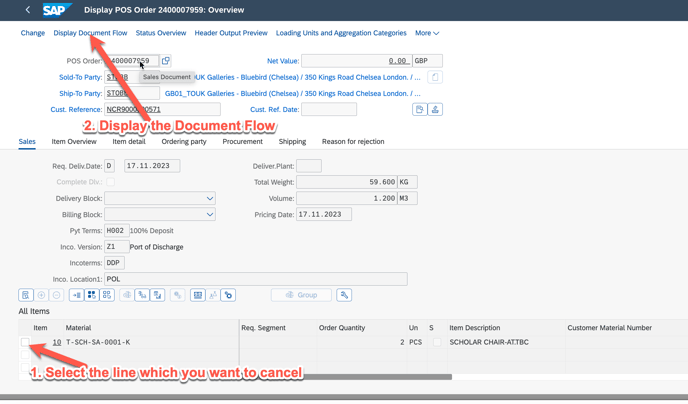
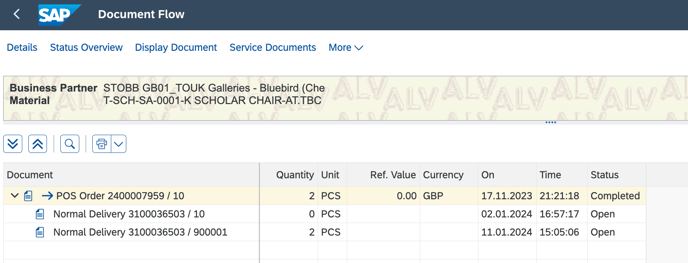
2. if there is Open delivery note, please go to delivey the delivery note first with VL02N
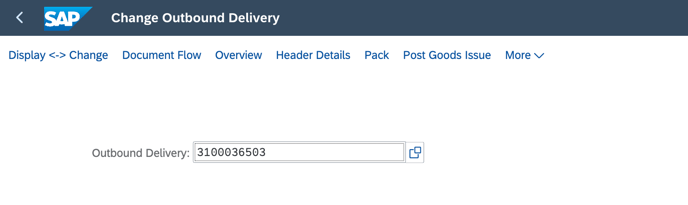
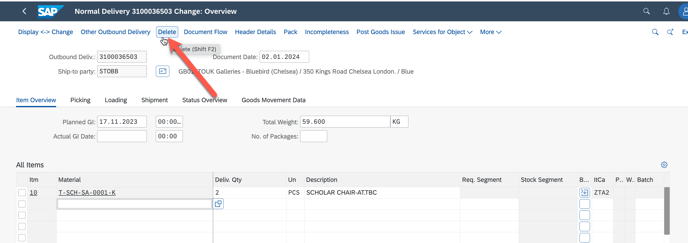
remark: if the order has been post, can not delete, need to reverse first, please reach out to IT for support do not know that.
after delete DN
3. go to SAP with VA02 to show the Sales order change View
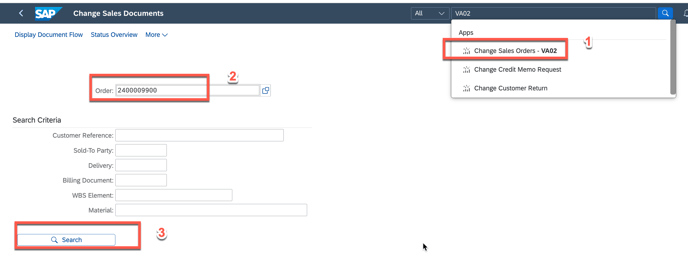
4. go to Reason for Rejection
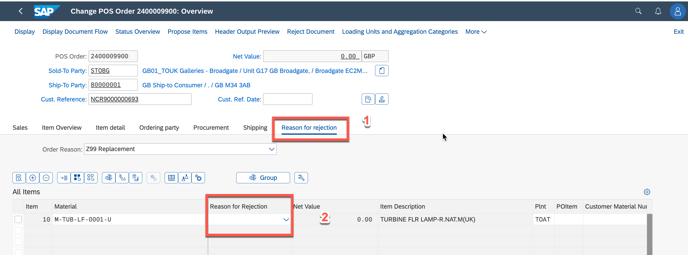
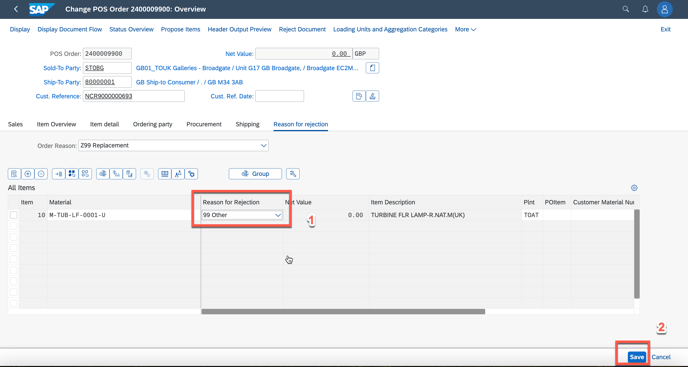
in the reason rejection, pick up the reason for what it is, if no match, please select other
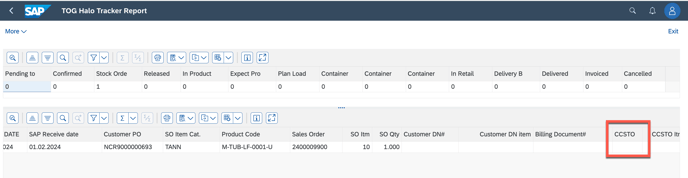
5. go to ZSD009 HALO Tracker to see if there is any CCSTO and PO have been generated, if yes, please ask AM team to cancel the CCSTO Item and PO Item.