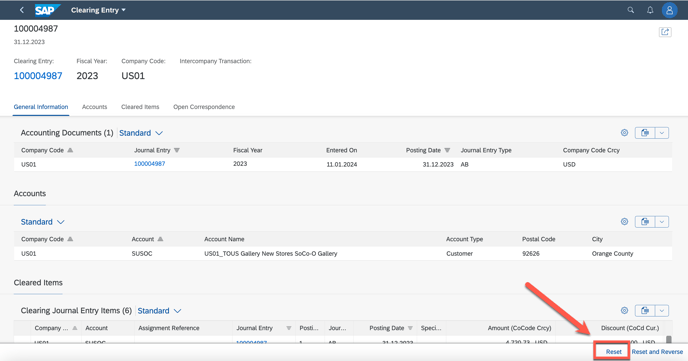
Due to retail ask for a lot order reverse , below based on a billing finance post reset give the steps.
1. Located the finance posting document based on the SO
go to SAP app - VA03 to show the sales order

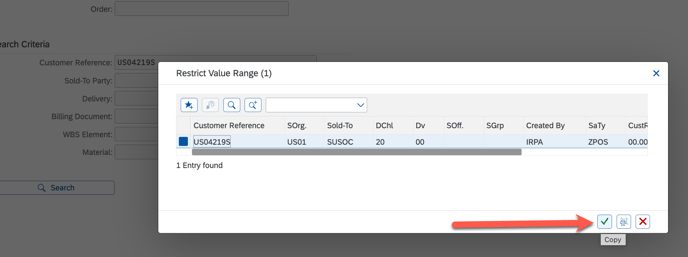
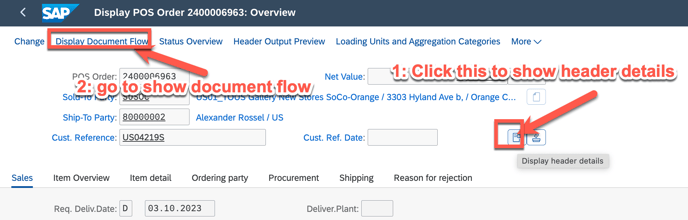
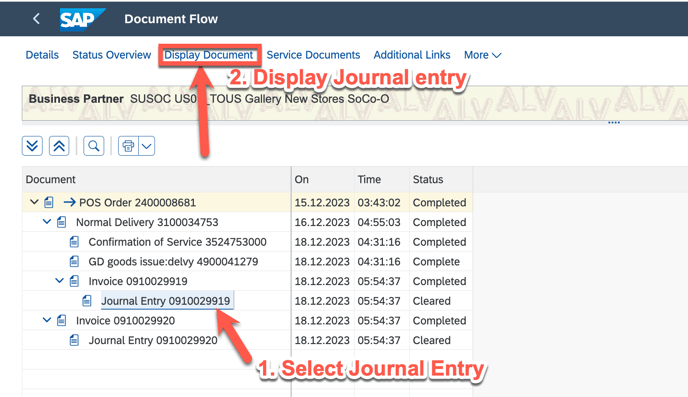
2. go to show the header details and decoment flow
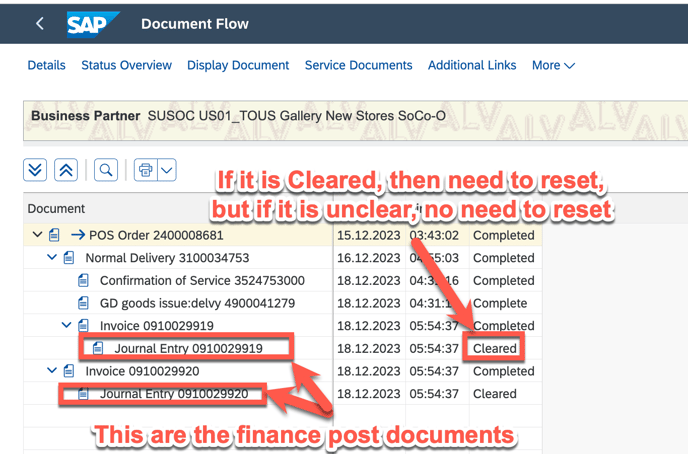
3. To get the cleared document, double the Journal Entry number
if someone give below picture deirect to ask for reset, then can go to find the clearing docment and further reset.
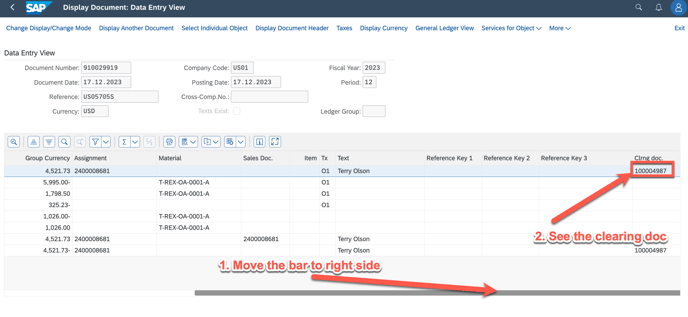
Double Click can see the finance year
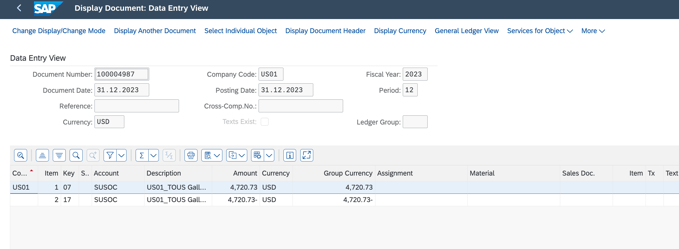
markdown 100004987, and further judge if this can be reseted and no impact to your month end closing. then go to reset as below.
4. after picked the clearing doc, go to app - Reset Clearing Document
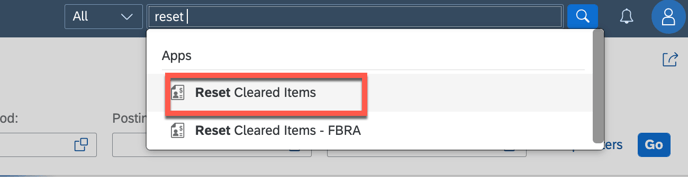
input the clear doc and company code and finance year

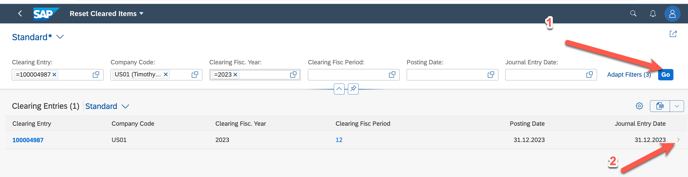
5. further confirm reset