1.Log in 800
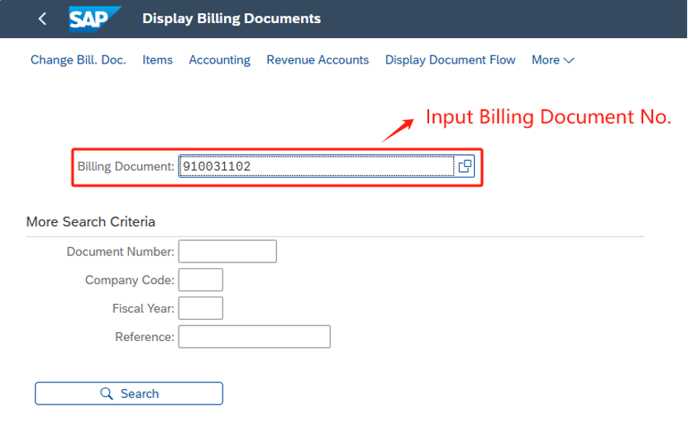
2.T-Code: VF03, APP “Display Billing Documents”
3.Input Billing Document No. and enter
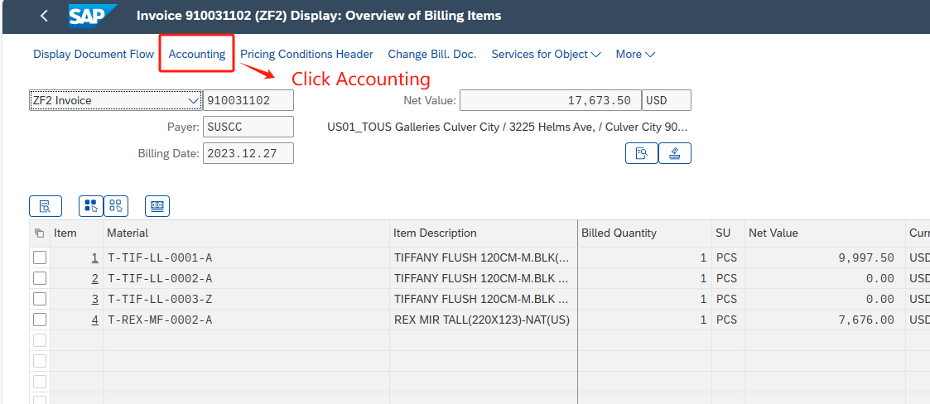
4.Click accounting
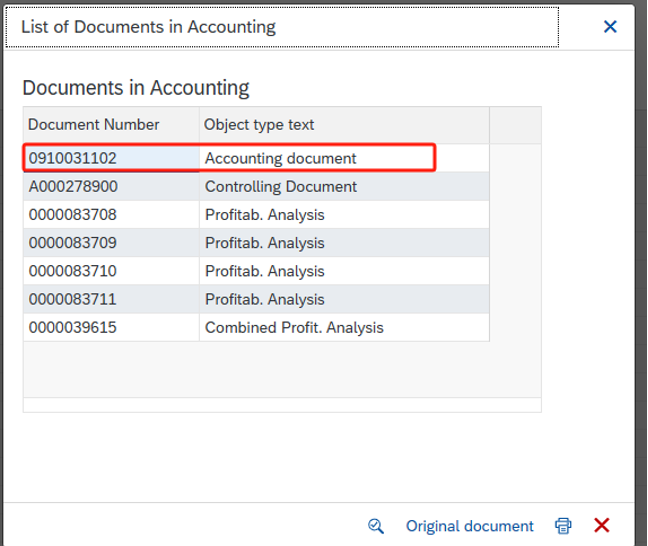
5.Double click accounting document and view accounting document
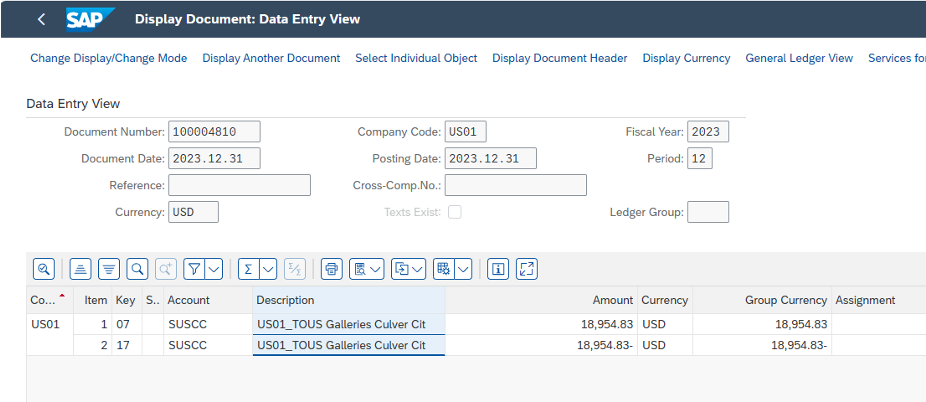
6.Double click accounts receivable line items
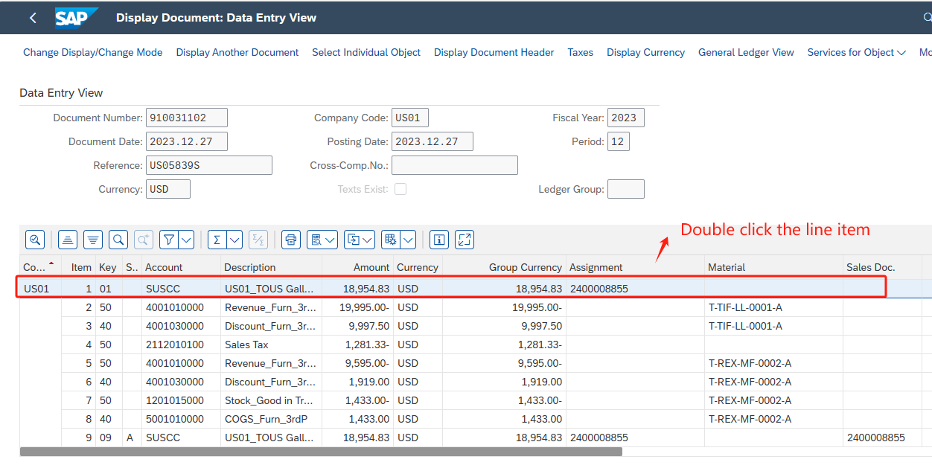
7.Display the clearing number and clearing date and double click

8.Display the clearing document