The steps for creating usage rights asset master data are basically the same as other asset classes, with the following key points explaining the differences.
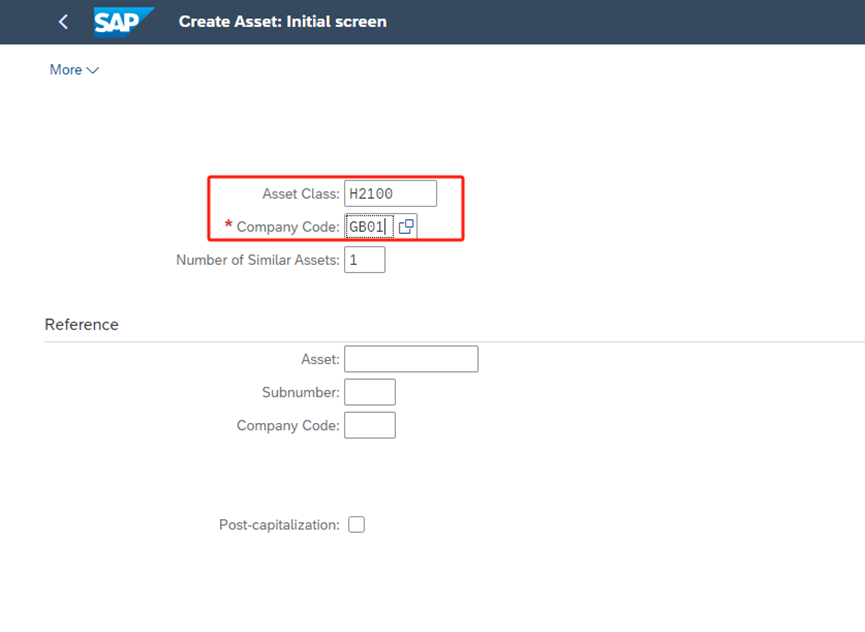
Select Asset Class H2100 and Company Code GB01, Enter
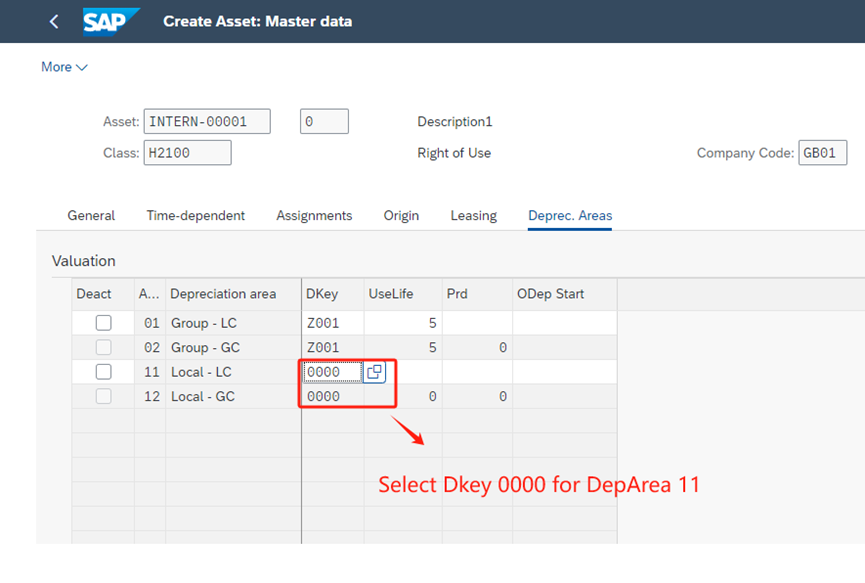
Select Dkey 0000 for DepArea 11 , Enter and Save
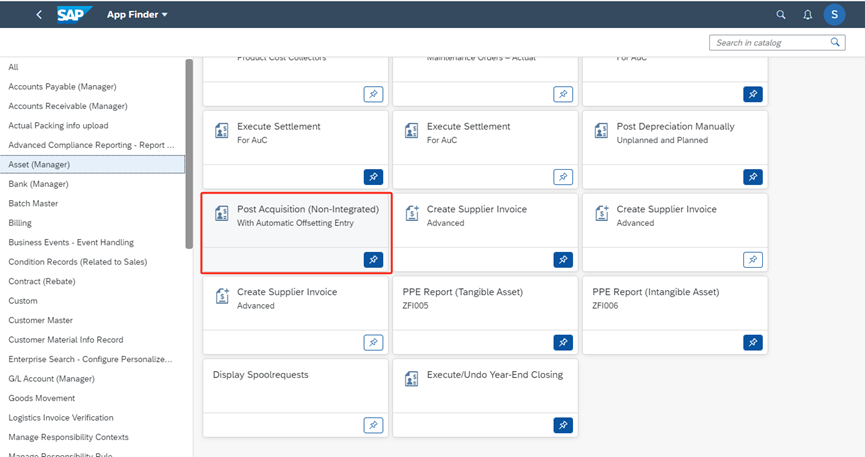
2. Post an asset acquisition, APP “Post Acquisition (Non-Integrated) With Automatic Offsetting Entry”
Note: In the Area Selection, select GAAP for Accounting Principle and 01 for Depreciation Area.
Then, after fill in other information according to the actual situation, click on post.
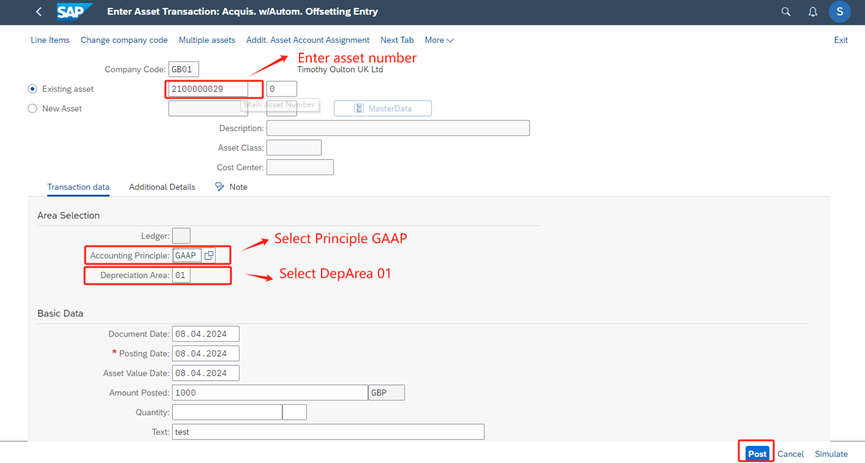
At this point, the acquisition of the right of use asset has been completed. The following are the steps to check asset value
3. Check asset value and accounting document
In the depreciation area of Group GAAP, asset value information can be seen.
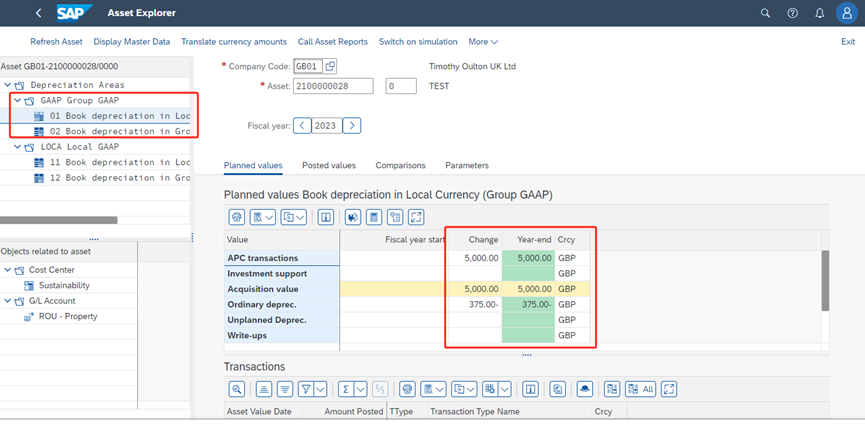
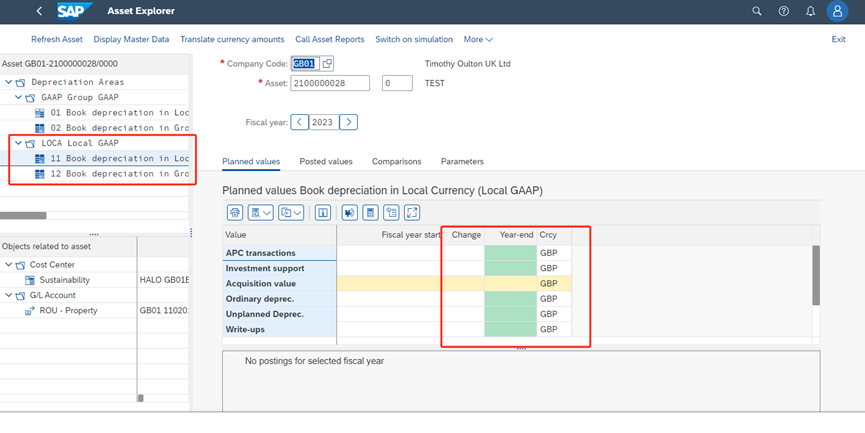
In the depreciation area of Local GAAP, asset value information is empty.
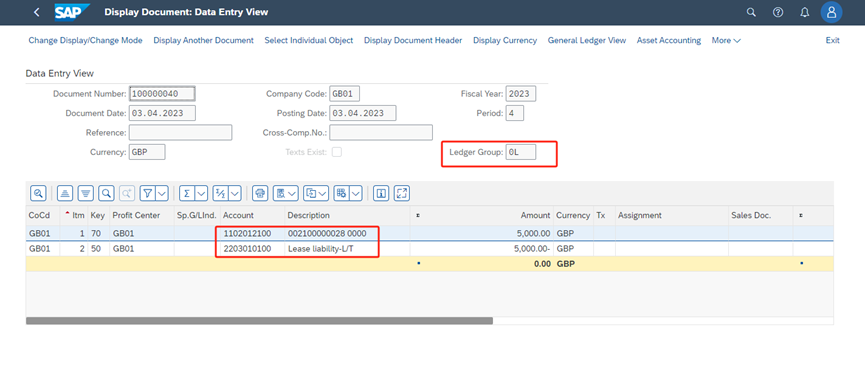
Posting a right of use asset acquisition only generates one accounting document, and the ledger is 0L.
DR: Right of use asset
CR: Lease liability-L/T