SAP-FICO: Assign Bank Accounts to Transaction Types
1. Log in DEV 100
2. T-Code: SPRO
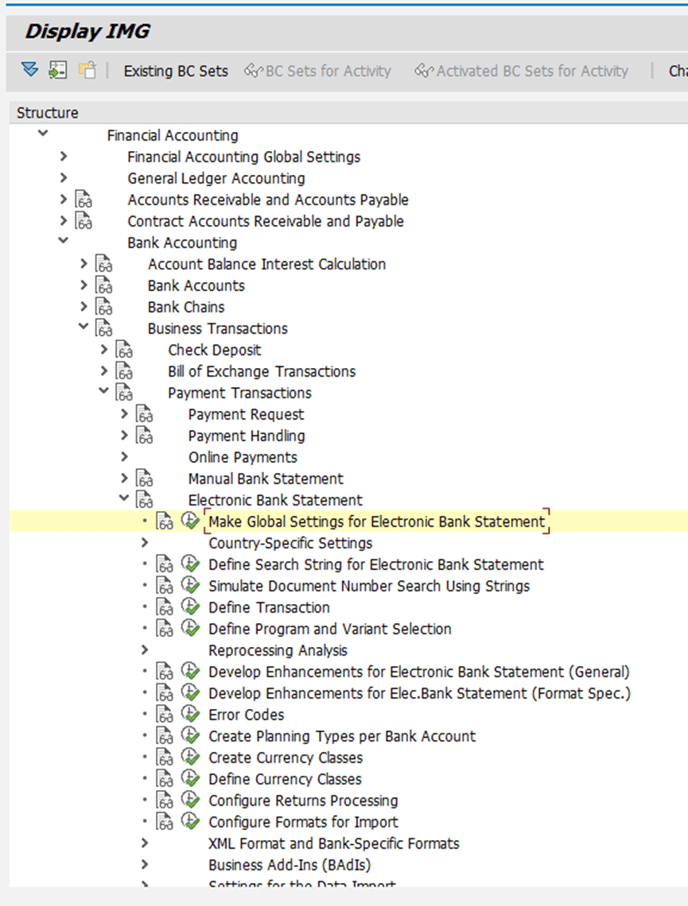
3. Find the path
Financial Accounting->Bank Accounting->Business Transactions->Payment Transactions->Electronic Bank Statement->Make Global Settings for Electronic Bank Statement
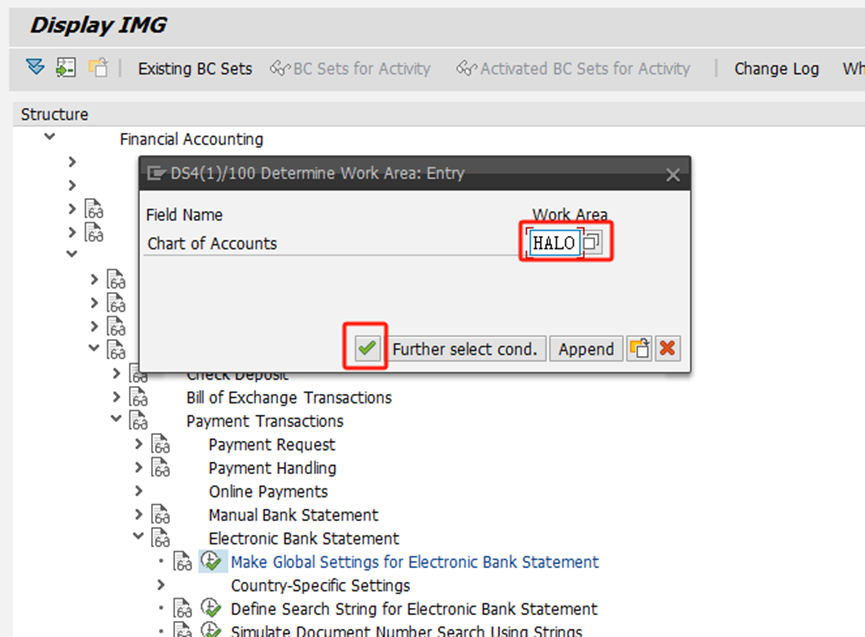
Choose HALO for the Chart of Accounts
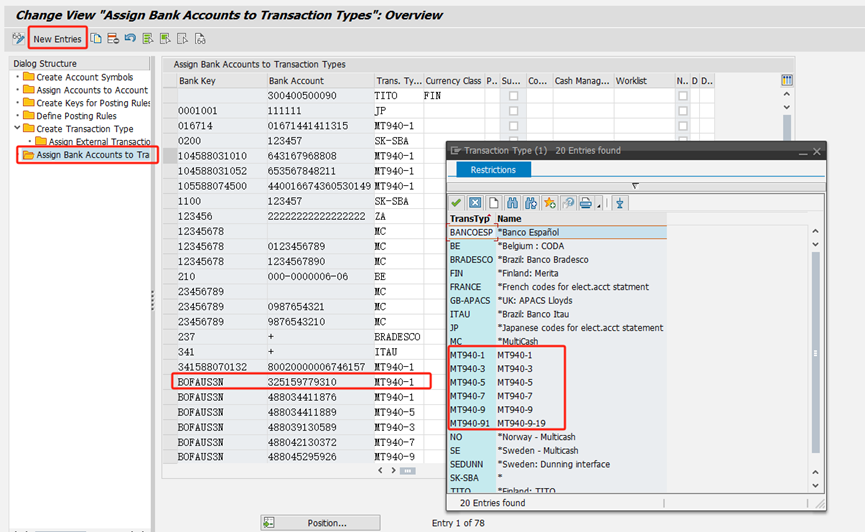
According to the bank information provided by the user, fill in the corresponding bank key and bank account.
The transaction type is selected based on the last digit of the clearing account number according to the following mapping relationship:
2-> MT940-1
4-> MT940-3
6-> MT940-5
8-> MT940-7
10-> MT940-9
20-> MT940-91

Save with TR and transfer to 800 production environment.