1. Set up connection
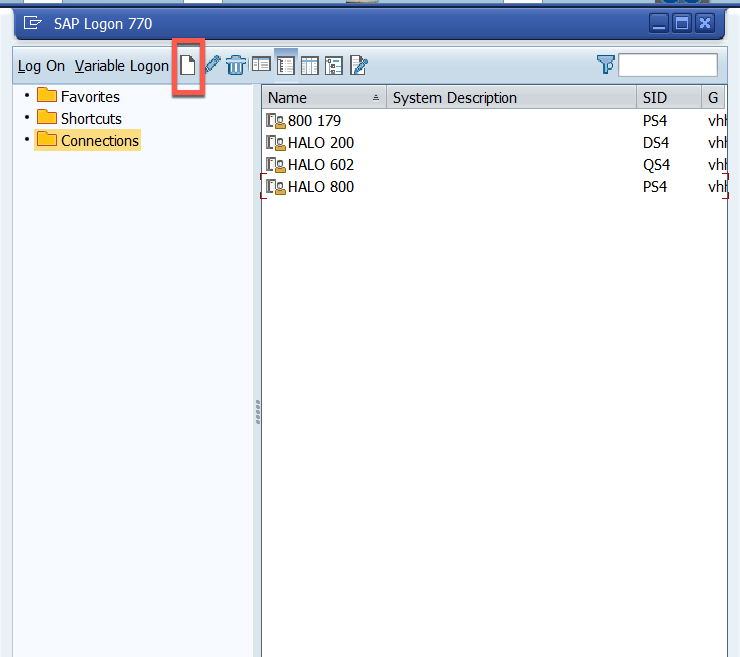
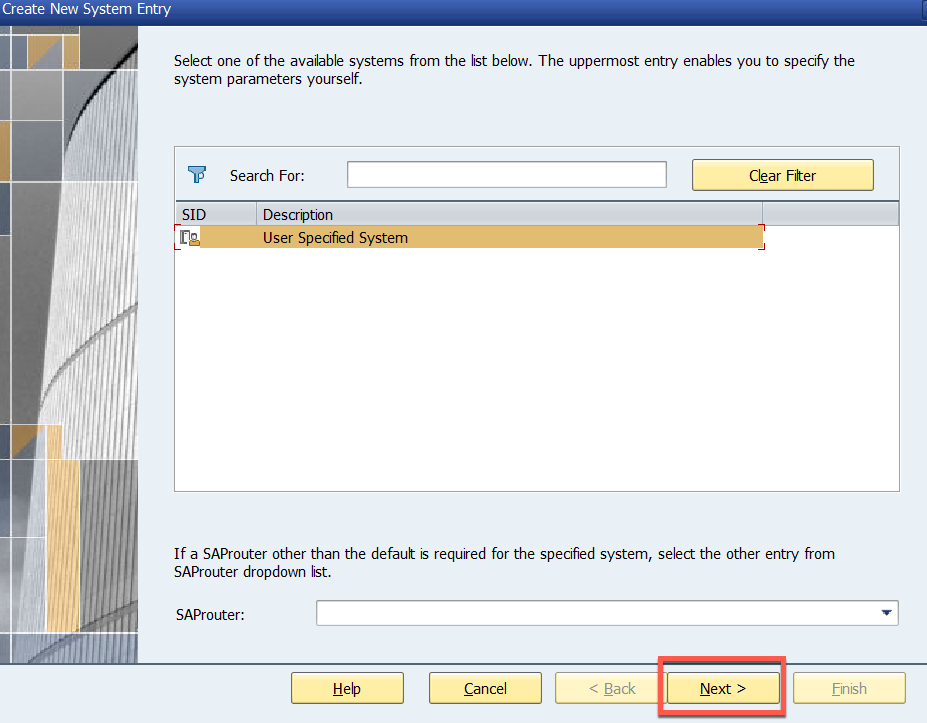
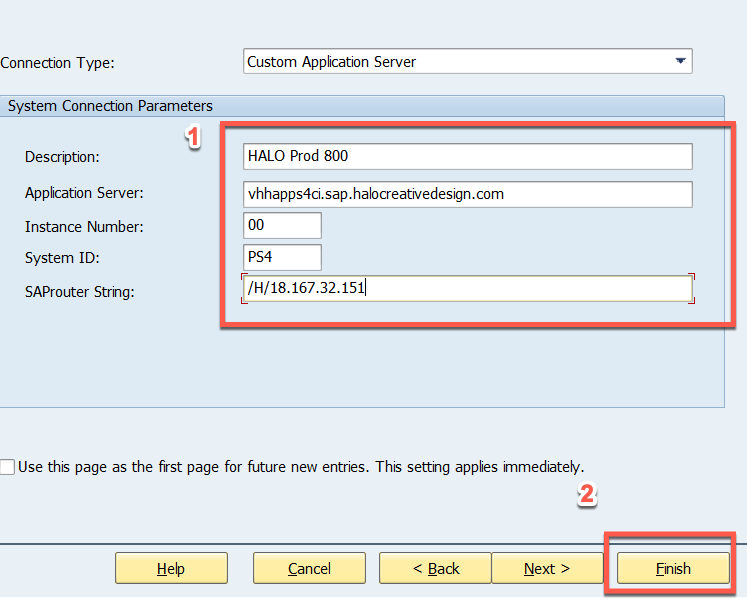
2. input parameters
Description : e.g. HALO Prod 800
application Server: vhhapps4ci.sap.halocreativedesign.com
Instance Number: 00
System ID: PS4
SAProuter String: /H/18.167.32.151
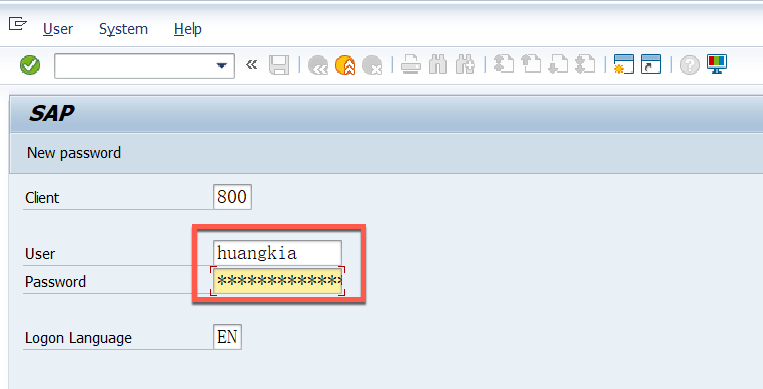
3. LOG IN with your SAP account and Password
4. Input the t-code to the app and then clike ENTER or click the green TICK OFF
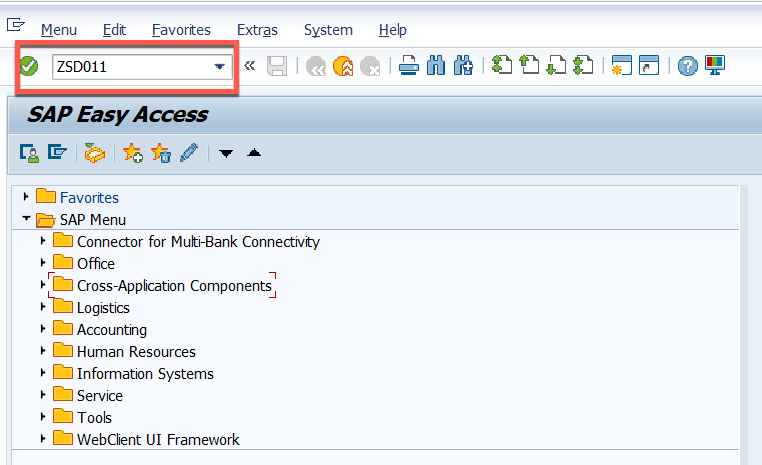
- When in the home page, can input T-code directly like ZSD011
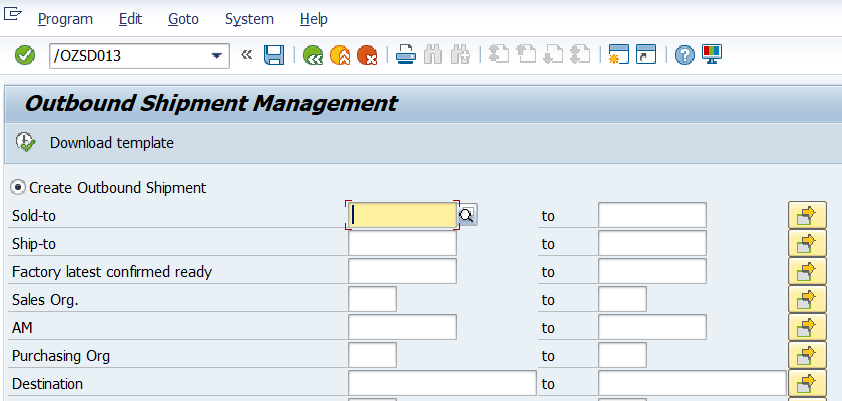
- but if already in a apps view, input /N+T-CODE like /NZSD011 can exist current app and jump to new app
- if input /O+T-CODE like /OZSD011 can jump to a new window with expected T-code
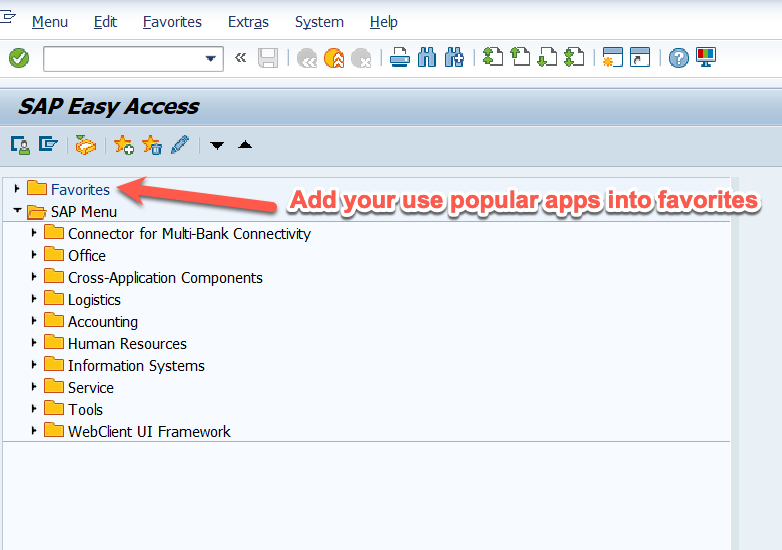
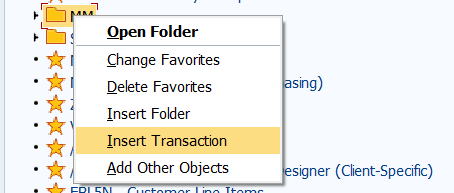
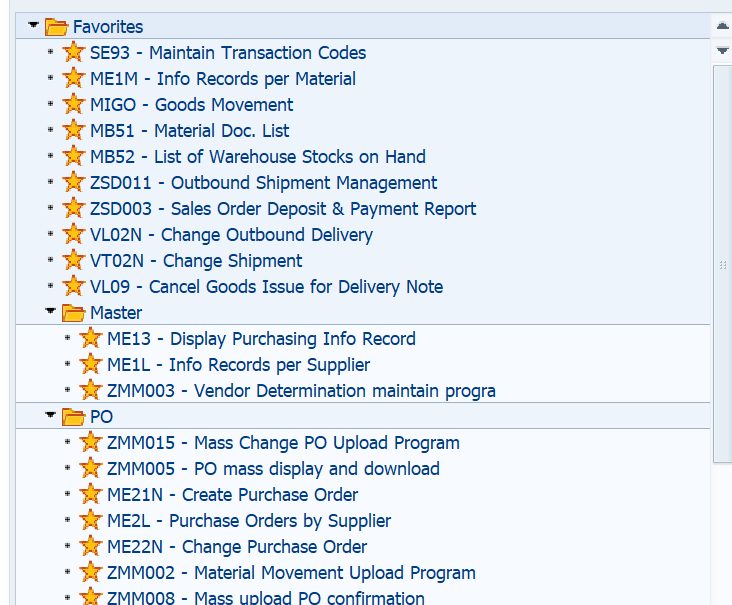
5. add you favorites apps with T-code
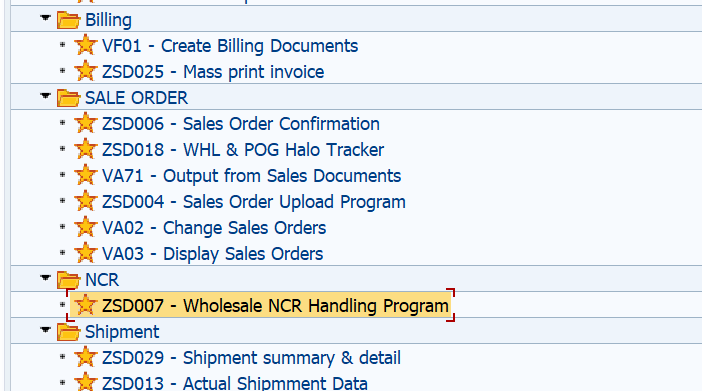
6. we can classify with folder for better view managemnet if needed
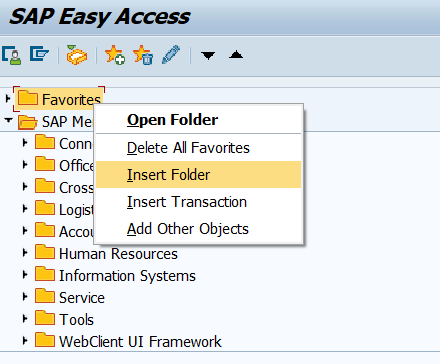
after that we can add t-code directly
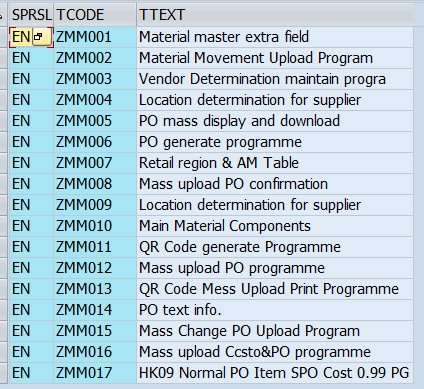
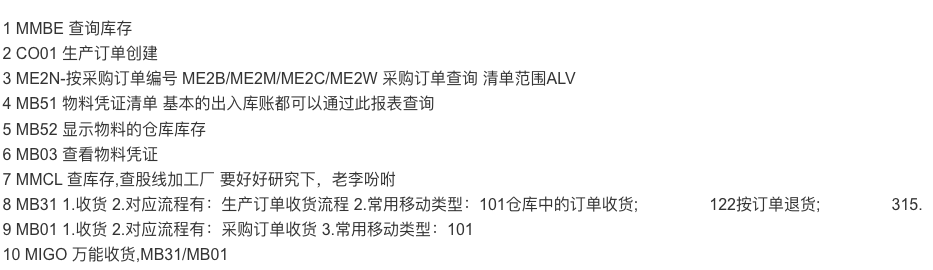
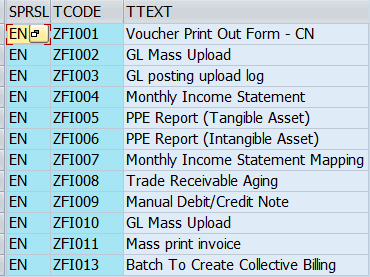
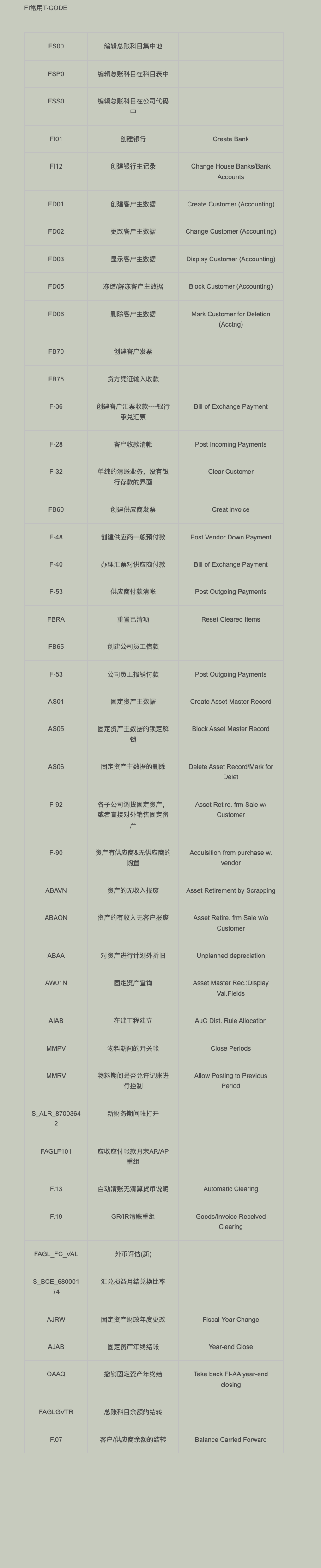
7. Some popular T-code for reference
Purchase and Stock management
Sales & ship:
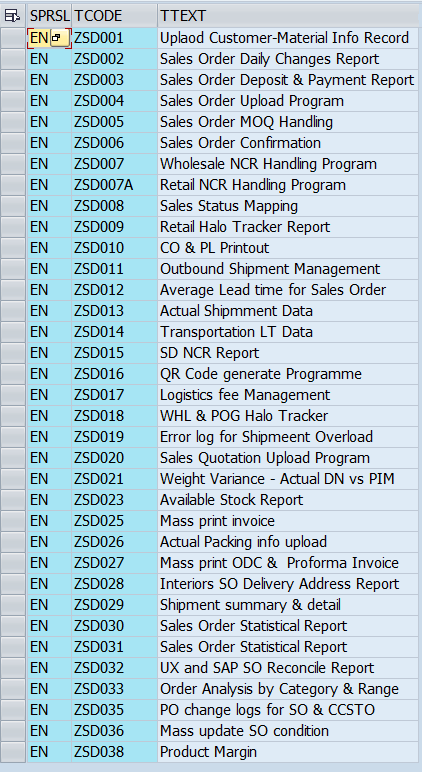
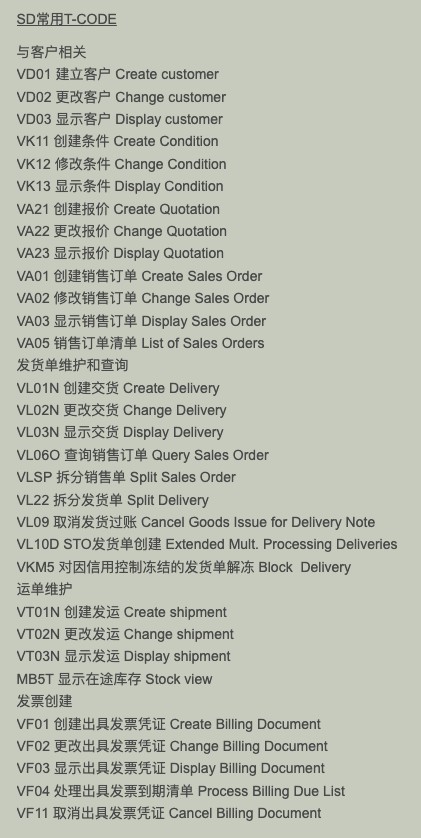
below from Tina:
Finance:
8. SAP quick shortcutkey
F1 帮助
F3 返回
F4 选择输入项
F5 新增
F6 复制为。。。
F7 全选
F8 选择块,首F8,尾F8
F9 选择一条
CTRL+S 保存
F12 取消
Shift+F1 打印
Shift+F2 删除
Shift+F3 退出
Shift+F4 取消全选
Shift+F7 根据条件定位
Shift+F9 首页
Shift+Ctrl+0 前一页
Shift+F11 下一页
Shift+F12 上一页
Ctrl+F2 撤销更改
Ctrl+F4 修改变显示
Ctrl+F10 BC设置:初始字段值
Ctrl+; SAP快捷方式建立
Ctrl+/ 定位到输入命令条
Ctrl+Shift+F4 在收葳夹中新建快捷方式
Ctrl+Shift+F5 在收葳夹中新建文件夹
Ctrl+F11 收起所展开的树形菜单
Ctrl+Shift+'+' 新增会话窗口
Ctrl+F2 启动业务工作台(邮件等)