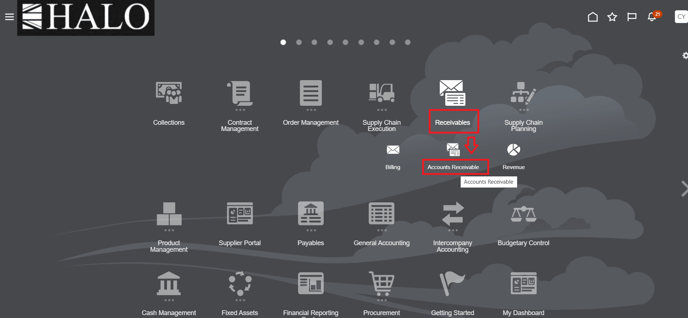
After login to system you have to follow the below path:
1. Receivables -> Accounts receivables
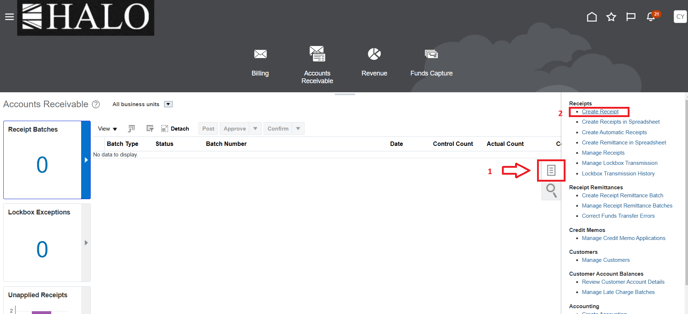
2. Tasks icon -> Create Receipt.
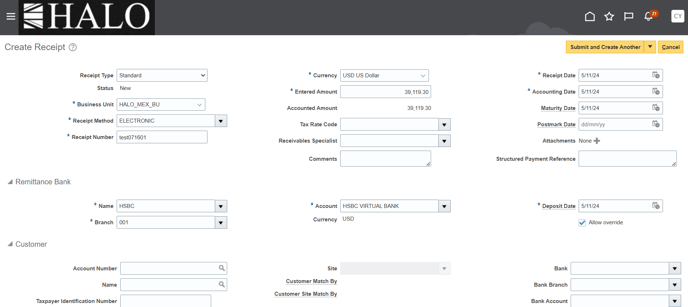
3. Input all the required information
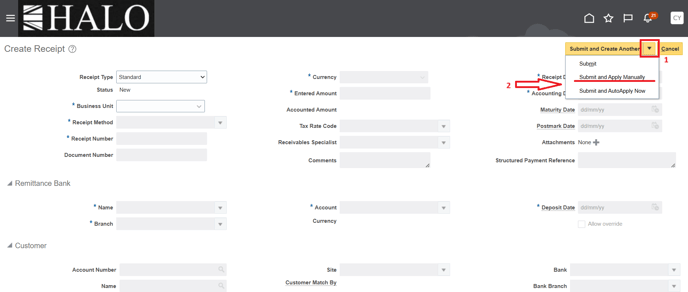
4. Then, click on just on the triangle icon on the right and then on "Submit and Apply Manually"
5. After that you will have to apply the invoice. Don't forget to provide the following information:
AR invoice number
Customer name
Apply amount
Invoice's creation date
6. Finally, you should check the data and do operation.