Query report "PO_INFO_RECORD" can get the purchase price, follow below steps:
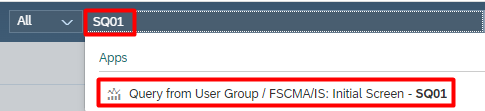
Step 1
In Fiori, search "SQ01", or use Query report in Gui version .
Step 2
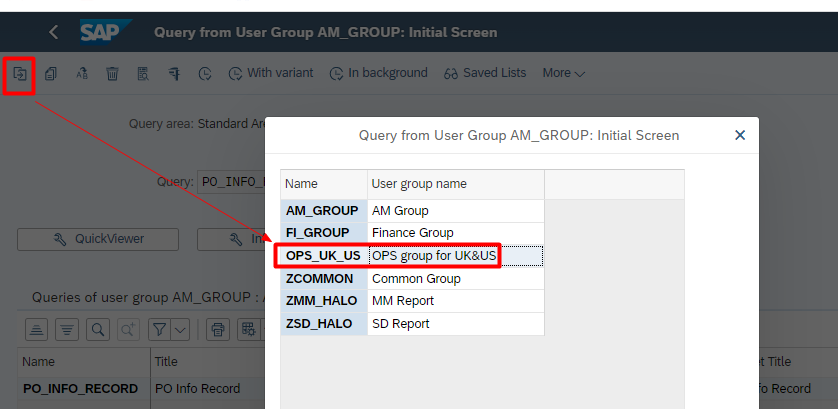
Switch to "OPS_UK_US" user group
Step 3
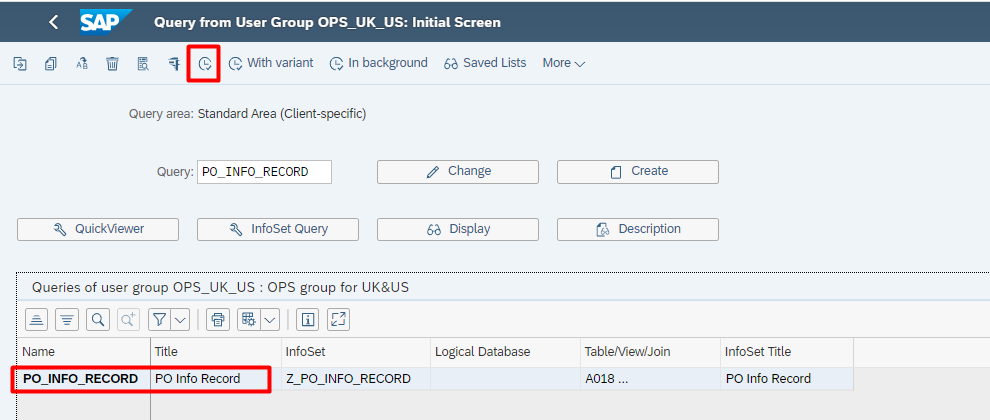
Select report "PO_INFO_RECORD" then Execute.
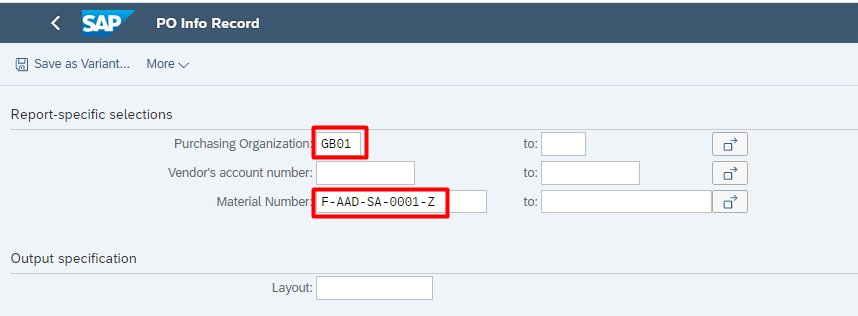
Input "Purchasing Organization" and "Material Number", then Execute.
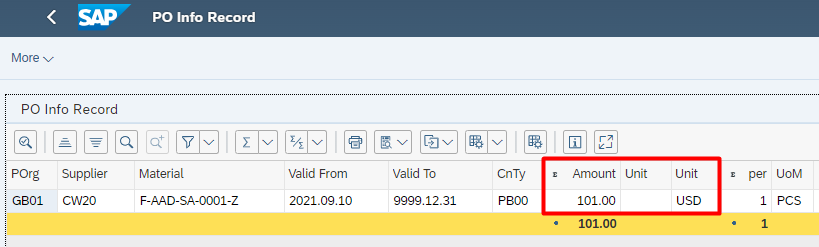
Bear in mind, stock is valued by company code currency, need to check price currency whether is same as company code currency.
e.g TOUK company code currency is GBP, so need to translate USD price into GBP price.