For delisted items with stock you can arrange for sales with below steps, but keep in mind delisted items cannot be converted by MTO mode
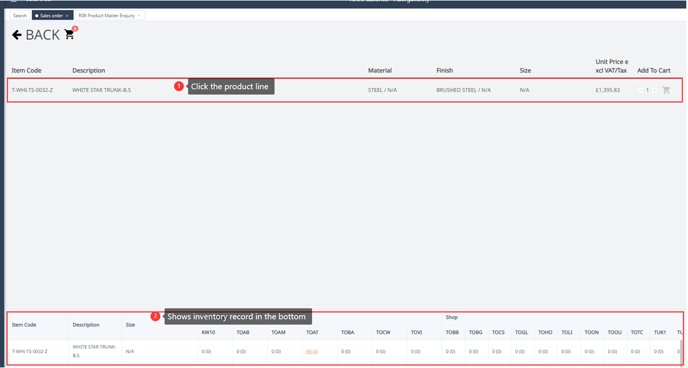
- When you search a delisted product in sales order, the Cart would be in grey and cannot be added to. Instead you can choose by converting by stock.

- Click the product line in search result, it will show inventory record in the bottom box.
- Click the stock location, add the quantity and select STOCK order type in the pop-up page.
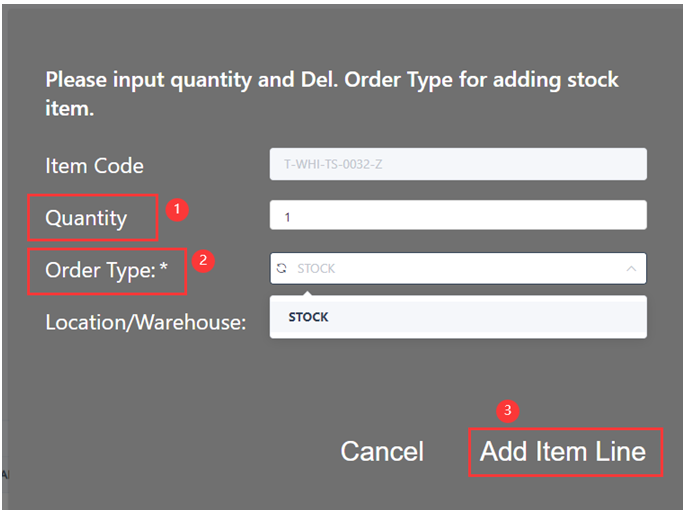
- Item has been added into order and ok for sell.
If you do see stock on floor but cannot see in system, it means in SAP the inventory record needs to be updated. Please reach out to Ops team to follow-up with the inventory record in order to covert sales.