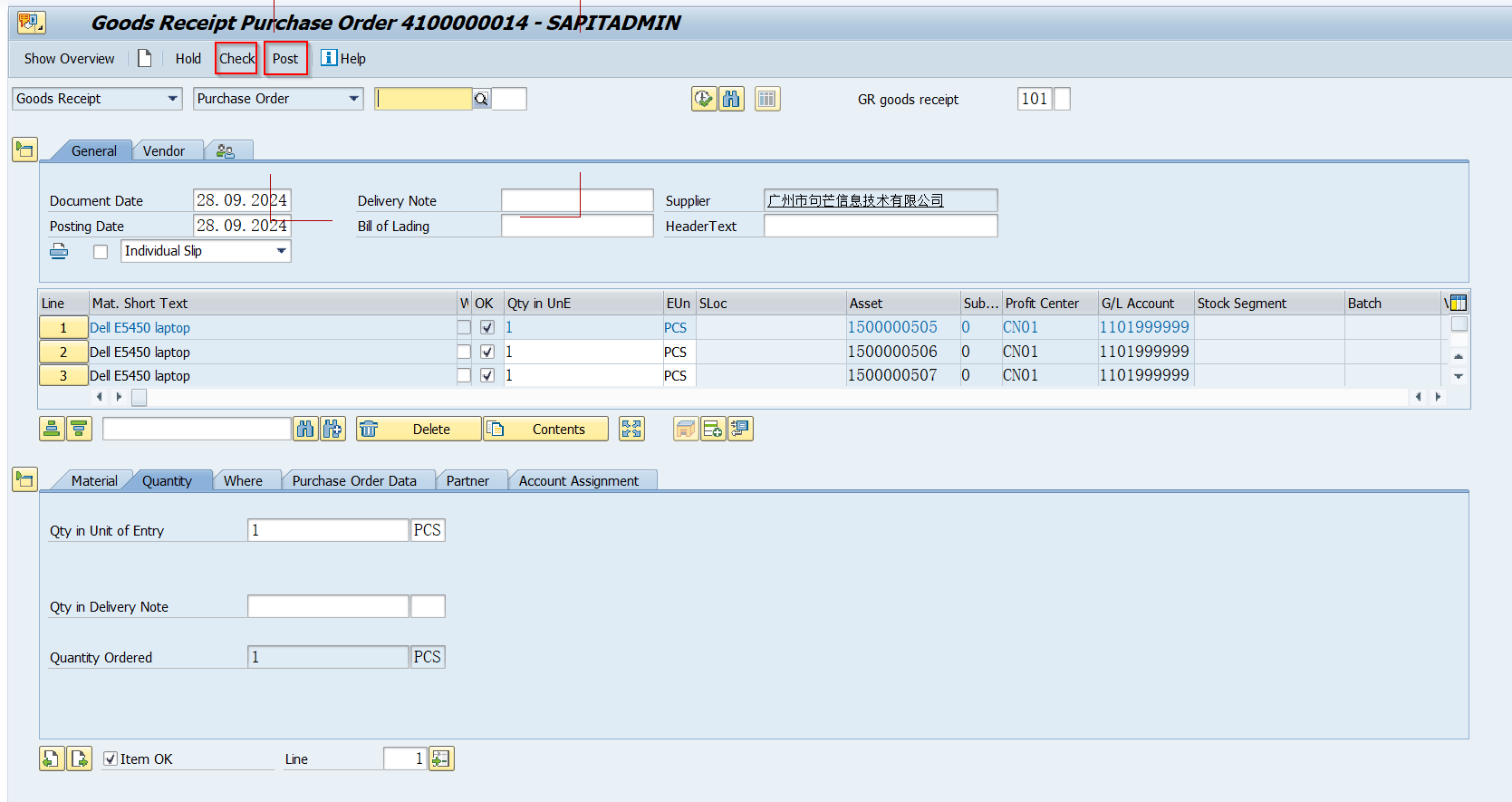
PO CREATE
1. Reach your area Finance team and ask them to create a new asset number, it needs to send them your new buying items info such as brand, model, qty, vendor/seller, amount...
2.1, Create new asset PO on SAP, Tcode is ME21N, Order Tyep is Asset Purchase Order
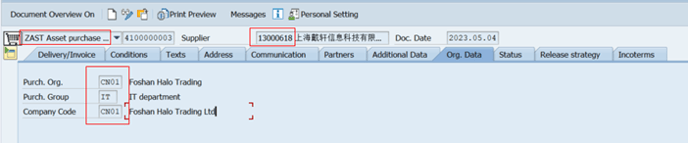
2.2 Acct Assign.Category: A, Mat.Group:Z13, Plant: choose one plant under purchasing company Base on your demand.
(Asset: Input asset number from Finance department)
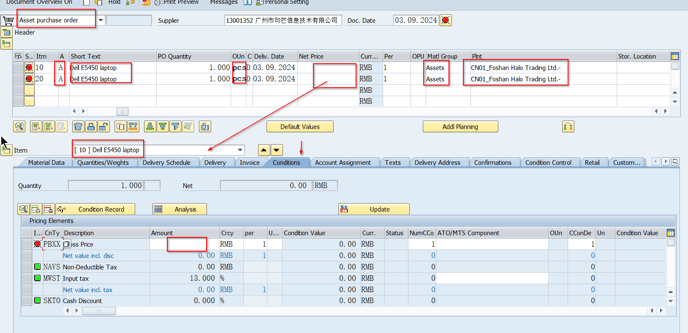

2.3 after created a PO, send it to IT manager asking for approval first, finance will be the next approval level.
3. Check the historical PO use ME22N, Display PO use ME2L
4. Approver should use code ME29N to release the PO.
PO RECEIVE
1, Logon SAP and run Tcode MIGO
2, Input below items:
A01:Goods Receipt
R01:Purchase Order input purchase order
Movement type: make sure is 101
Item OK: check the box
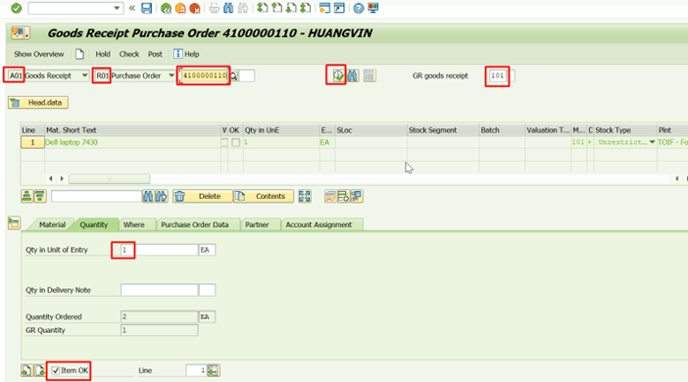
3. Hit CHECK & POST then All done.