For Windows
- Go to “this PC”, type \\192.168.200.208 on the address bar, then “Enter”.
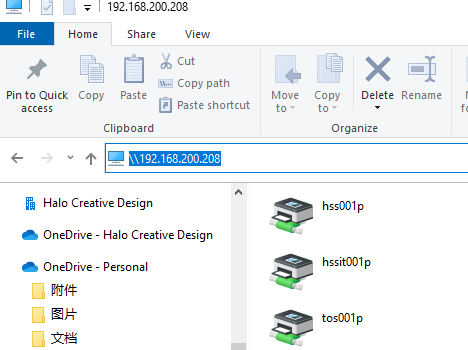
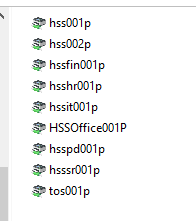
2, You will see the printer list, double click the one you want to install.
HSS001P - HSS office 2F admin area
HSS002P - HSS office 2F shipping area
HSSOffice001P – HSS office Roaming Printer
HSSPD001P - PD 3F office
HSSSR001P – Showroom 1F office
TOS001P – Showroom 2F TOS office
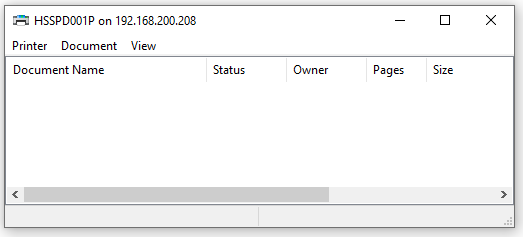
3, After the installation finish, the below window would pop-up.
For Mac
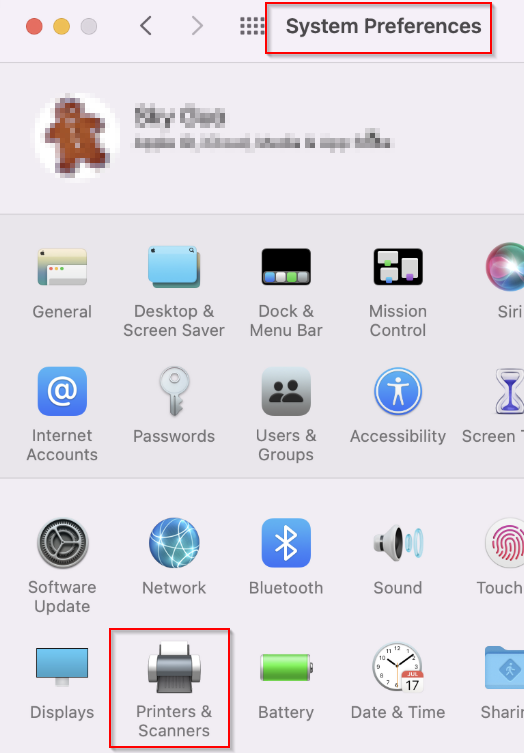
- Go to “system preferences” and select “Printers & Scanners”.
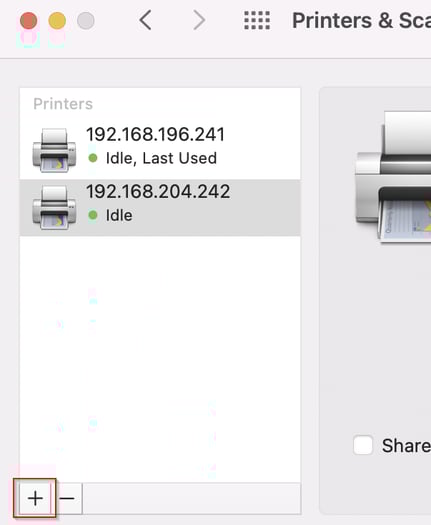
For example:
Address:192.168.204.242
Protocol: select “Line Printer Daemon - LDP” from the drop-down list
Name: HSS office 2F admin area
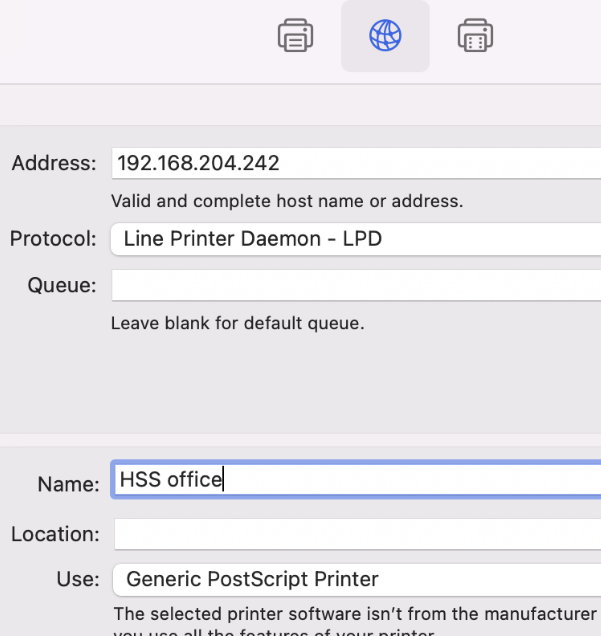
Here is the HSS printer IP address for your reference.
192.168.204.242 - HSS001P - HSS office 2F admin area
192.168.204.240 - HSS002P - HSS office 2F shipping area
192.168.196.244 - HSSPD001P - PD 3F office
192.168.196.243 - HSSSR001P – Showroom 1F office
192.168.196.241 - TOS001P – Showroom 2F TOS office