1, Access the shared MS365 account on the web console by URL: https://office.com
2, Login the account with correct certificaes and locate to Calendar tap and hit Add Calendar as below:
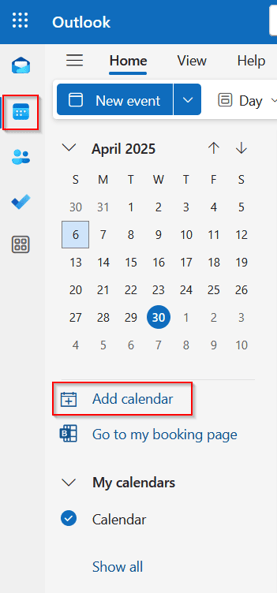
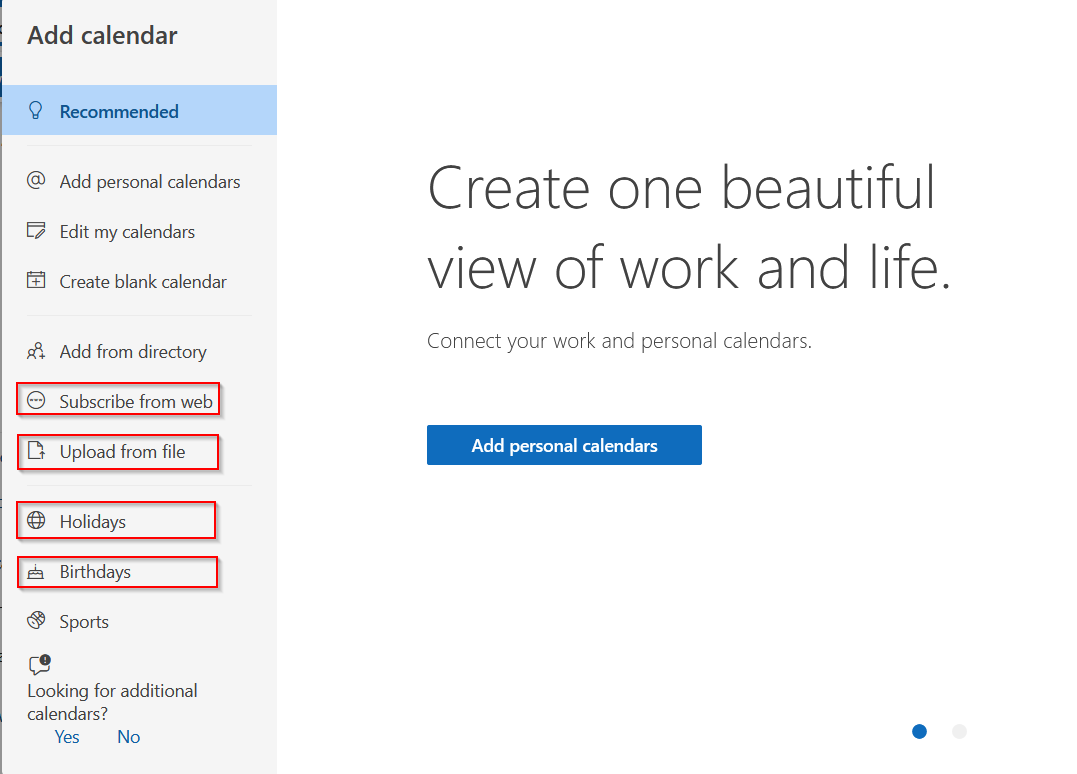
3, You can add the Event one by one, and you can also link to regional Holidays or import the Events from batch file which you download from web.
4, When you finished the Calendar adding, you can go to share your Calendar with your orgnization work mate by hitting SHARE button on upper navigation bar:

5, You can figure the authorized user or Org to access the Shared Calendar with permission levels:
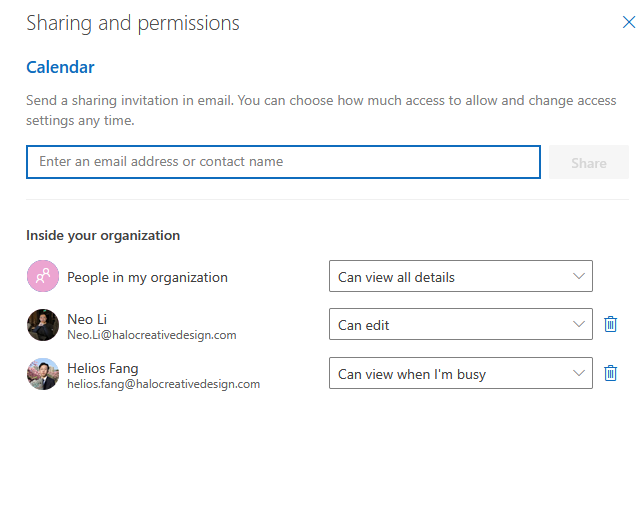
6, Done for Calendar sharing.
7, To access the shared Calendar, you can go back to your own Outlook Calendar and goto Calendar tap.
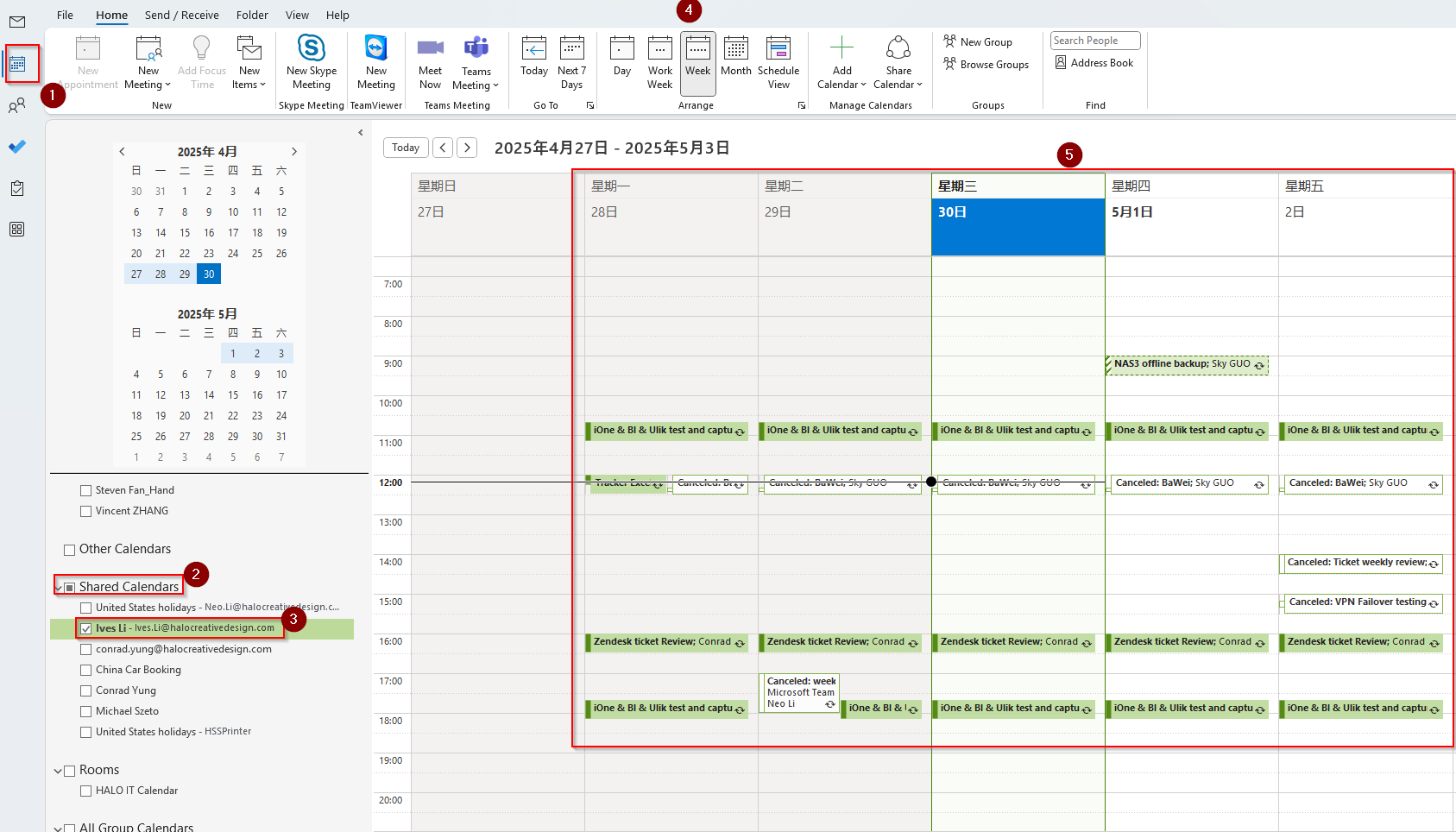
8, You can see all the shared Events from another MS365 account now.