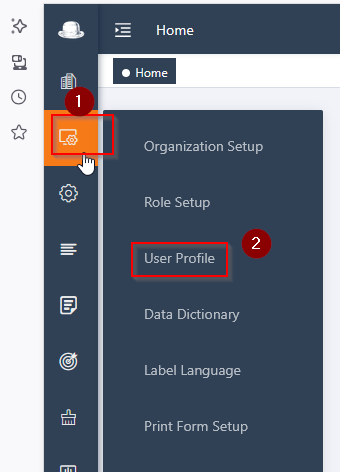
1, Login UX with SYSTEM ADMIN ACCOUNT, go to Menu side bar and select USER PROFILE,
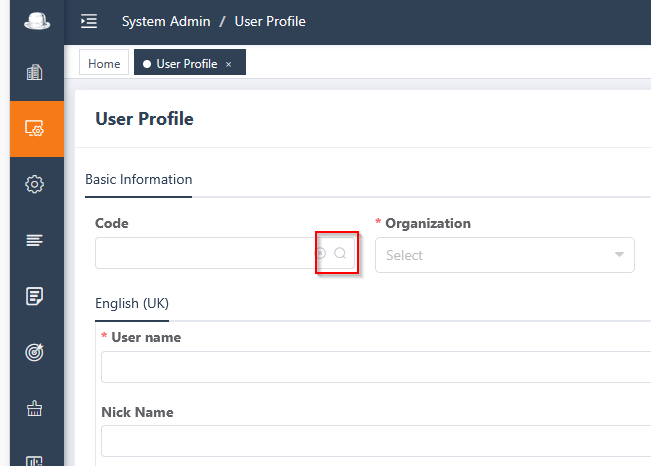
2, Search the User login ID from search on 'magnifying glass'
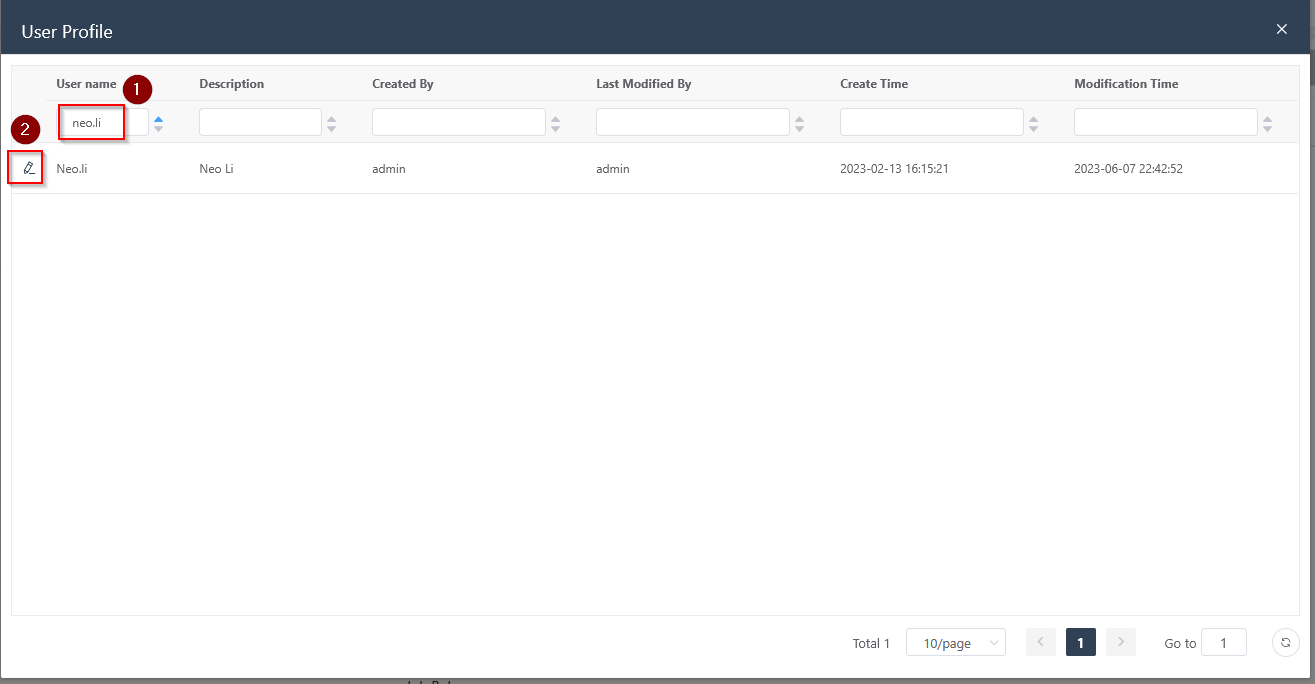
3, Input the login user name and hit ENTER. then Edit the user profile by clicking on the PEN icon.
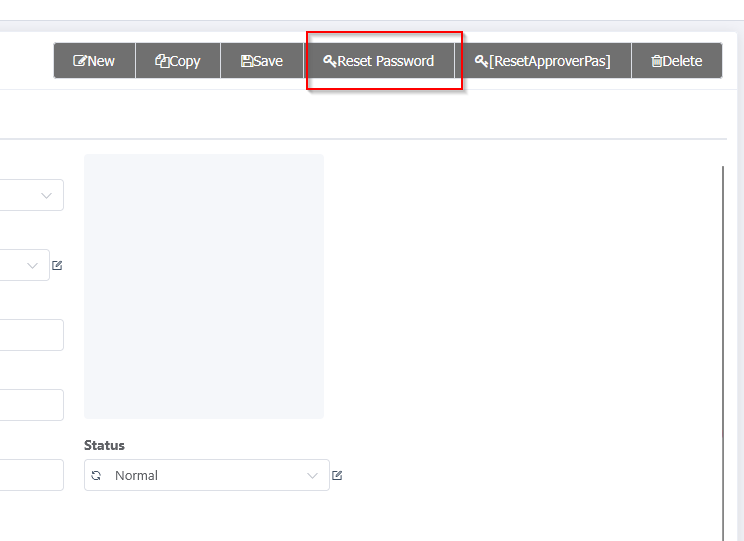
4, Hit option ‘RESET PASSWORD’ and donnot forget to SAVE the new pwd after changes.
5, All done now.