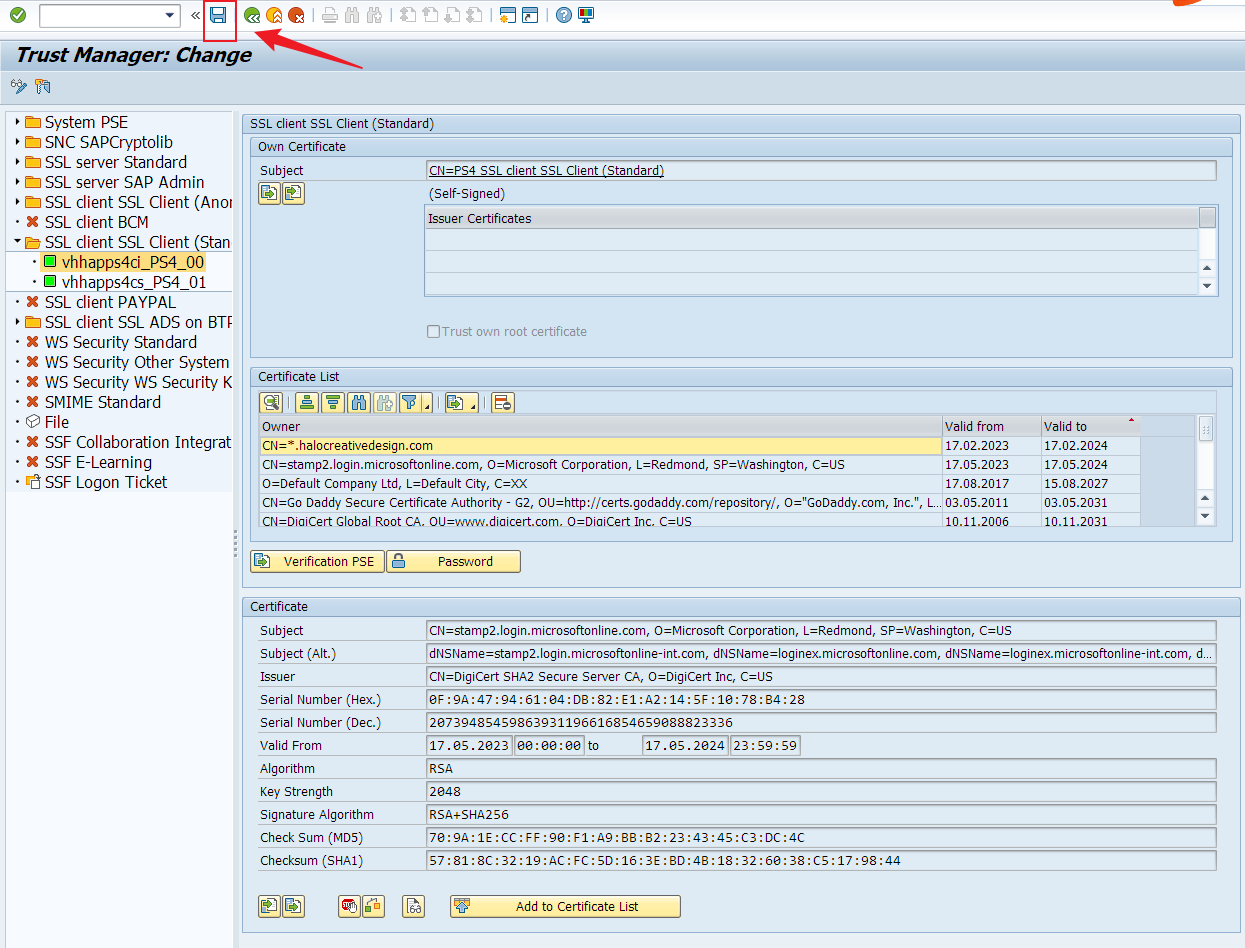
Step 1: Go to T-code: STRUST
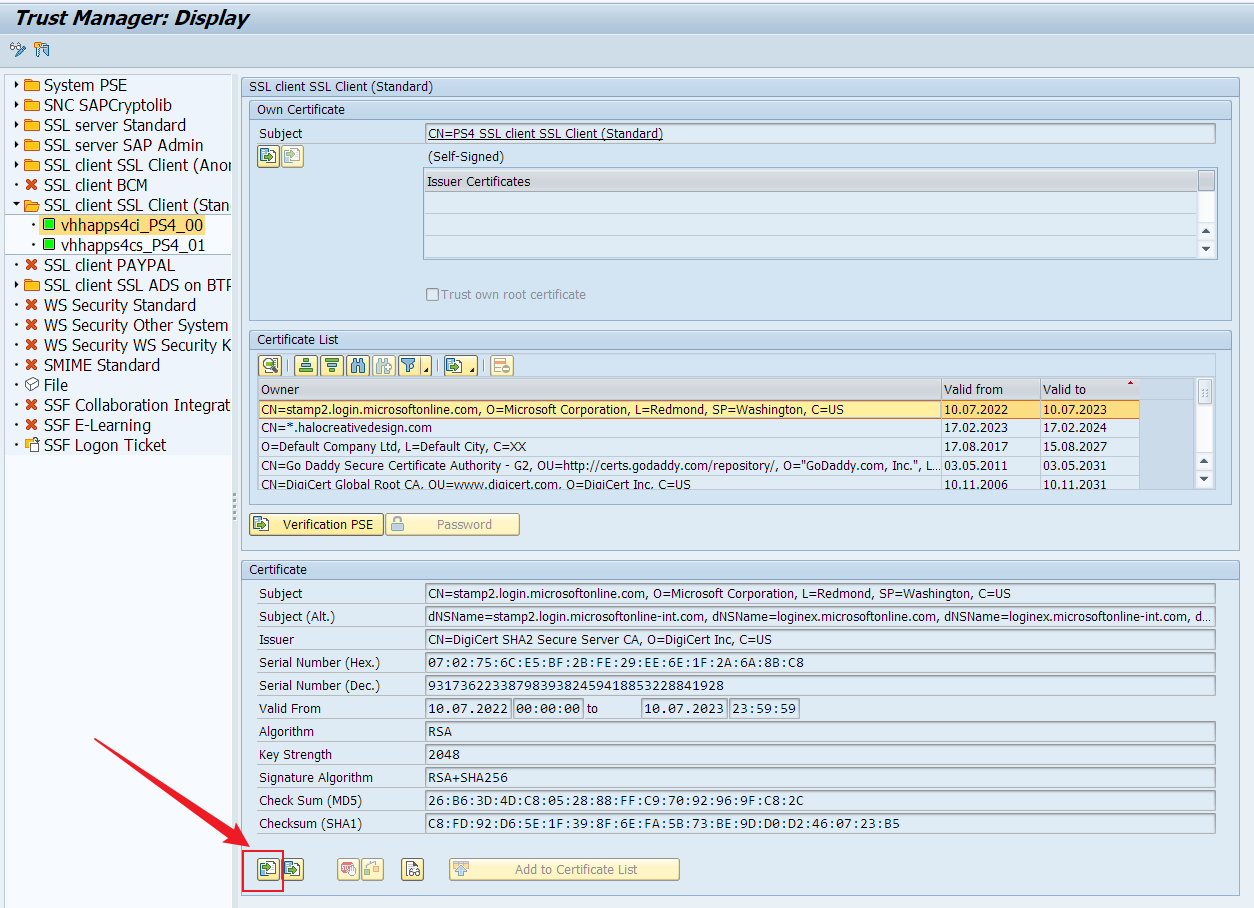
Expand folder: SSL Client SSL Client (Standard) => vhhapps4ci_PS4_00
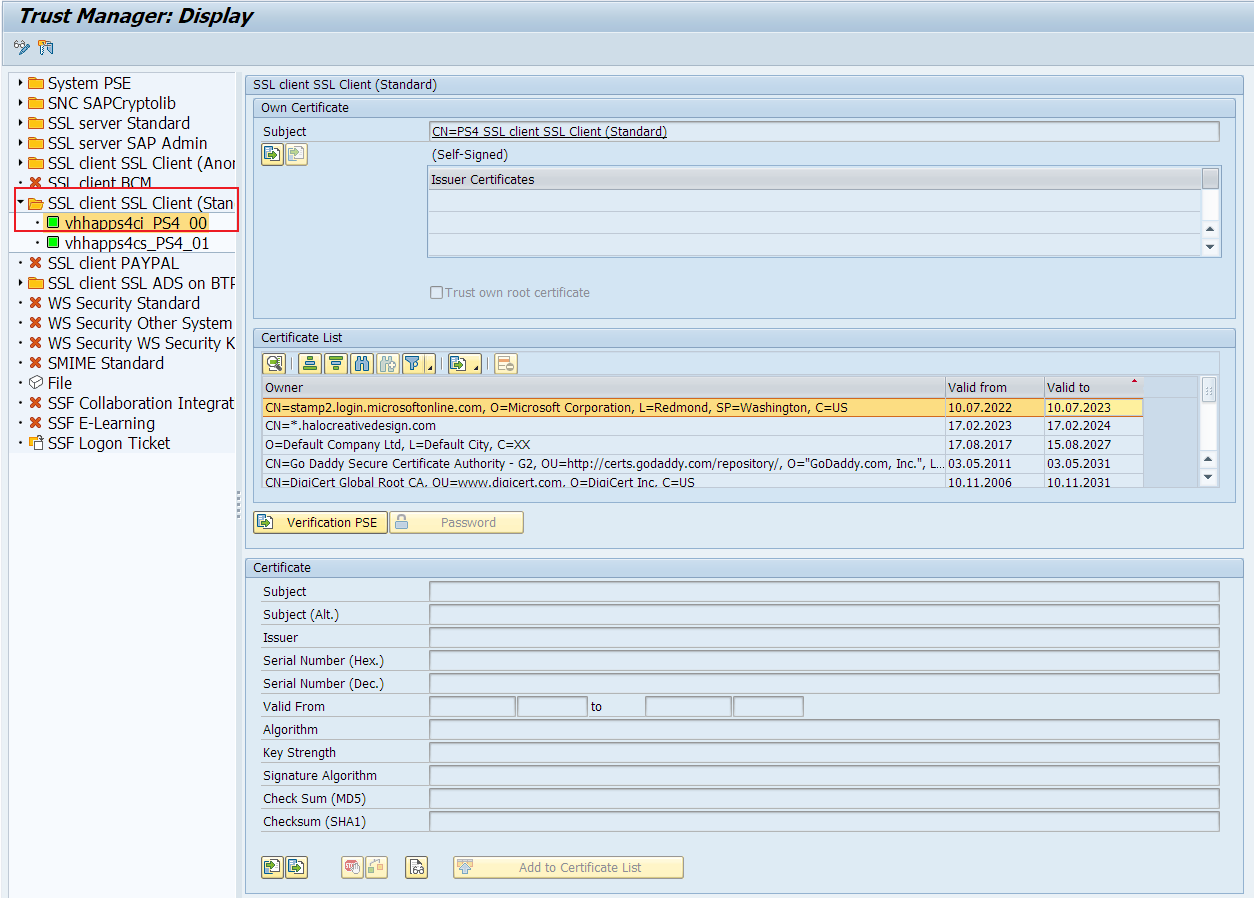
Check current expired certificates
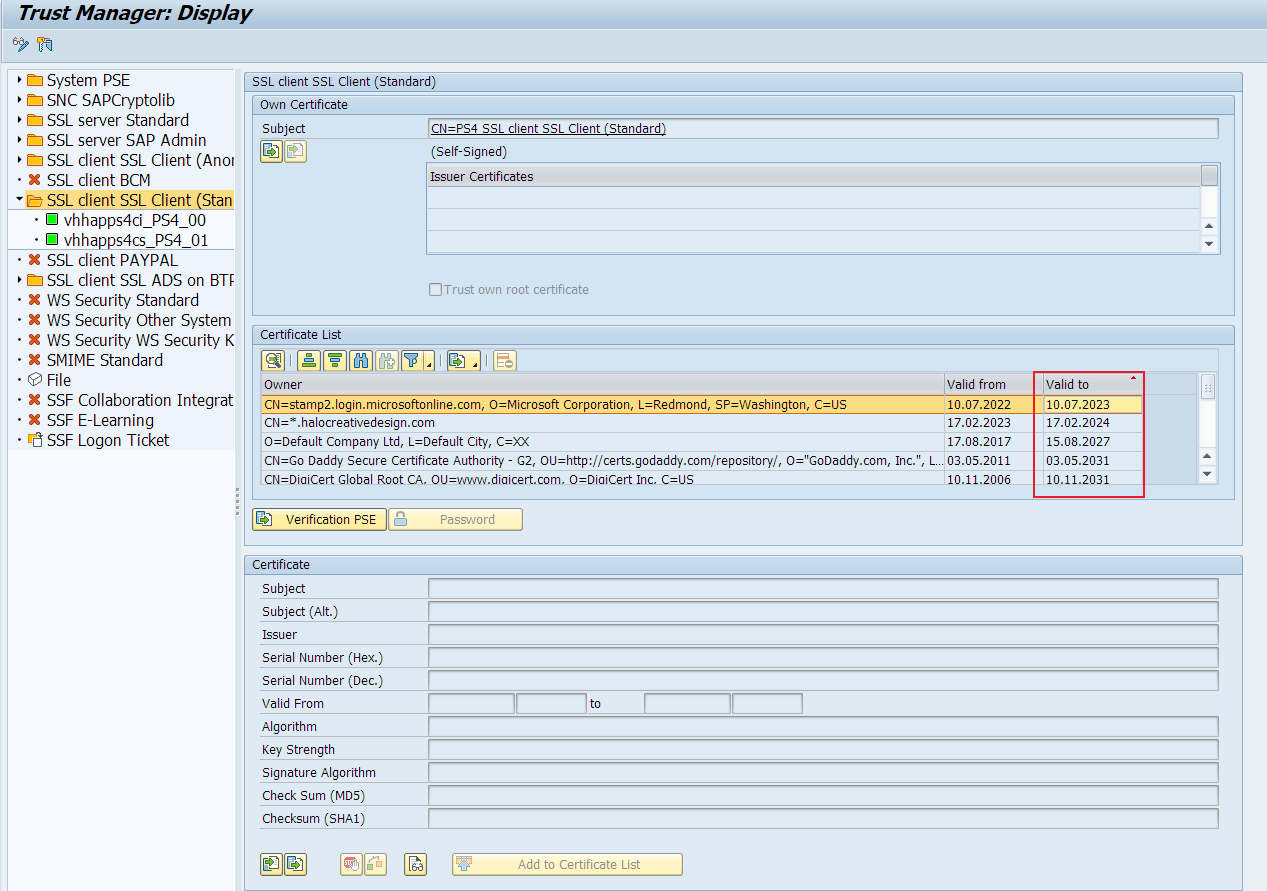
Step 2: Download certificate from three-party website:
For example, this certificate has been expired.
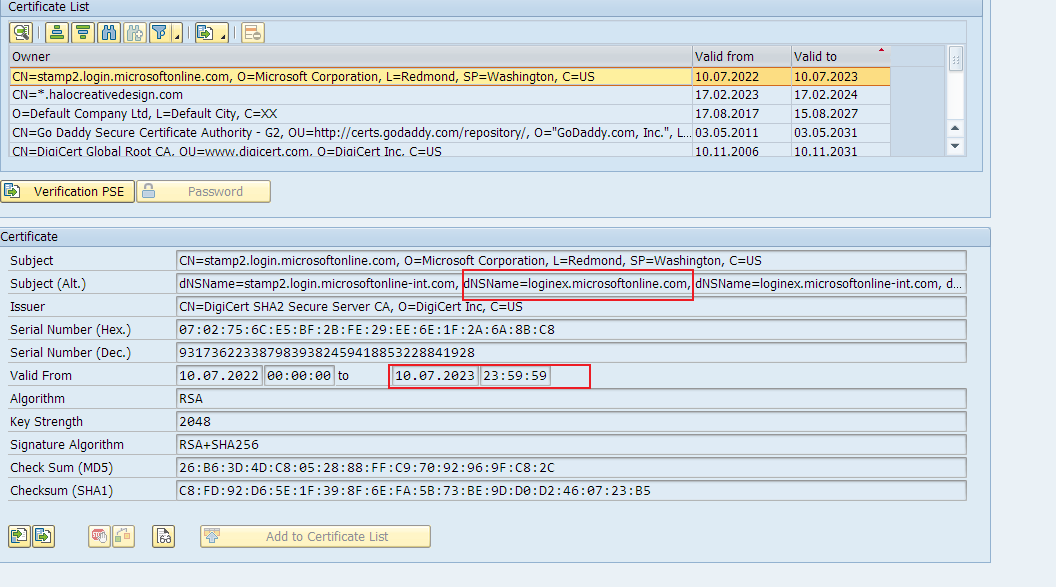
and get one DNS website: "loginex.microsoftonline.com"
Open the website from brower:
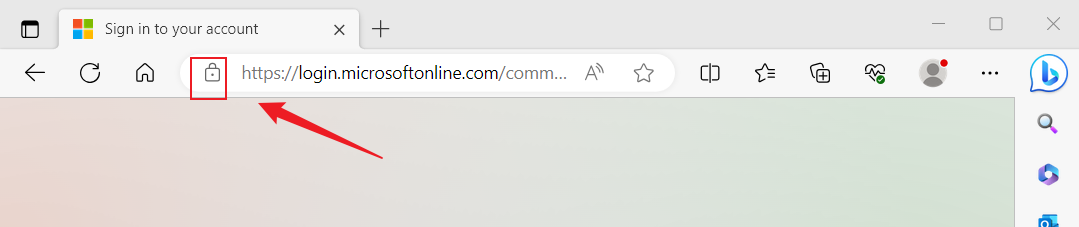
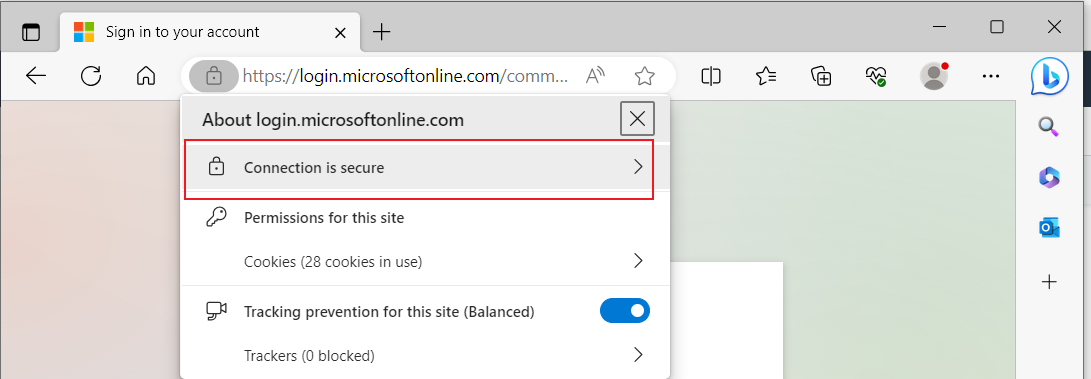
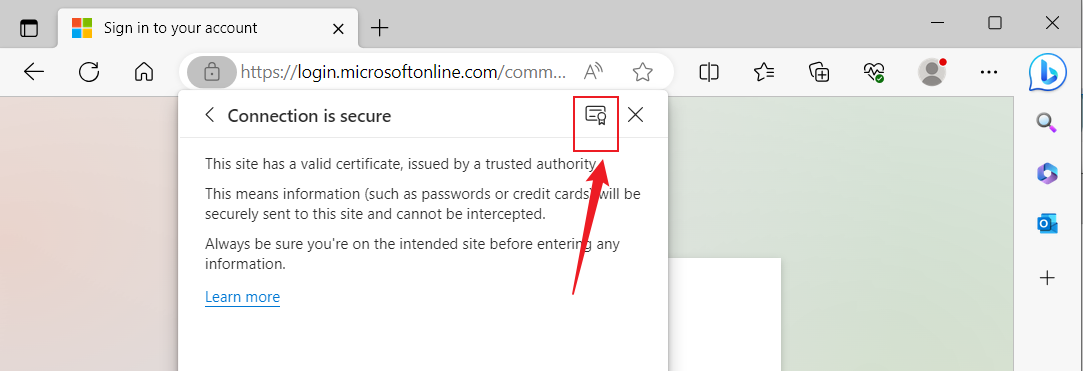
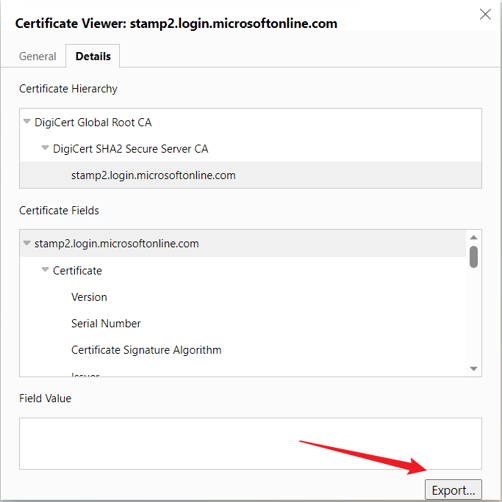
Switch to change mode and import the new certificate file
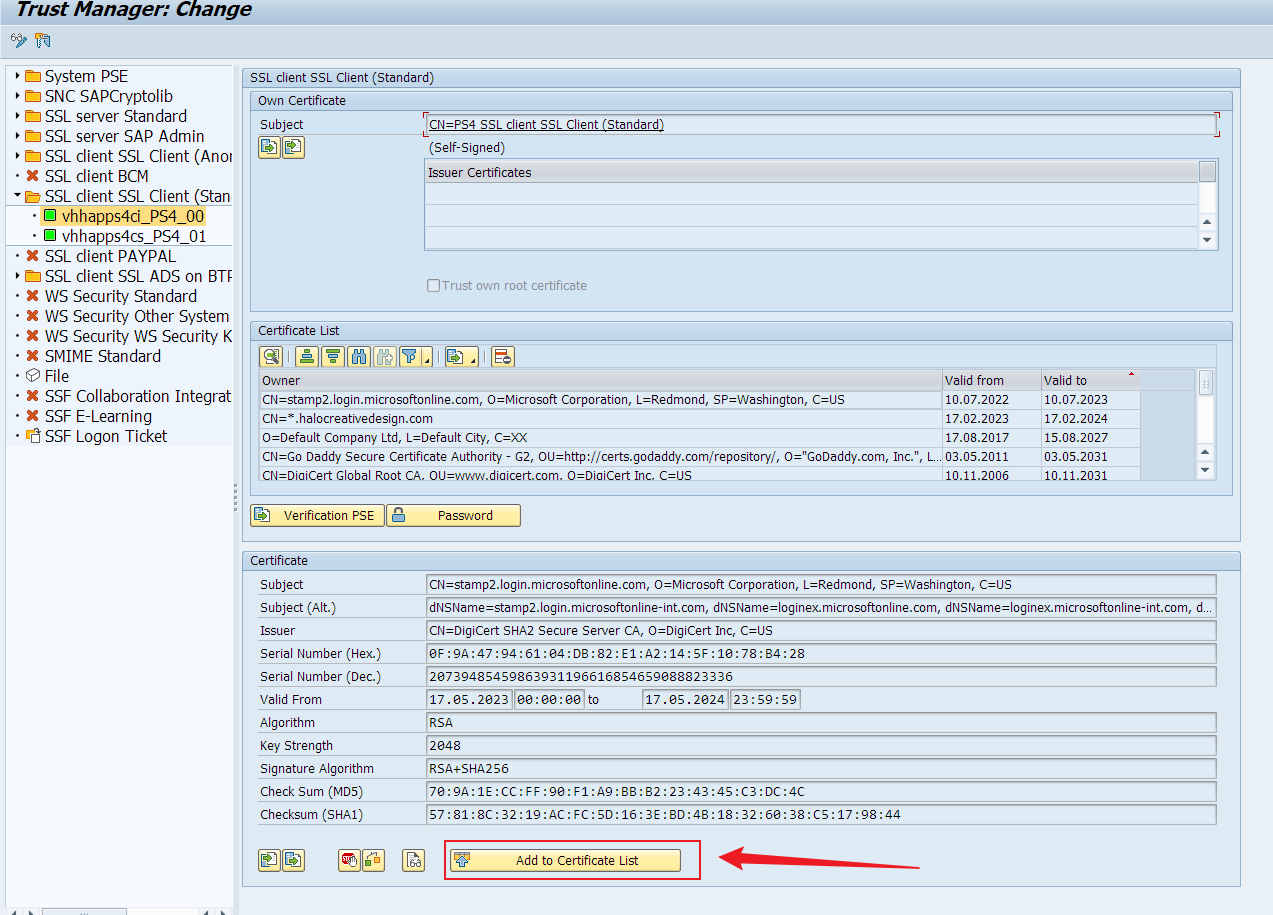
After that, click Save button.