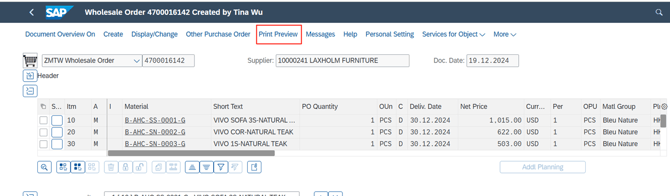
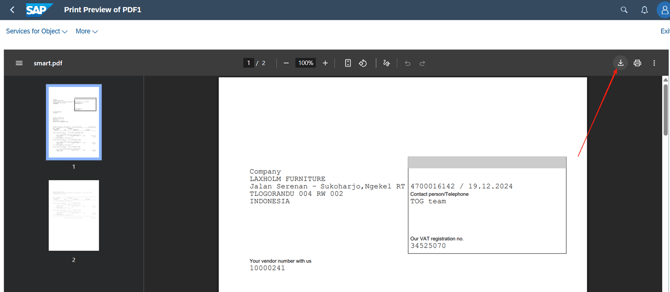
For PO standard printout, you may follow below procedure, if you want to print out as PDF file, please use by Fiori instead of GUI version. (如果要下载成为PDF 文档文件,请用网页版本)
Go to change purchase order (ME22N)
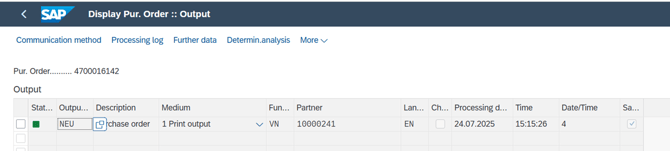
- Click “Message” in PO
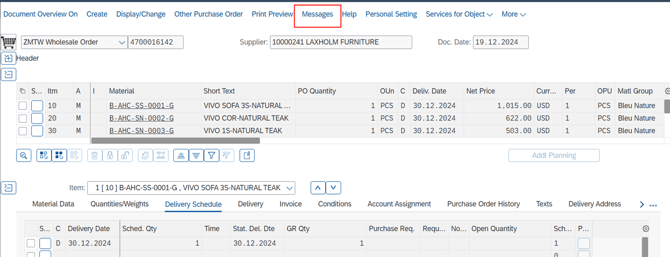
- Input below entry “output type”: NEU and then “Save”
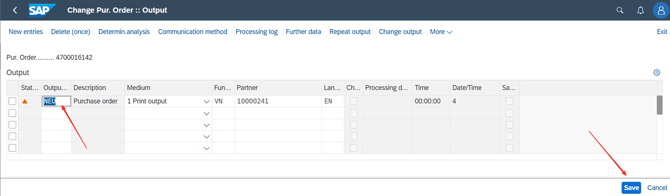
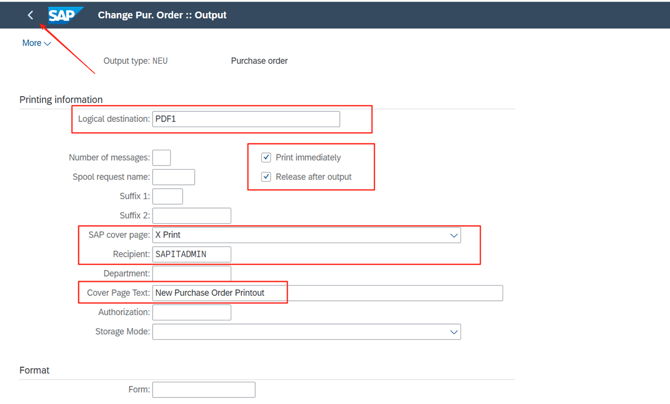
- Input below entry, and go back to last step and “Save”
- Click “Print Preview”, download as PDF