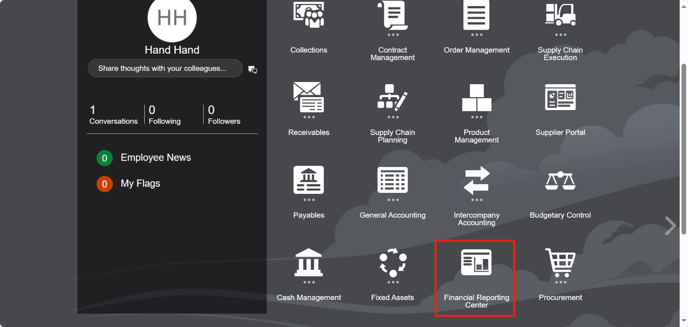
First, you have to go to "Financial Reporting Center".
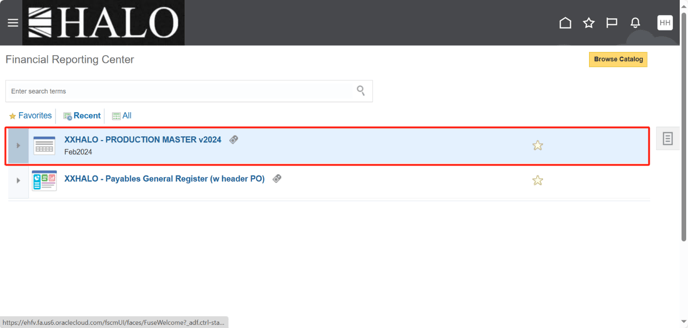
After that click (or input) on “XXHALO – PRODUCTION MASTER v2024” report.
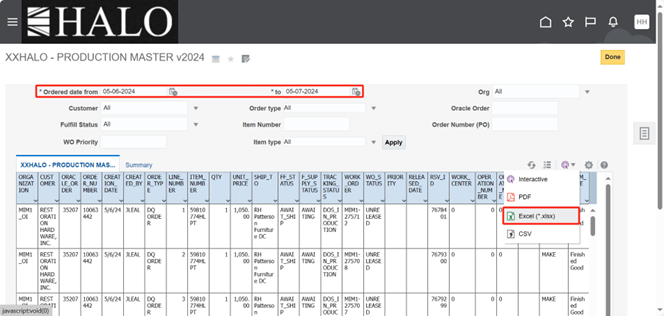
Then, input date from yesterday to today and export to Excel file.
Check that all “Finished Good” item type have a “WORK_ORDER”.
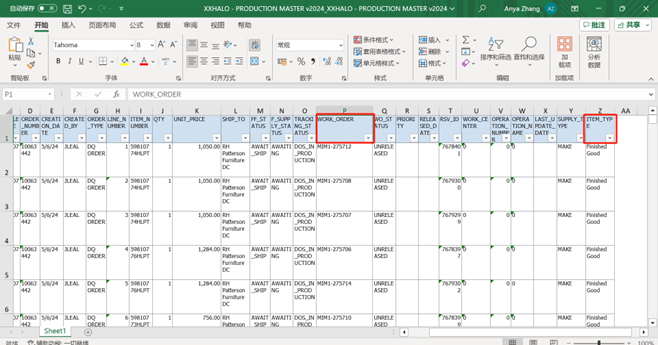
If there is no WORK-ORDER, feedback to users and notify China Hand for investigation.
By other hand, if there are some “Purchased Item” in “Item Type” column there is no problem if doesn’t have any Work Order.