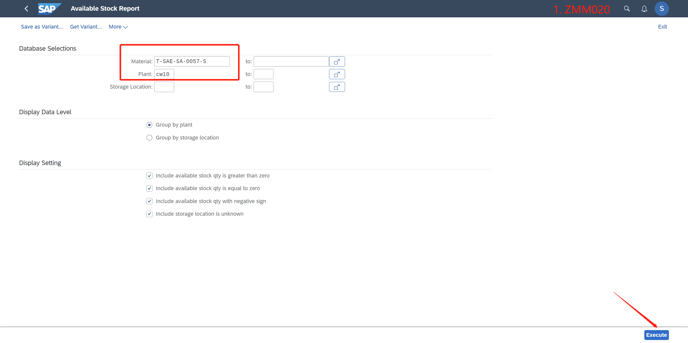
a. Check whether the stock is available, Use Zmm020 as below (USE ZMM020 or MD04)
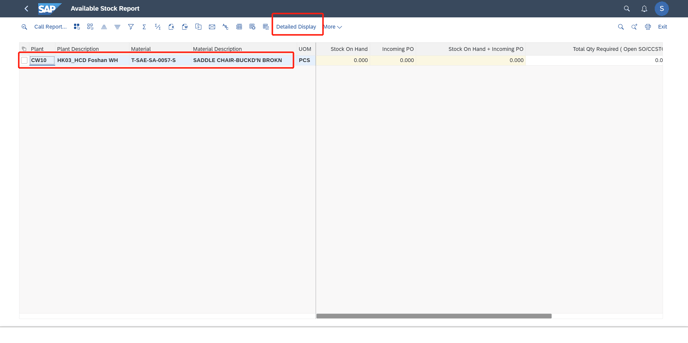
b. Double click the line or locate the sensor on the line, then click "Detailed Display"
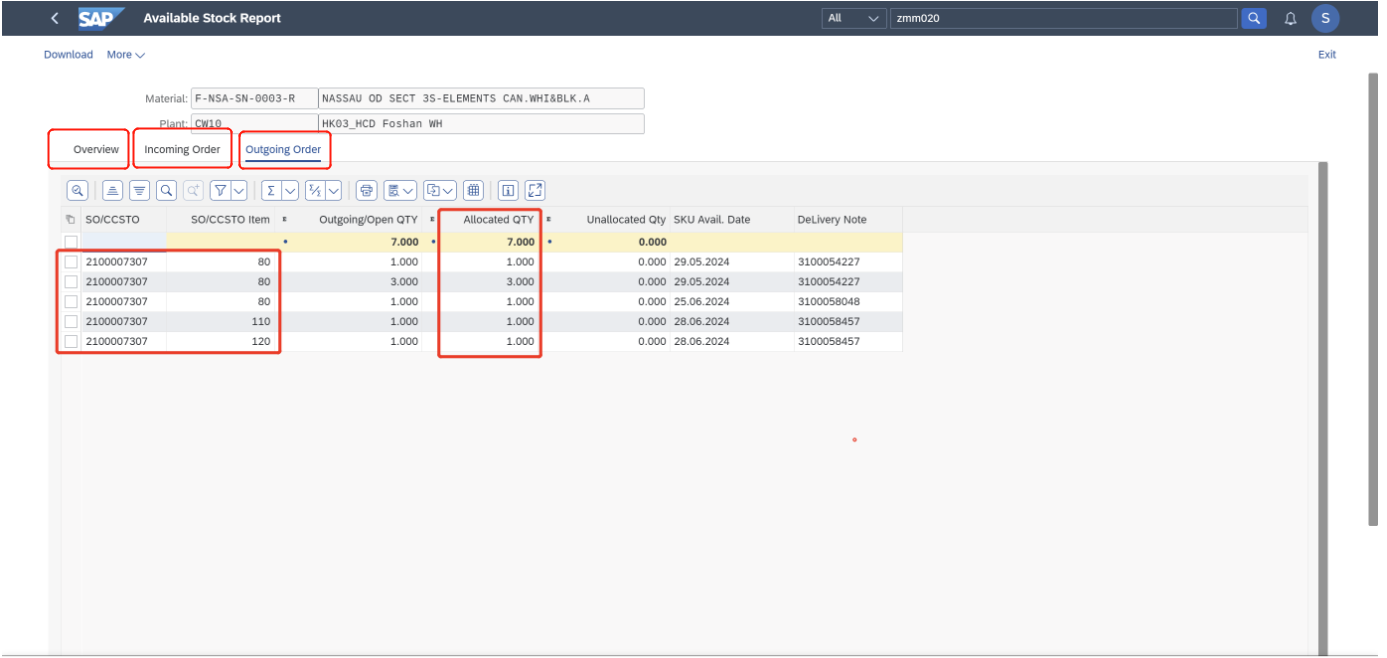
c. Please check these three pages as below.
For example, in the following screenshot, the 7 quantities are allocated for SO #2100007307 line80, line 110, and line 120.
Only when there is a stock, can we refresh the ATP in Sales Order. Method as below steps.
1. Use T-code VA02 to change the sales order
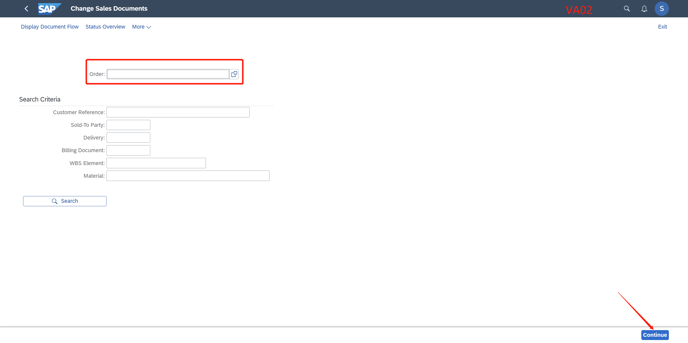
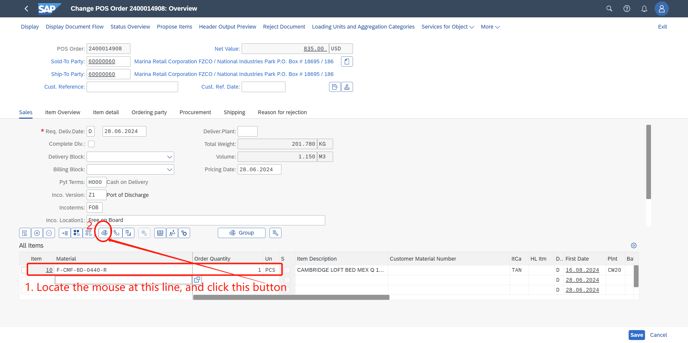
2. Locate the mouse at the corresponding line, and click "ATP check" button as below
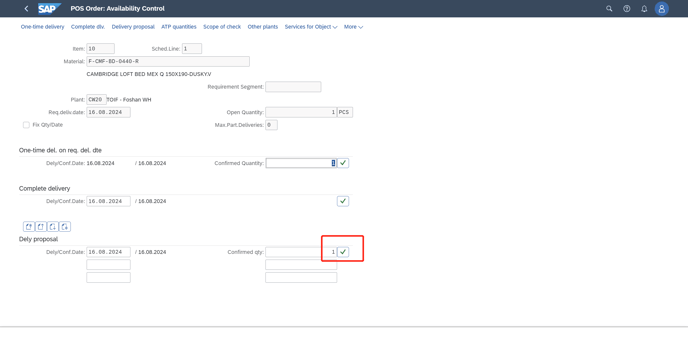
3. when it jumps this screen as below, If the rectangle has the needed quantity, then click the "√"
If the number is "0", it means there is no available quantity in the plant.
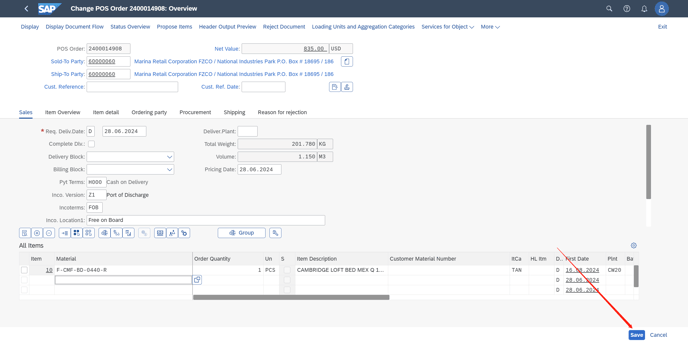
4. Back to the main screen, "Save" the change.