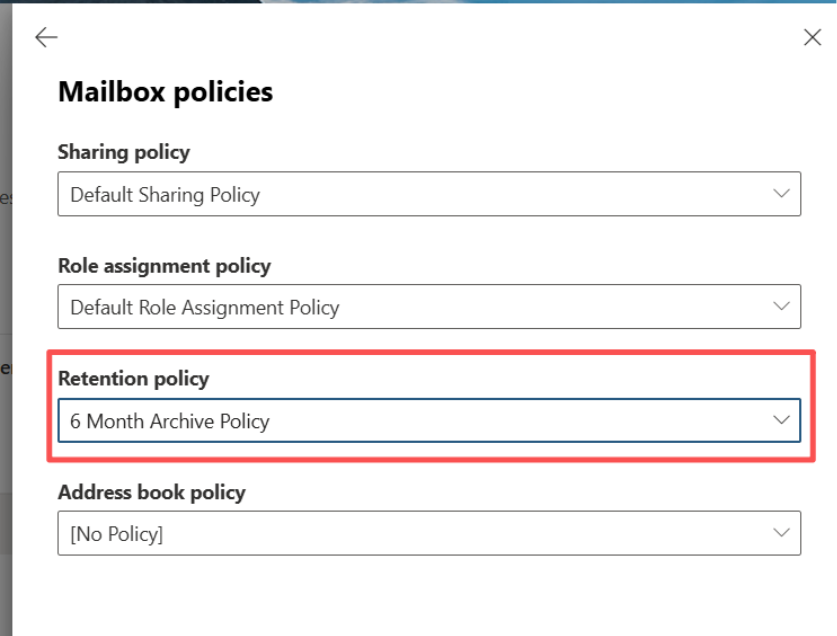
1. Exclude User from Retention Policy
Exclude users from the Retention Policy(Microsoft Purview->Data Lifecycle Management->Retention Policies) who need to clean up the Online Archive’s Emails.
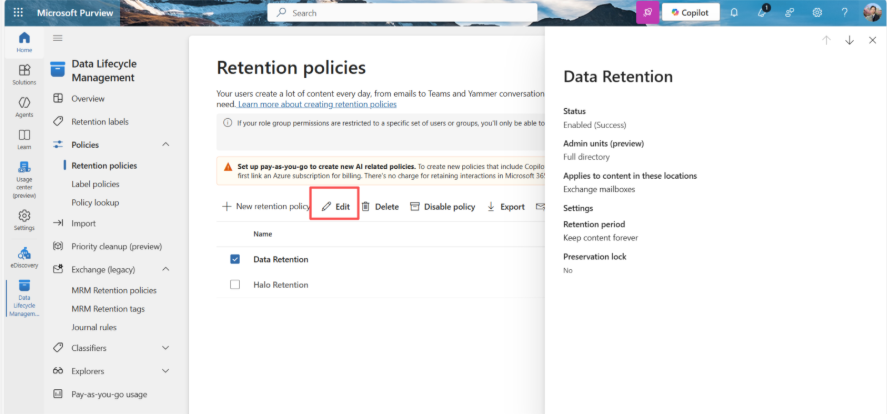
Create a case in eDiscovery and select the correct condition of the range of the User’s deletion date.
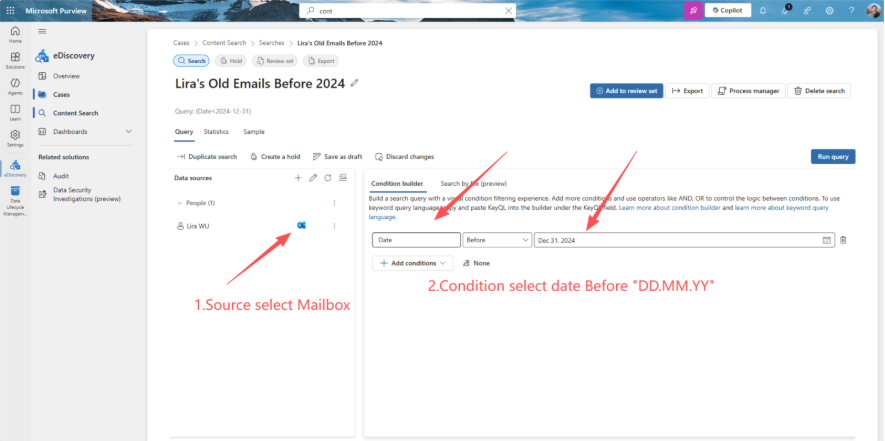
Download the PST file from the 'Process Manager' when the export finishes.
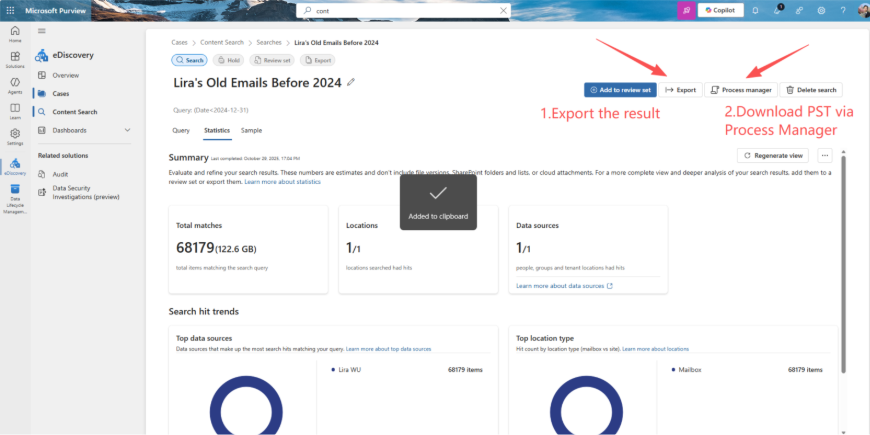
Create a Retention Tag and Policy, select the correct time that needs to be deleted, then apply it to a user.
PS: TAG must select “Automatically to entire mailbox” and “Permanently delete”
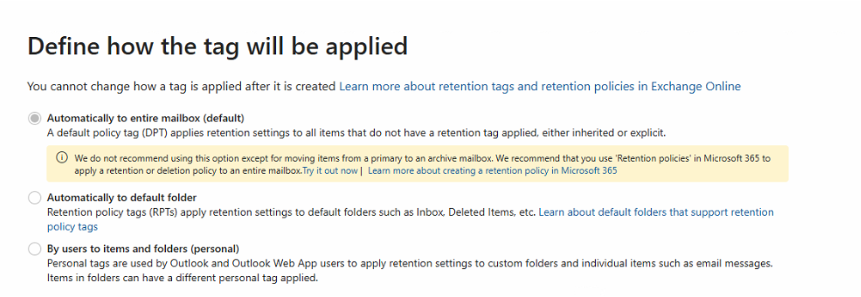
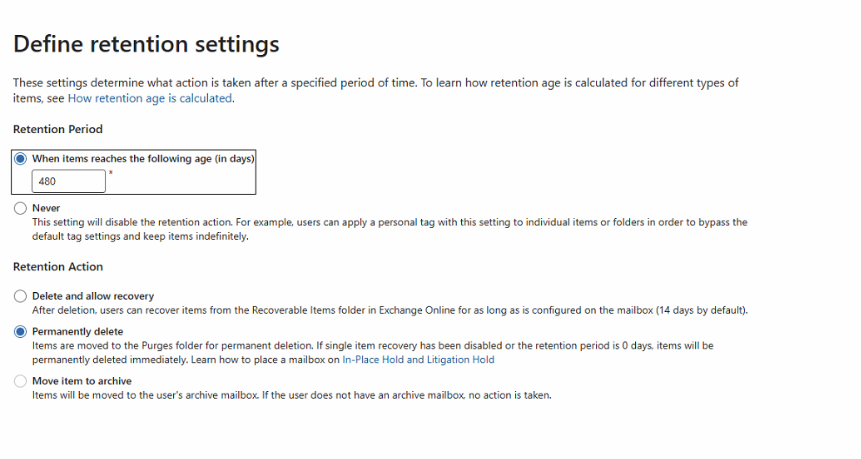
1)Apply the delete policy on the user.
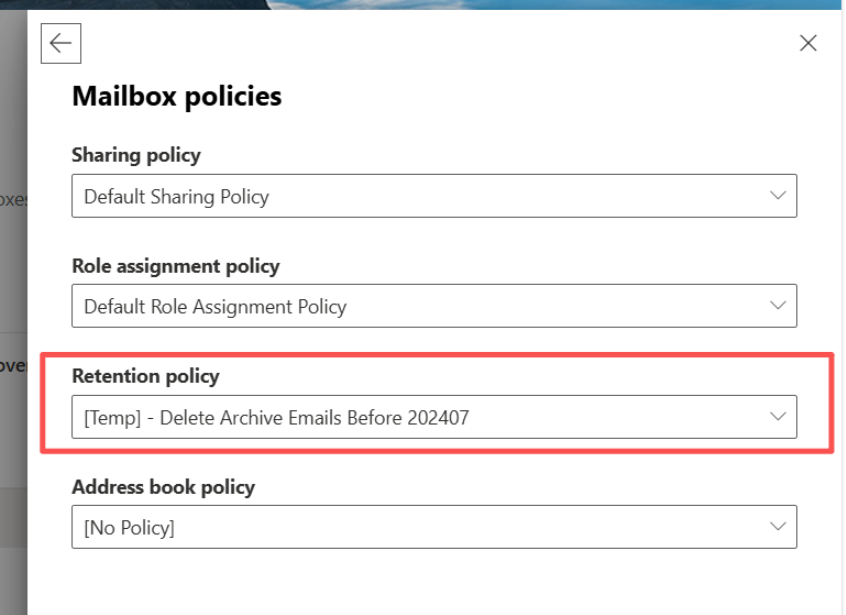
5. Wait for Deleing to finish
1) Check in Exchange Admin Center whether the Online Archive Emails storage has decreased or not
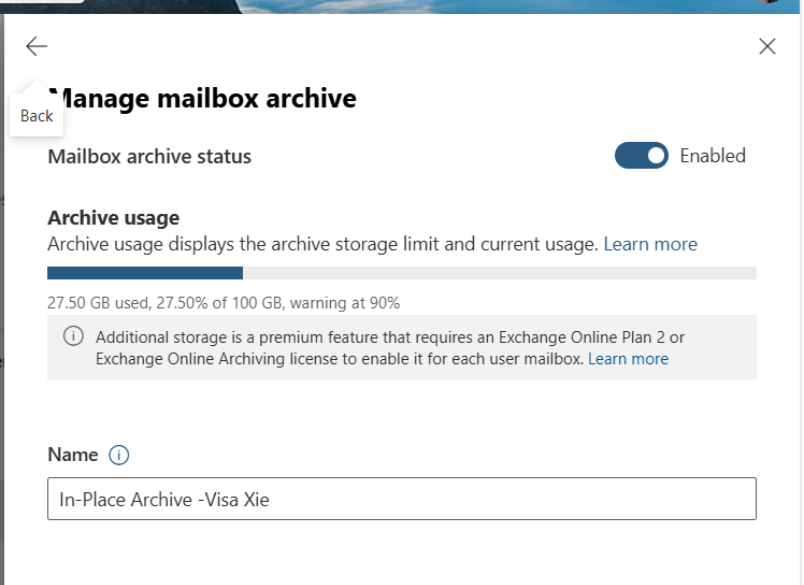
2) Change the User’s retention policy back to normal