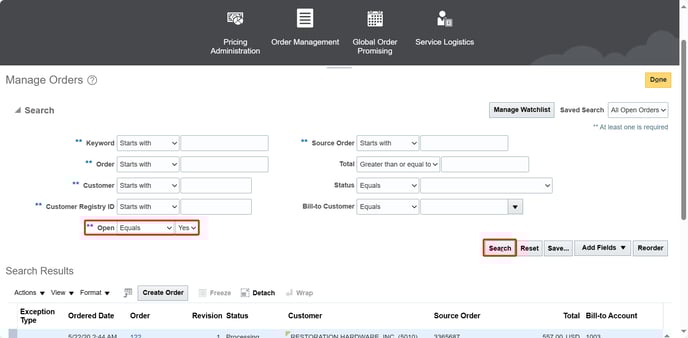
1. First, in "Open" field choose the "Yes" option. Then click on "Search"
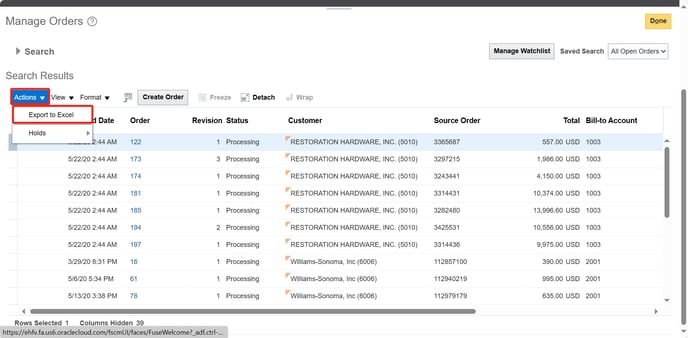
2. After that it will be showed the list of PO. Select SO required.
3. Then click on "Actions" and after that click on "Export to Excel".
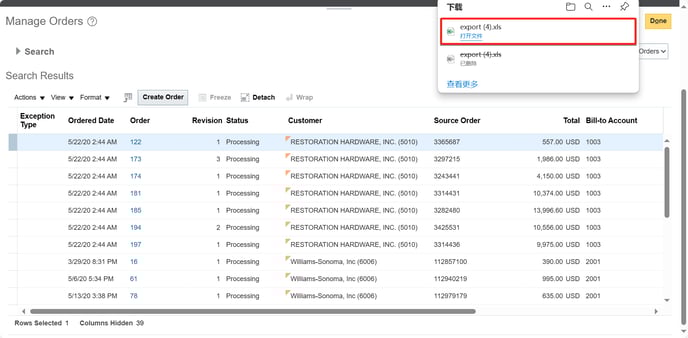
4. It will be downloaded Excel file (you'll probably have to wait some minutes until download is completed). At this point you can finally click on it to open it.
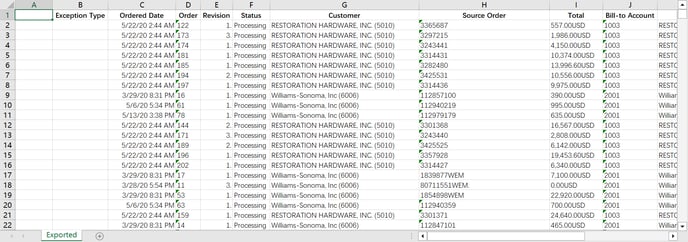
5. This is SO information in Excel.