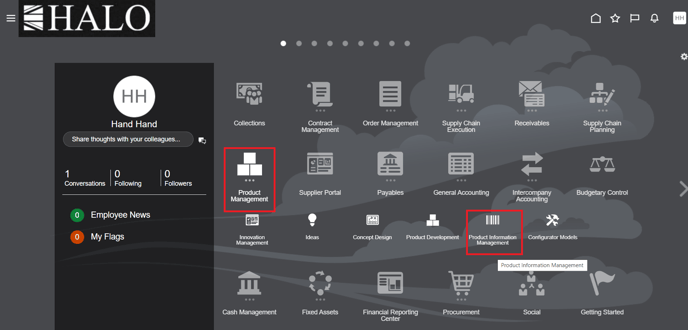
1. Log in to system. Go to Product Management -> Product Information Management.
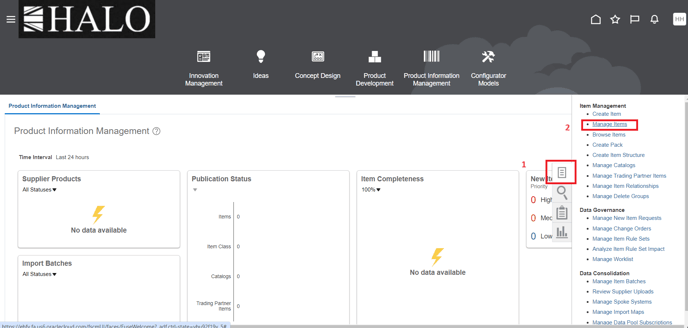
2. After click on "Tasks" icon and then on "Manage Items".
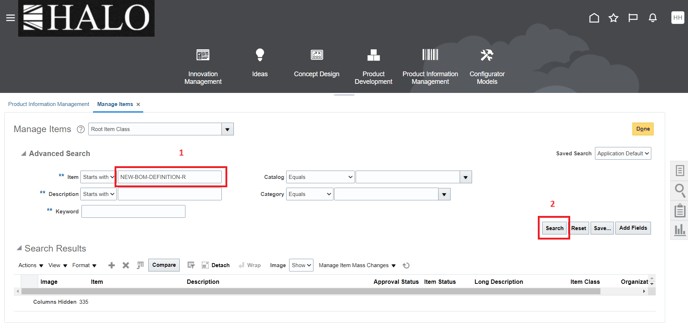
3. Input Item name and after click on "Search".
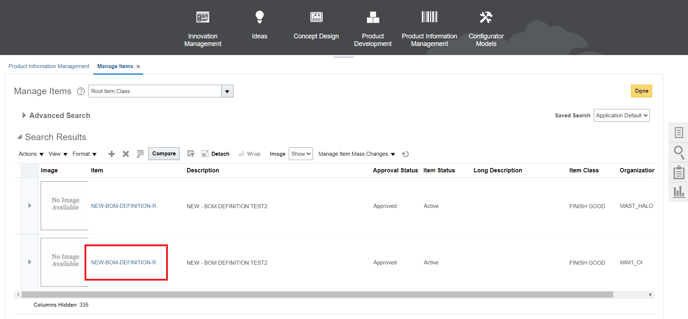
4. Select Item.
5. After click on "Actions", "Generate Report" and finally on "Item Structure Report".
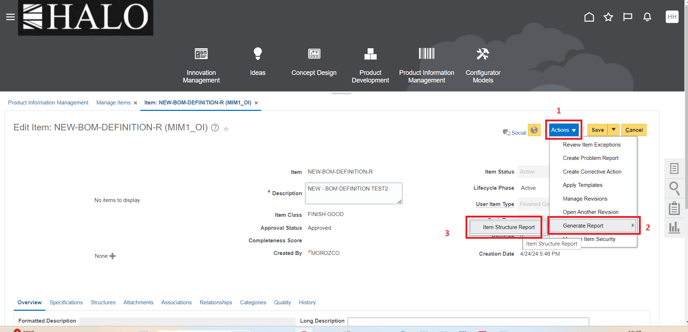
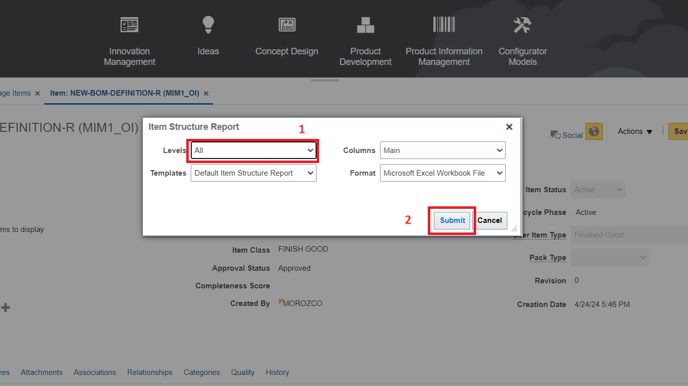
6. It will show a window. Change "Levels" to "All" and then click on "Submit".
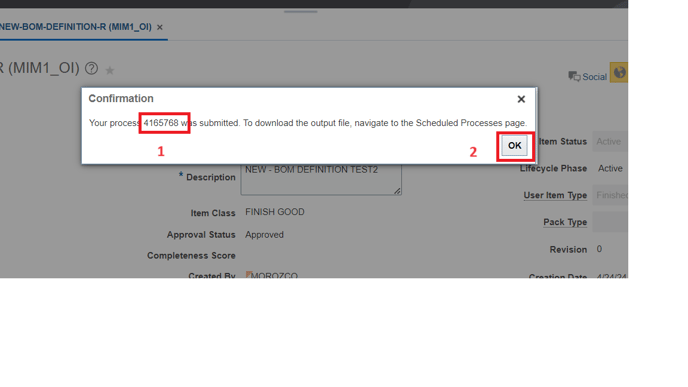
7. It will show process ID, copy it and click "Ok".
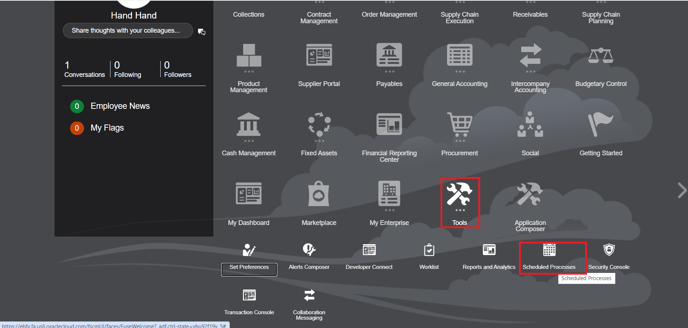
8. Now go back to Home and go to Tools -> Scheduled Processes.
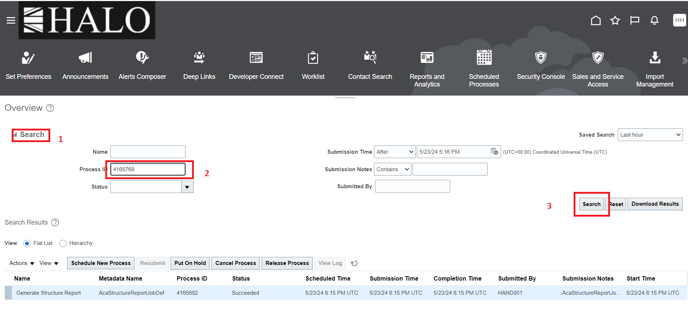
9. Click on "Search" on the left corner, paste process ID and click on "Search" button to the right.
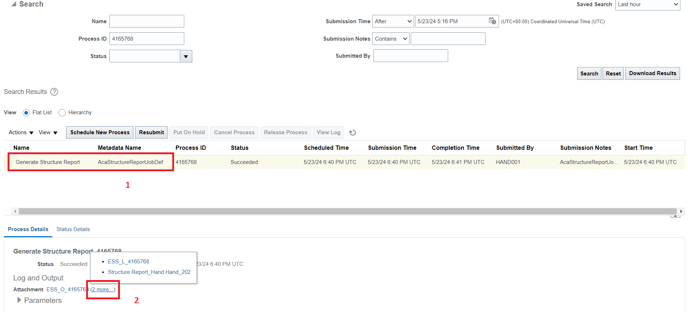
10. It will show the process, click on it and then on "Atachment".
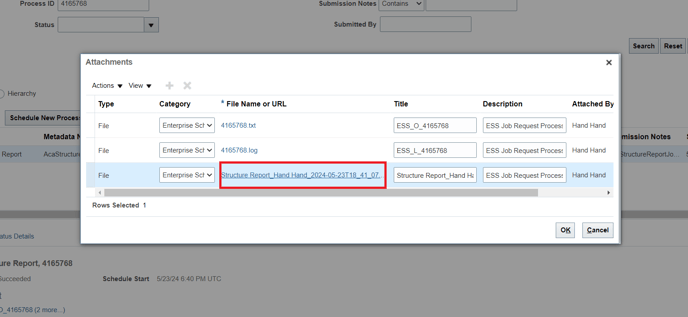
11. It will be deployed a window. Click on the indicated row in the image and automatically Will begin the download.
12. When download is already finished you can open the file:
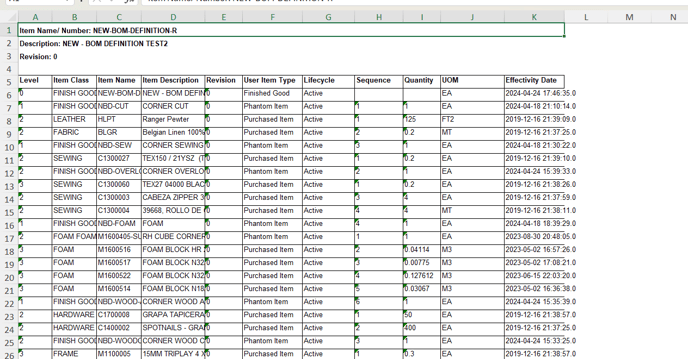
This manual comes from "Download BOM in Oracle" ticket, ID "2750839409".