SAP-FICO: Delete parked supplier invoice document
Note: The parked document we want to delete is generated by an integrated supplier invoice document, so what needs to be deleted is this supplier invoice document. This is different from deleting parked manual GL document.
Please refer to the following detailed operation steps.
1.Log in 800
2.T-Code: FB03, APP “Display Journal Entries” . Find the parked supplier invoice document number through the parked FI document.
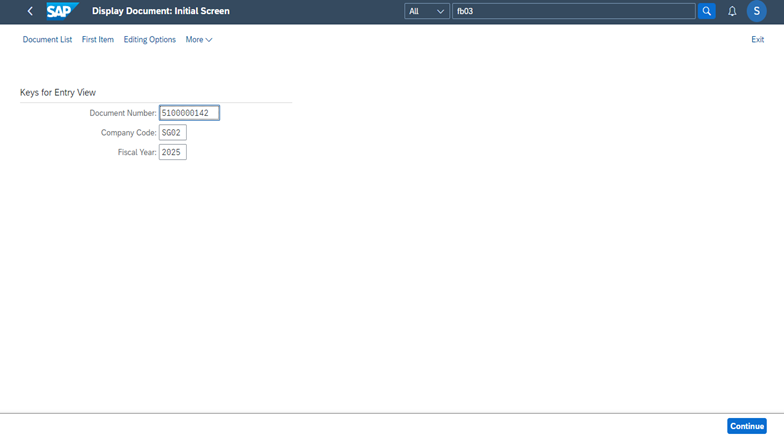
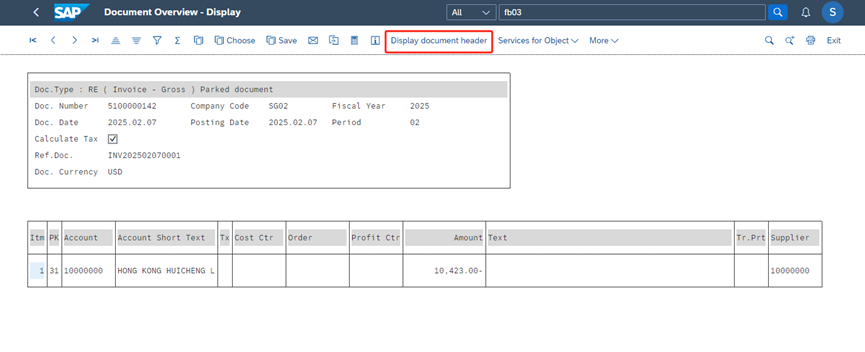
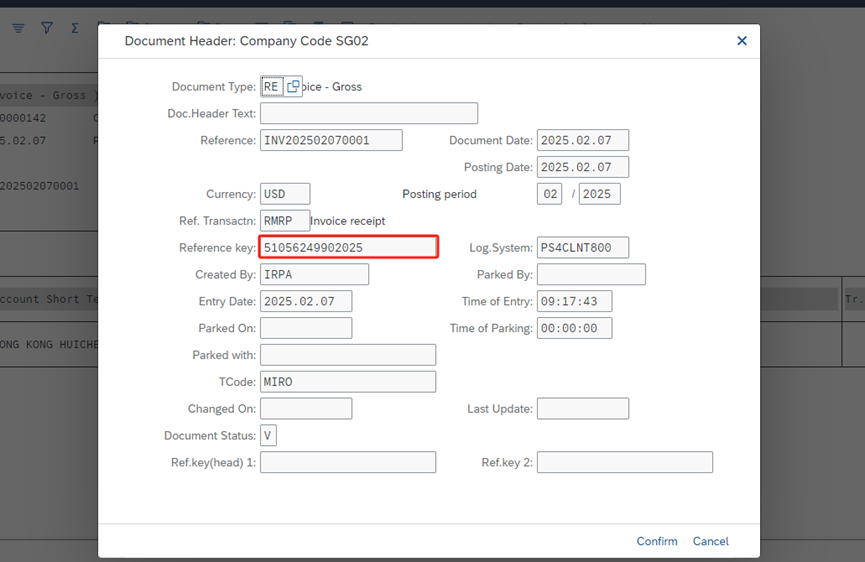
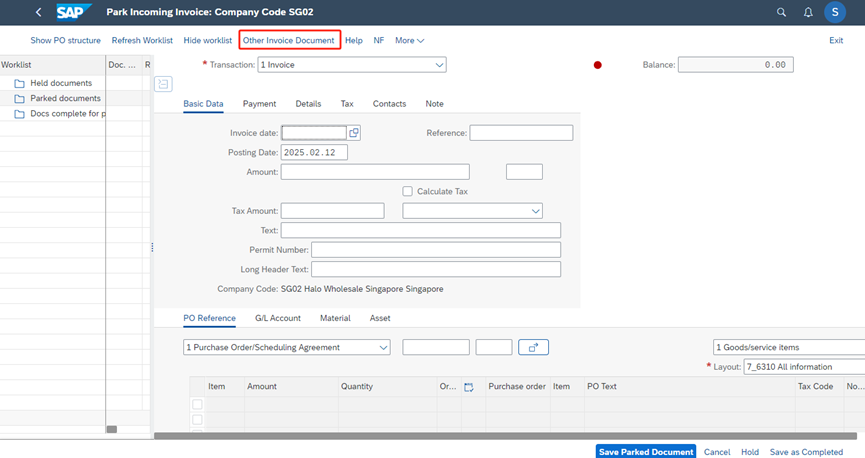
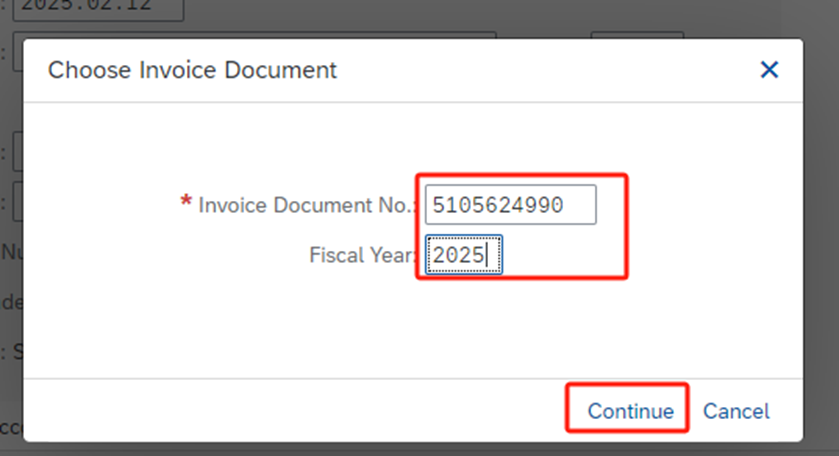
Enter the supplier invoice document number and fiscal year that found in Step 2.
Then the information on the supplier invoice is displayed.
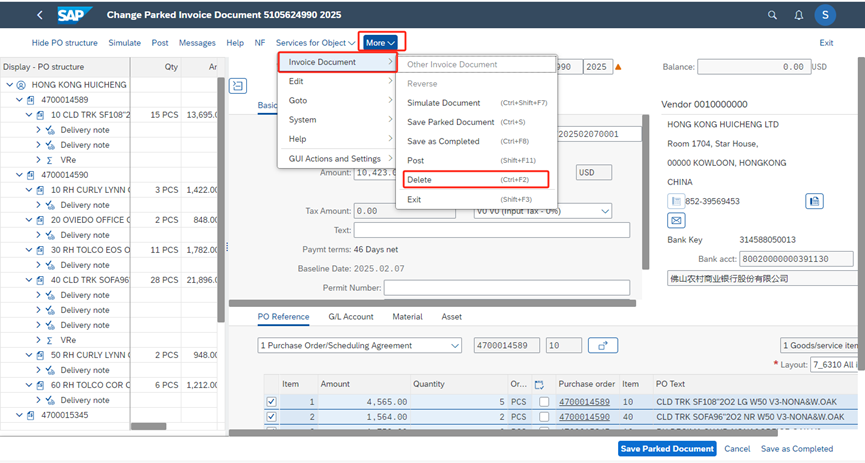
After inspection and confirmation, it is necessary to delete this parked supplier invoice document, we can click more -> invoice document ->delete. Then this parked supplier invoice and corresponding parked FI document will be deleted together.