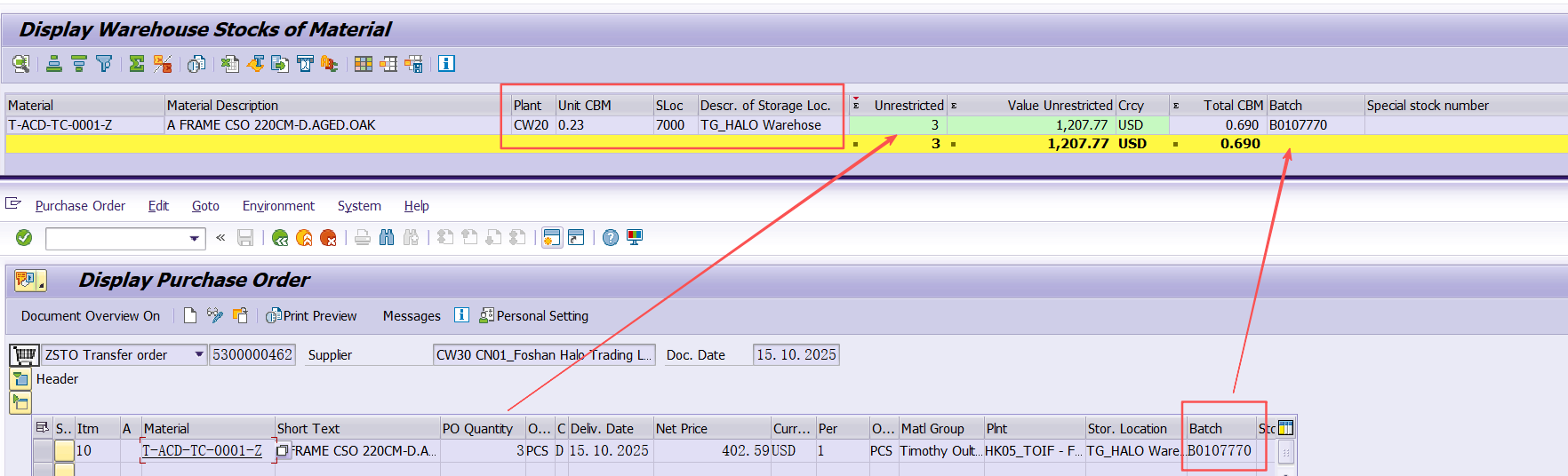
Tcode:ME21N
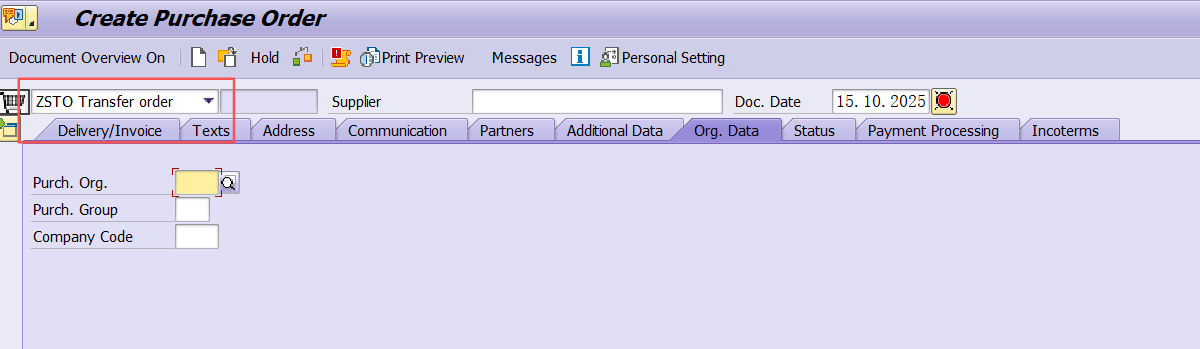
创建PO=CCSTO,如果是MTS PO type 选ZSTO
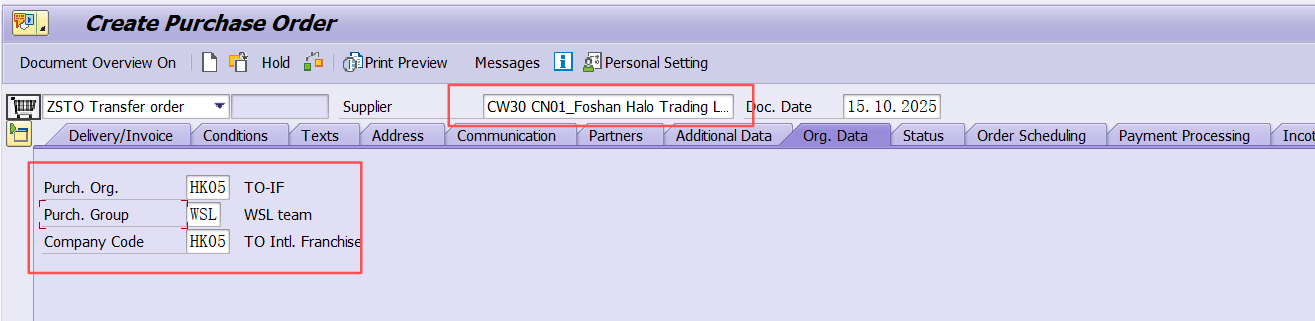
Supplier = CW30, Fill in Purch. Org. , Purch. Group, Company Code
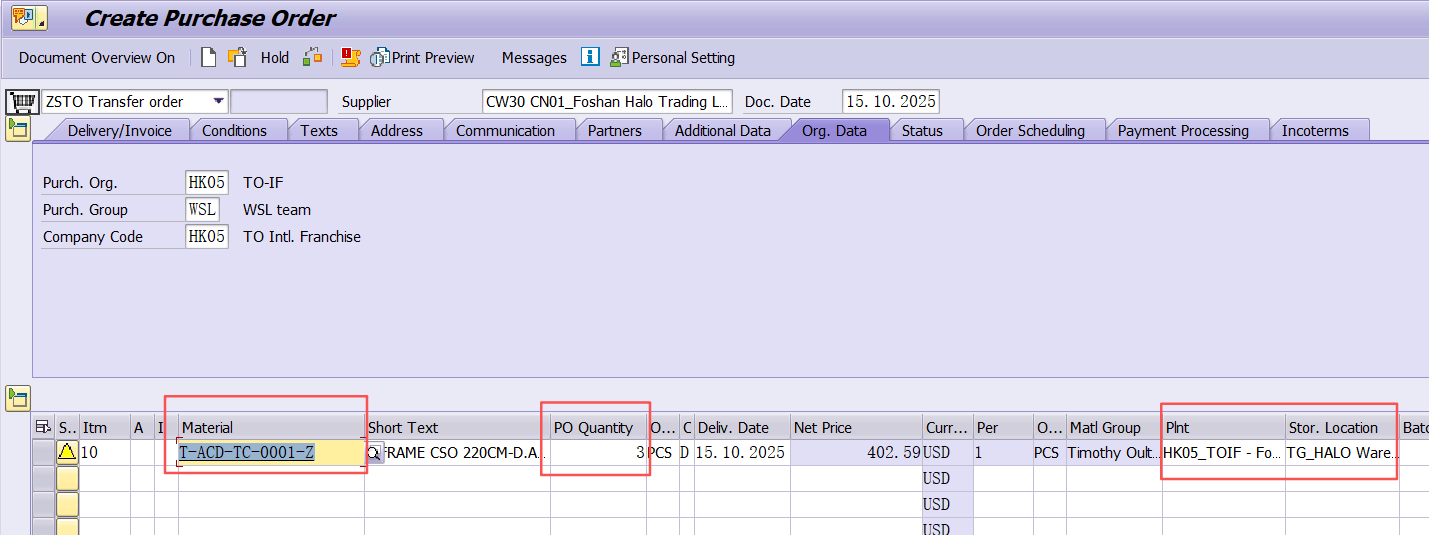
Fill in material , Qty , Plant, Store location
Fill in Batch.

Fill in Issuing Store location

After save, the CCSTO will be generated, if CW30 = WOFE have enough stock , delivery schedule with committed Qty, if no committed Qty, can't go to next to create DN

Tcode:VL10B . 创建CCSTO DN, fill in Purchasing document
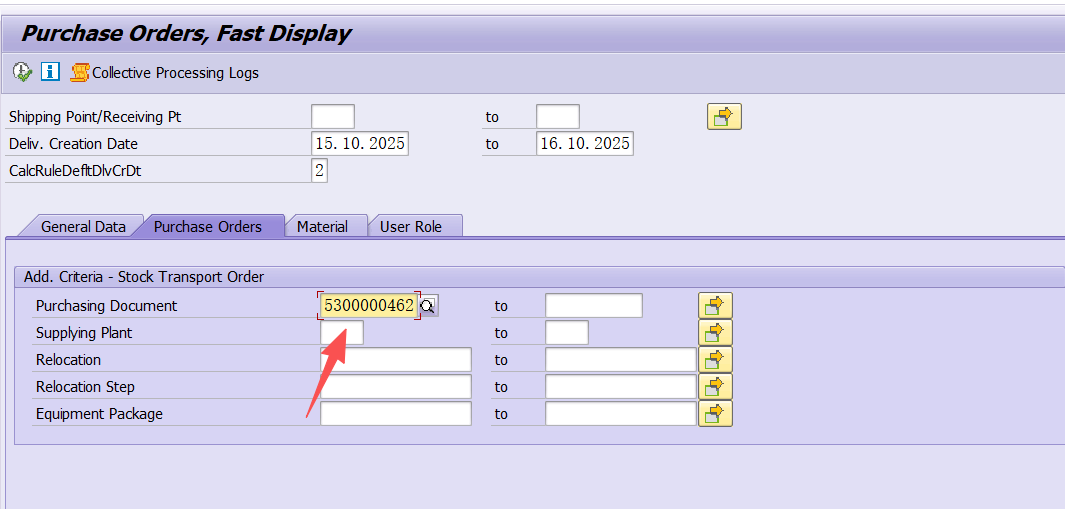
Highlight line item and click “Background”

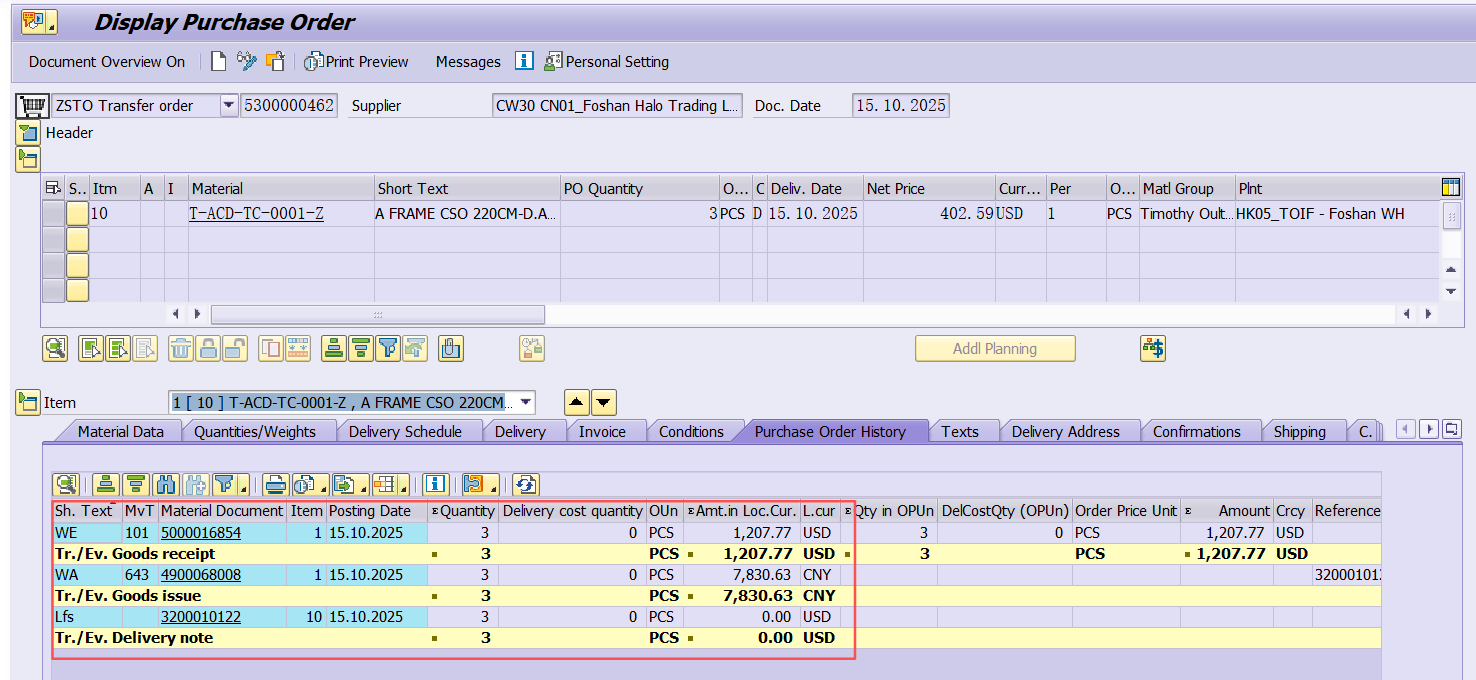
If you can see greenlight, that means CCSTO DN has been created. please double click line , it will go to ME23N , you can see CCSTO DN under by "Purchase Order History"

To complete CCSTO PGI, use Tcode:VL02N or click CCSTODN by PO page

点击 "post good issue", PGI就完成了,也就是说CW30=WOFE的库存已经扣掉。PGI的日期可放可不放,不放系统就默认当天。BATCH 和SLOC 这两个地方,如果CCSTO 有填就会自动带到CCSTO DN,如果CCSTO没有填,那么CCSTO DN需要维护。
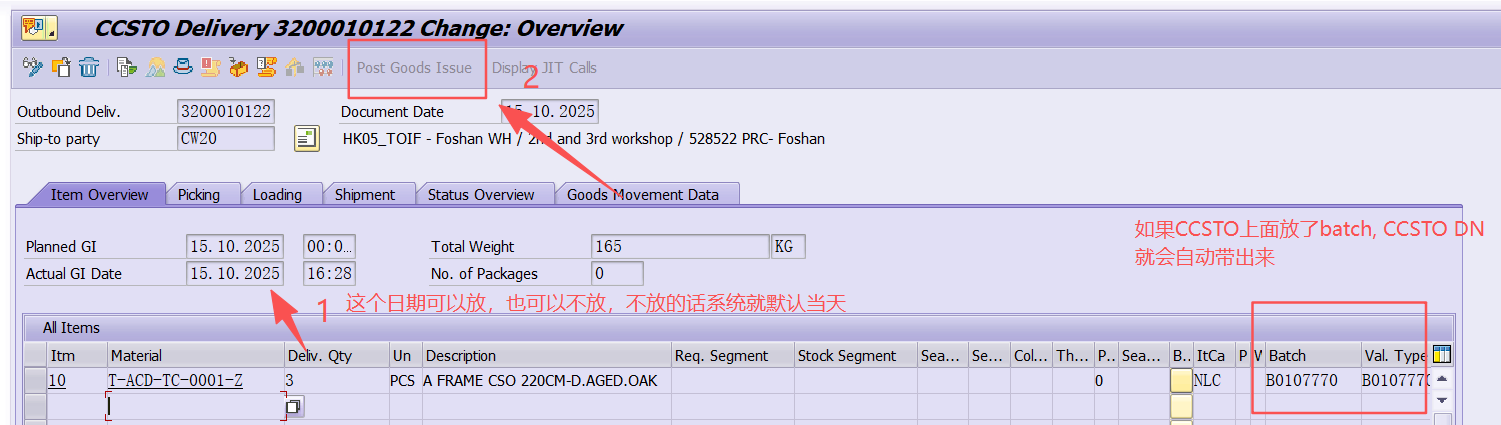
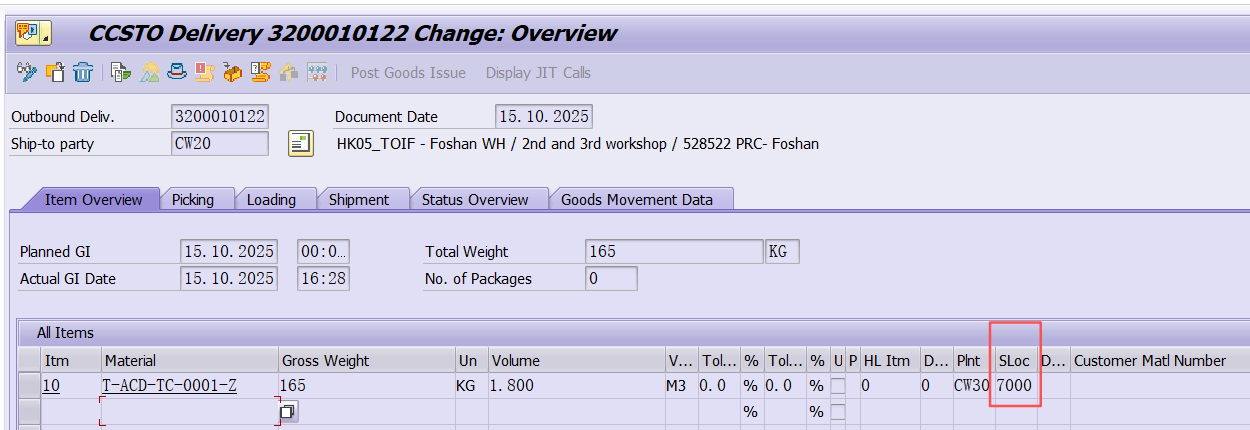
下面是CW20=TOIF公司做收货,需要用Tcode:MIGO
选择A01 Goods Receipt, 放CCSTO PO,GR goods receipt = 101, 然后“enter”
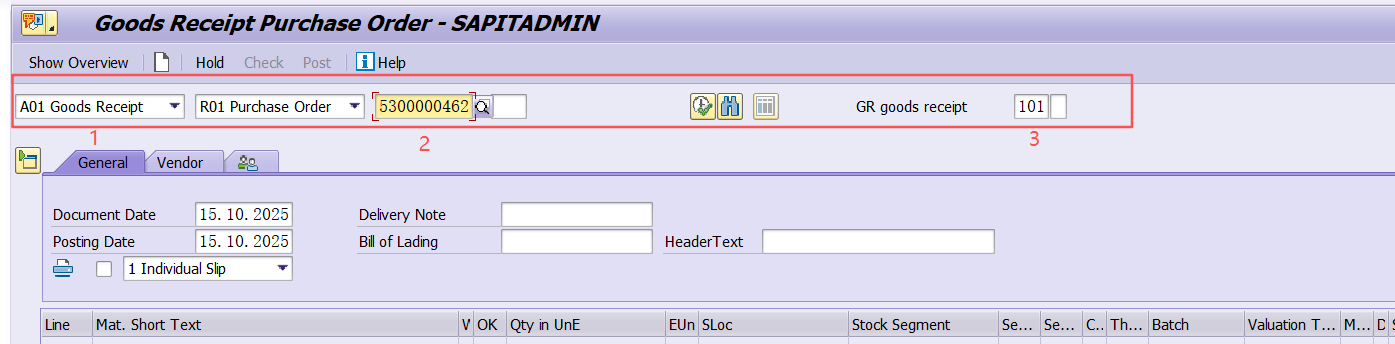
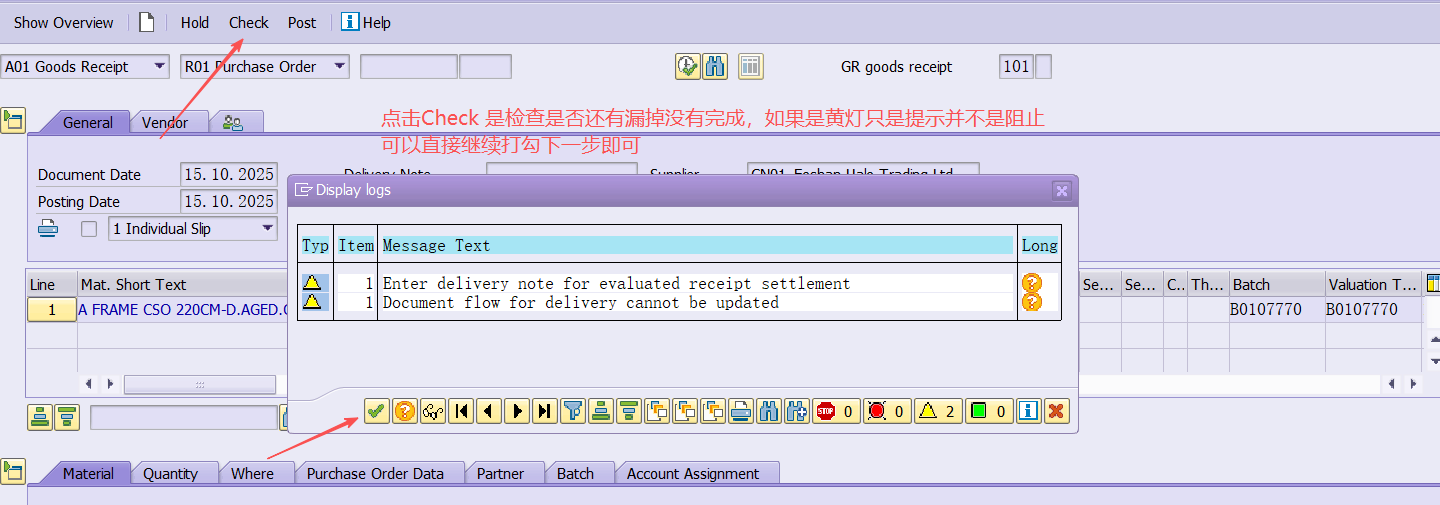
点击“Item OK”, 确保行上是打勾的,然后点击“Check", 如果没有问题,一般会出黄灯提示。如果有问题会出红灯阻止不给收货。
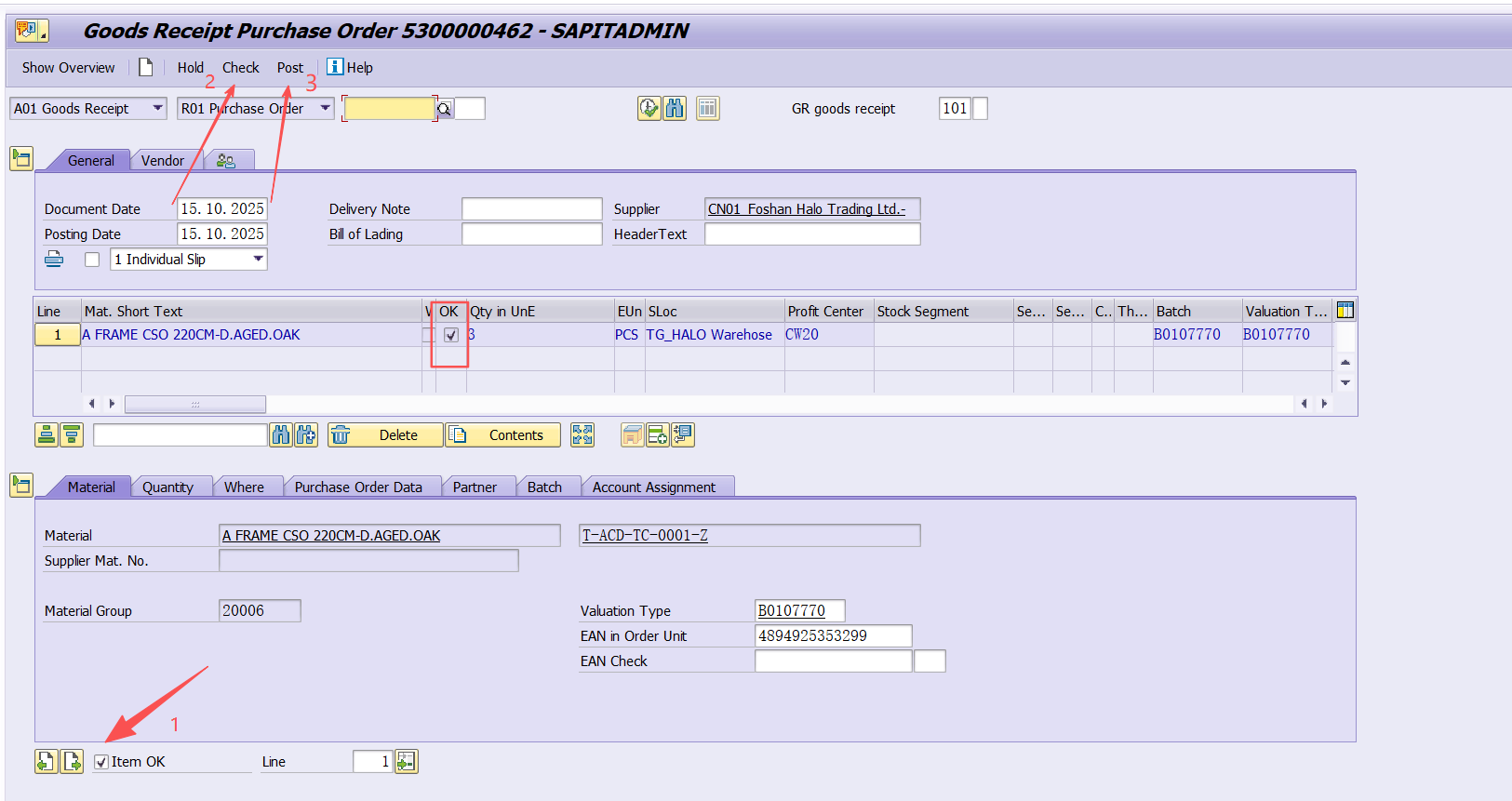
下面是Check and Post 执行后的画面
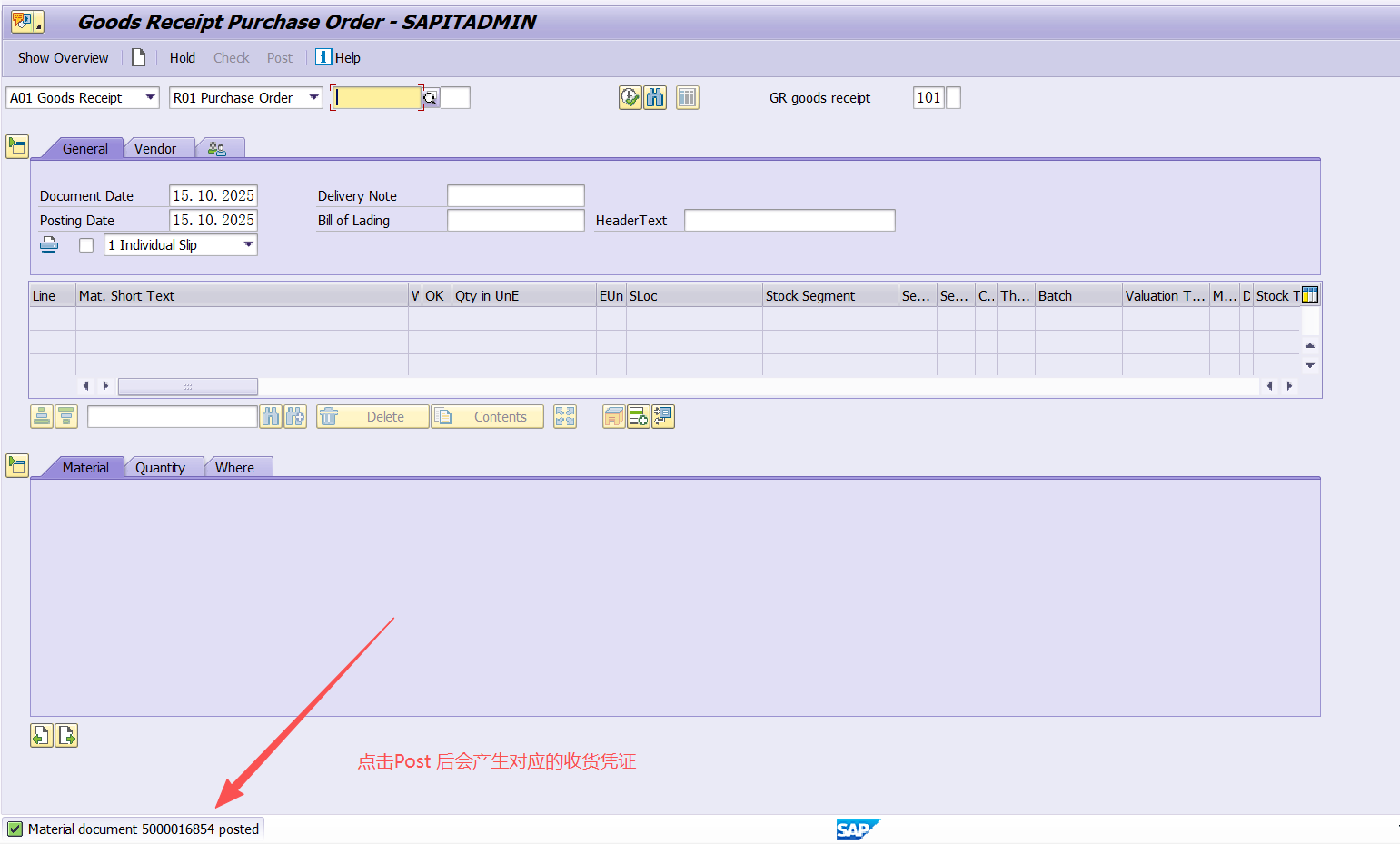
以上步骤完成可以回去ME23N查看CCSTO “Purchase Order History", 看到这个就是整个CCSTO完成,从CW30转到CW20的流程
同时也可以去MB52查库存