I. Create C/N with an order reference
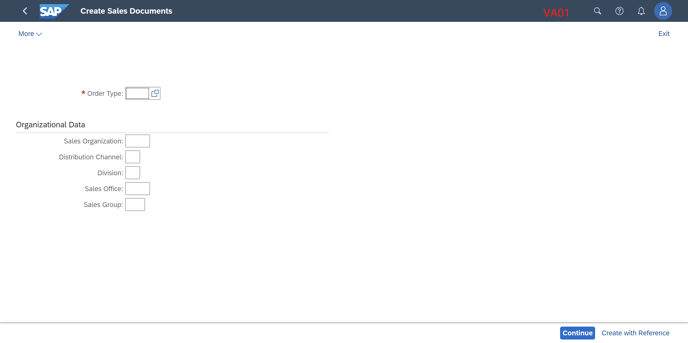
1. Use T-code VA01 to create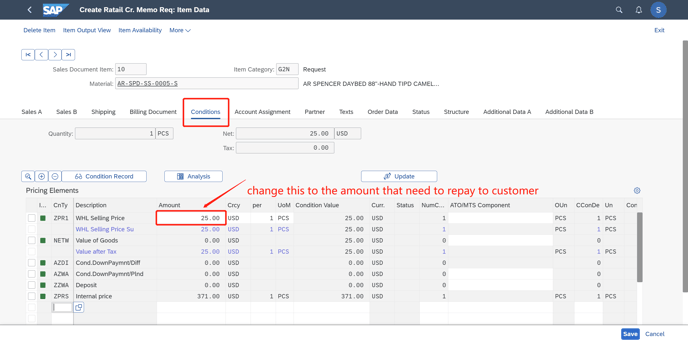 e, enter the order type
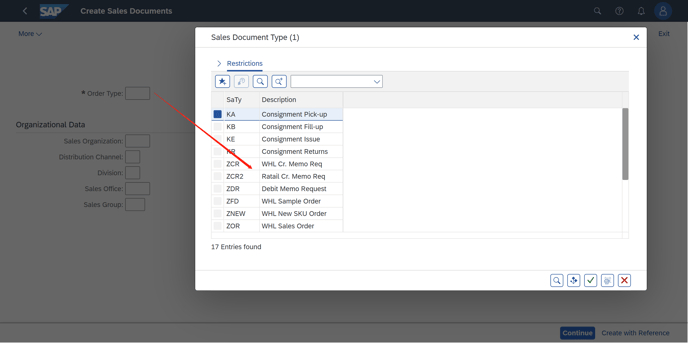
If it is a wholesale credit note, then choose "ZCR"as its order type
If it is a retail credit note, then choose "ZCR2"as its order type.
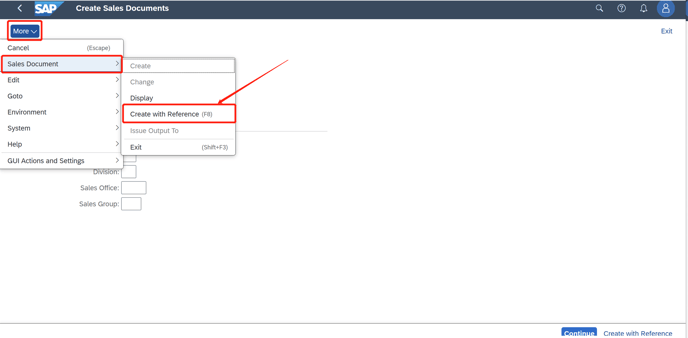
2. After selecting order type, click more and "Create with reference"
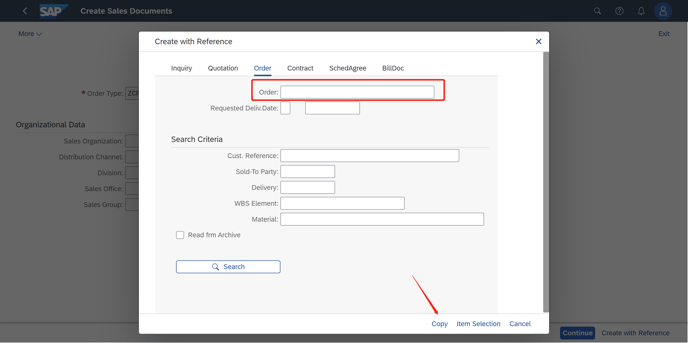
3. If the Credit note is based on the sales order, then fill in the SO number in Order page.
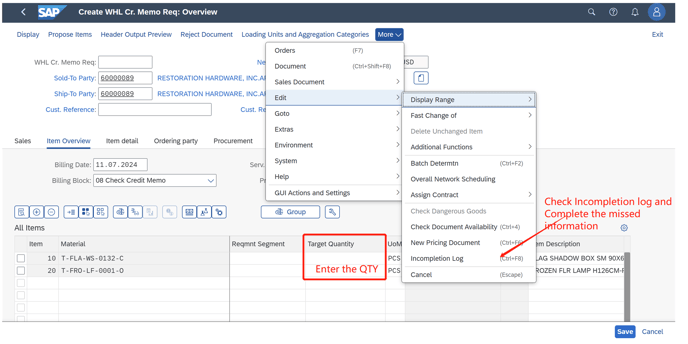
4. According to the reality, enter the quantity of the products, then check "Incompletion Log" as we did in the normal SO. Fill in the missed information and complete this credit order.
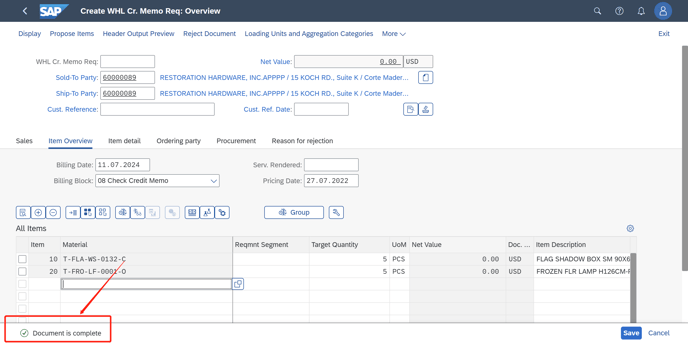
5. When the remind note tells us this order is OK then "SAVE" it. A credit note is created.
II. Create C/N without reference
1. Use T-code VA01 to create
If it is a wholesale credit note, then choose "ZCR"as its order type
If it is a retail credit note, then choose "ZCR2"as its order type.

2. Fill in all the information below based on real data and Check "Incompletion log"to see which data is missed and maintain them all.
Material depends on the reality business.

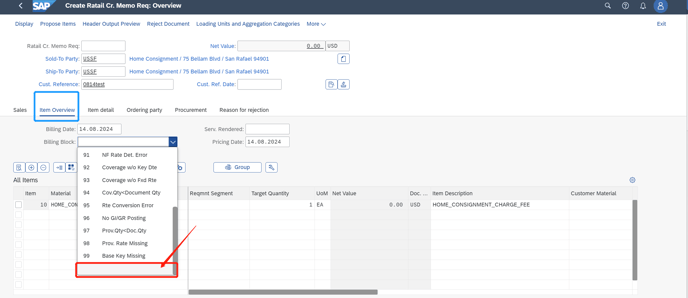
3. Since this order is a credit note, pay more attention to the amount of the order. (QTY is not considered in credit notes, only the Amount is considered in C/N)
If the value is not the amount you want, please double click the line to change the value.
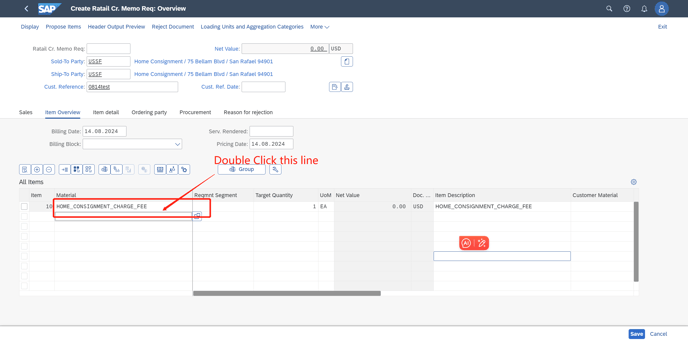
4. In this screen, turn to "Conditions"page, and change the amount here.
(For TOIF&TOR C/N we created ZD29: 'Home consgnmt charge' condition type, other C/N depends on the real business to select the condition type)
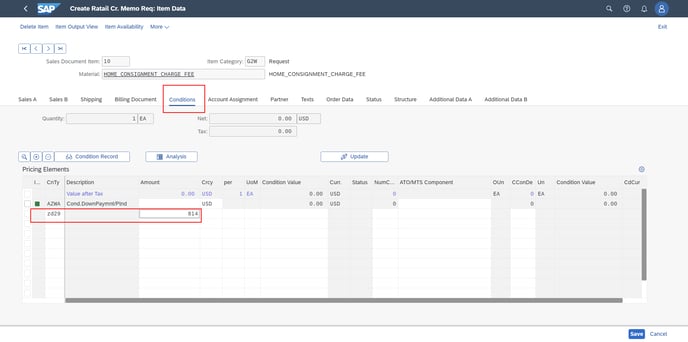
When checking "Incompletion log" is altight, save the order.