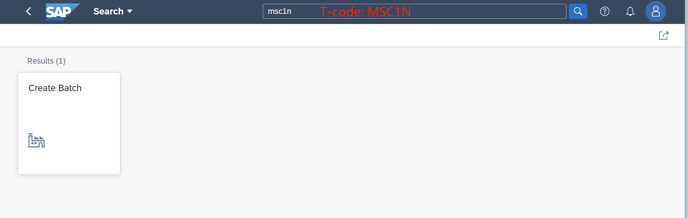
1. Enter T-code MSC1N to start
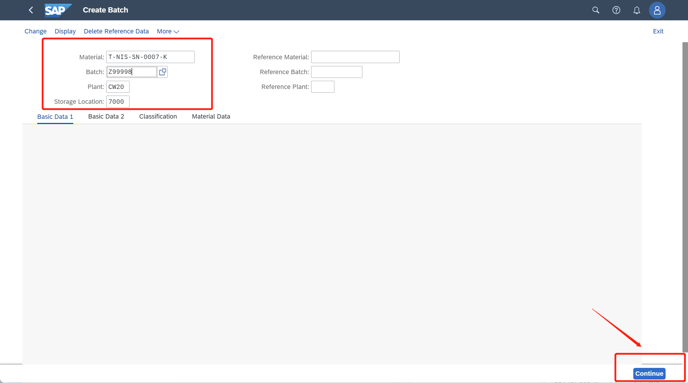
2. Fill in the information needed and click "Continue"
Material+Plant+Storage Location is the basic information that you already known.
Batch--- you can create a new one conbined with Specific letter and calendar number or use the Number you needed, for example "Z99998"
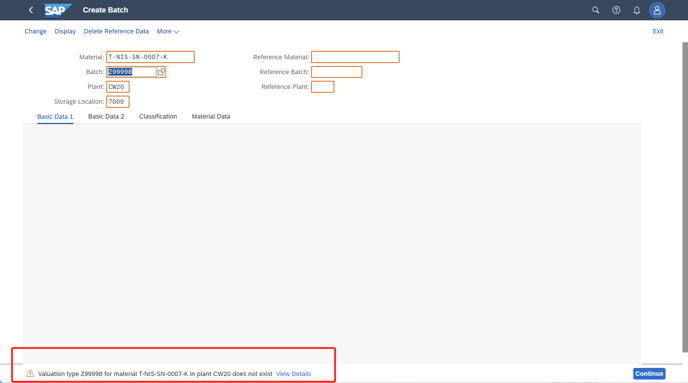
If the Red Remind comes out, plz press Enter to igore it
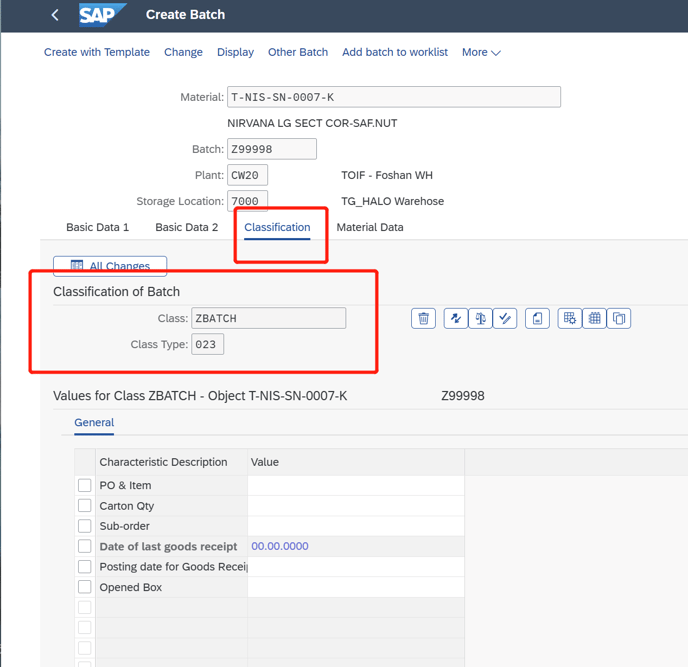
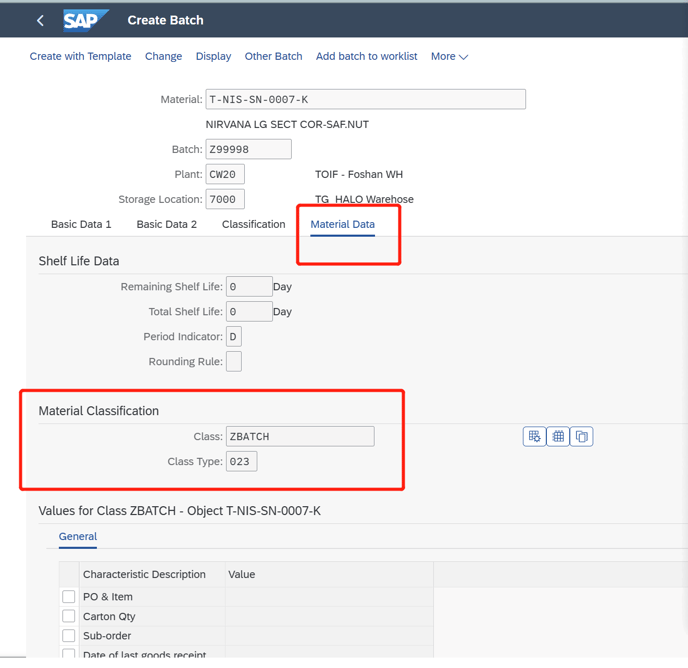
3. In this page, plz check the below two pages, Classification and Material Data
If the red rectangle blow doesn't contain information, plz feedback in time
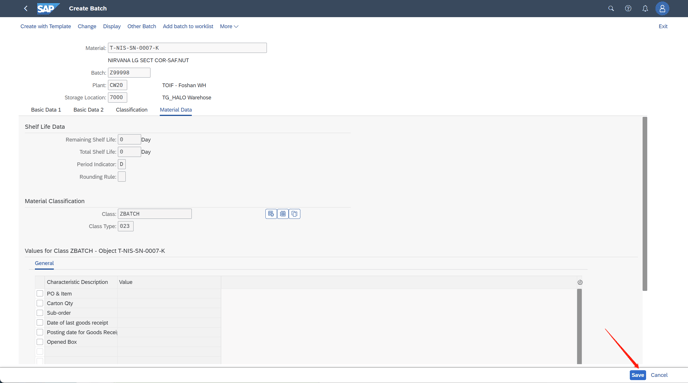
4. If all information is good, press "Save". Then, a batch for the material in a plant is created.
As for some materials doesn't exist in the storage location. (The Reminder as below) Material XXX does not exist in storage location XXXX of Plant XXXX
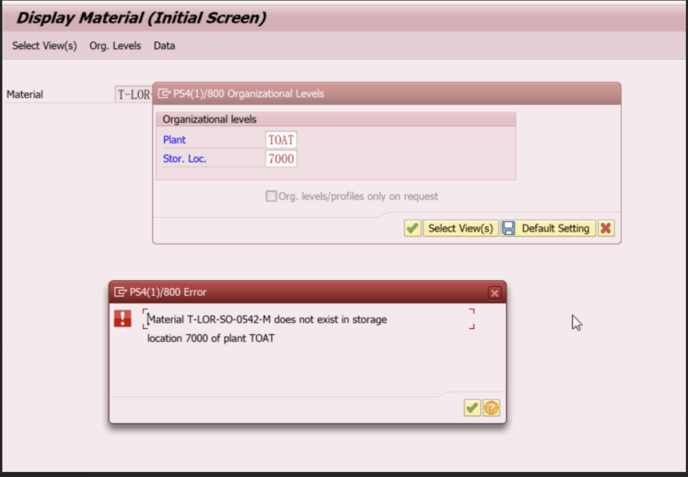
please follow the following step to extend the Material XXXX in storage locationXXXX in Plant XXXX
Enter T-code MMSC, fill in the Material and Plant, press "enter" to the next step
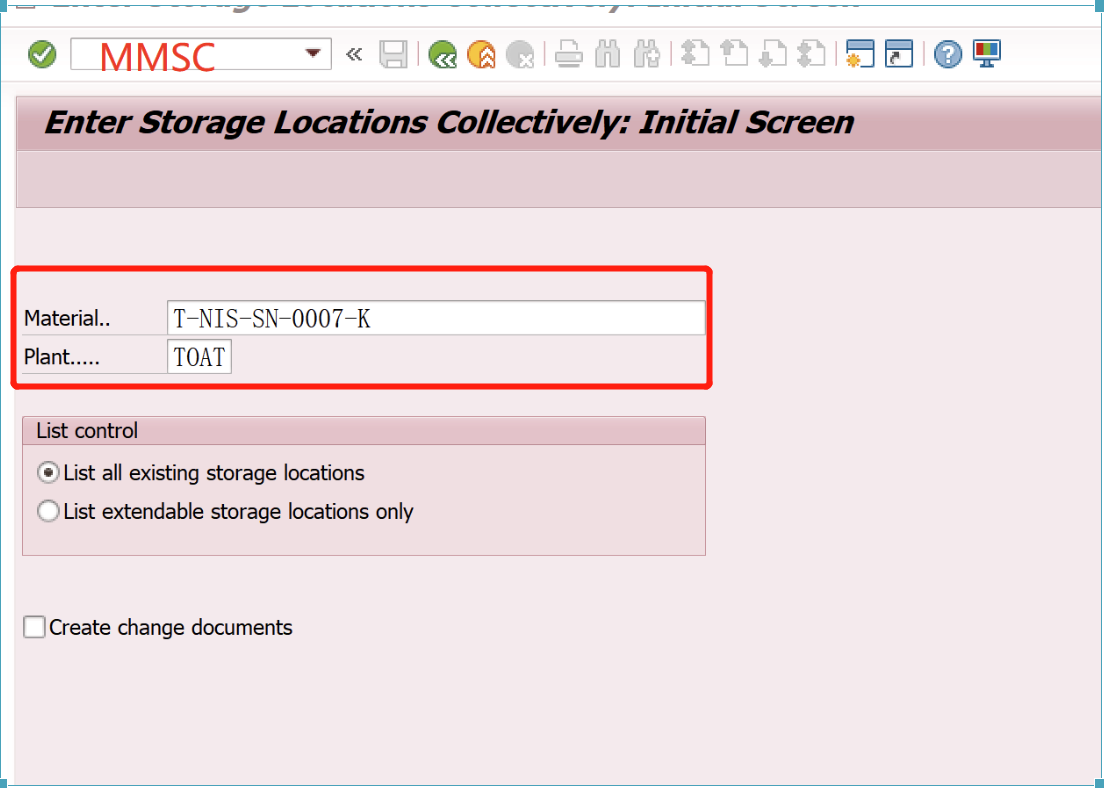
Fill in the SLoc as below and "Save"
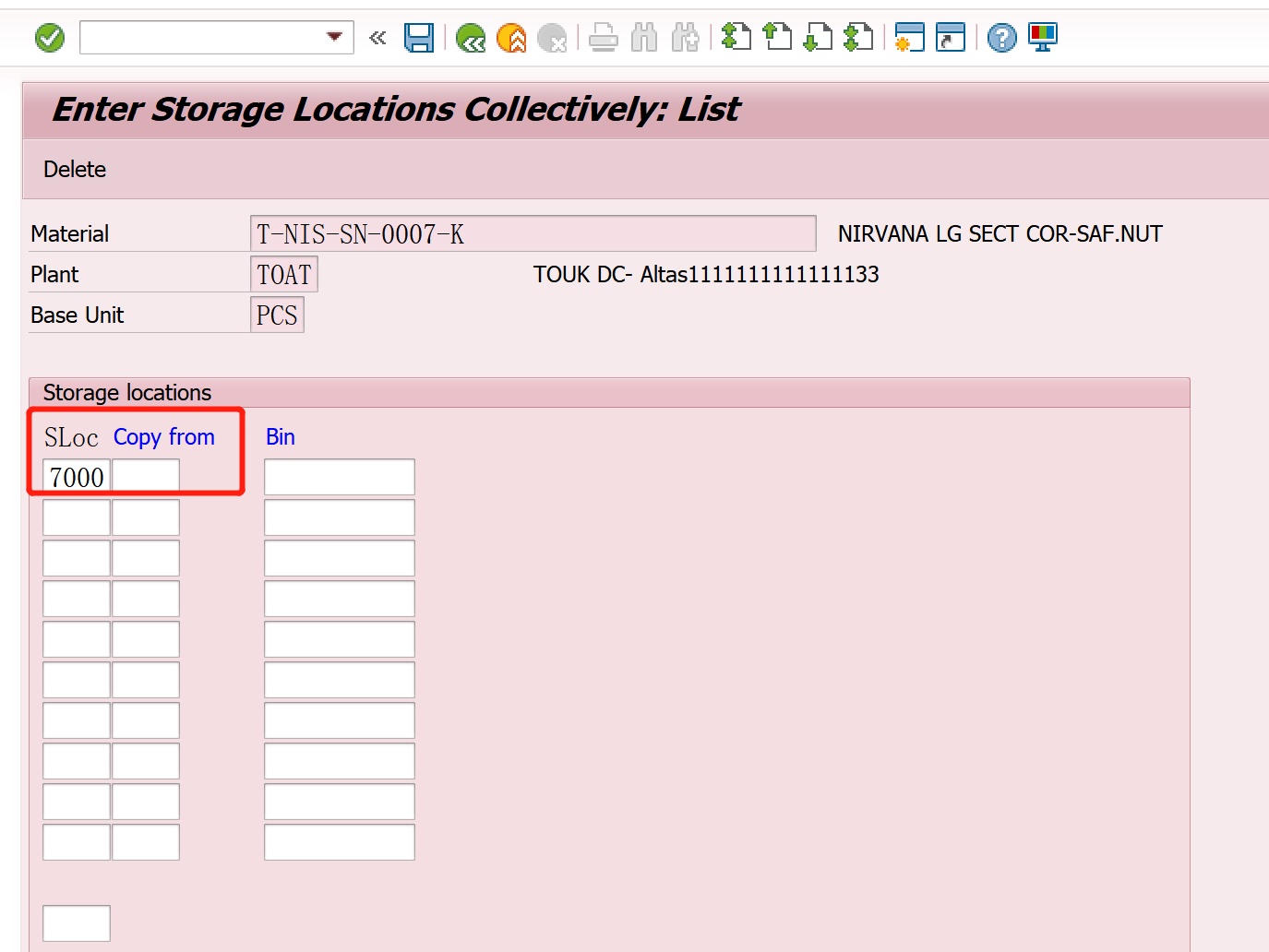
The material is extended in this plant and Storage Location