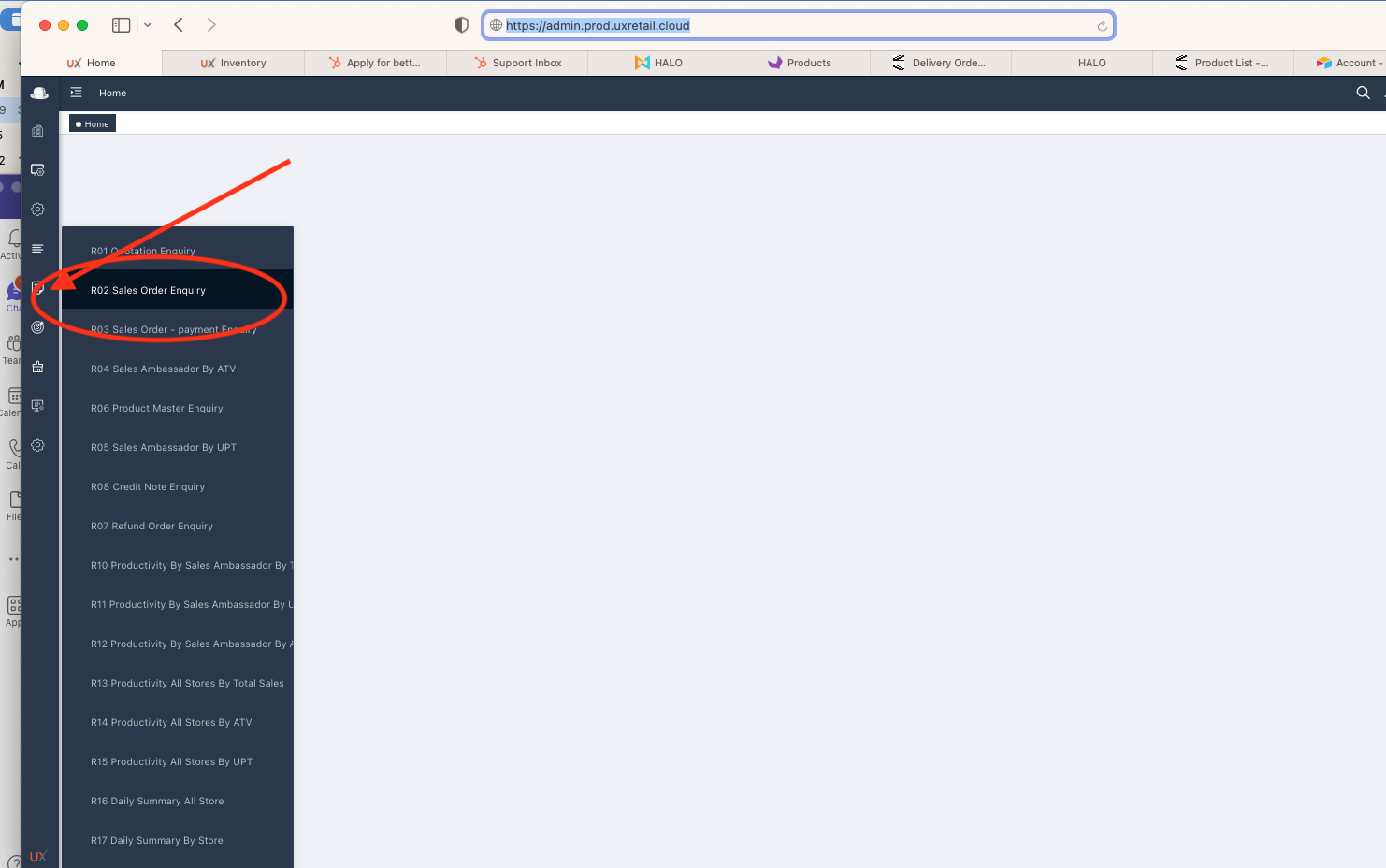
Step 1 - User need to Login into Admin panel, URL as below
https://admin.prod.uxretail.cloud
Step 2 - Choose R02 under report section
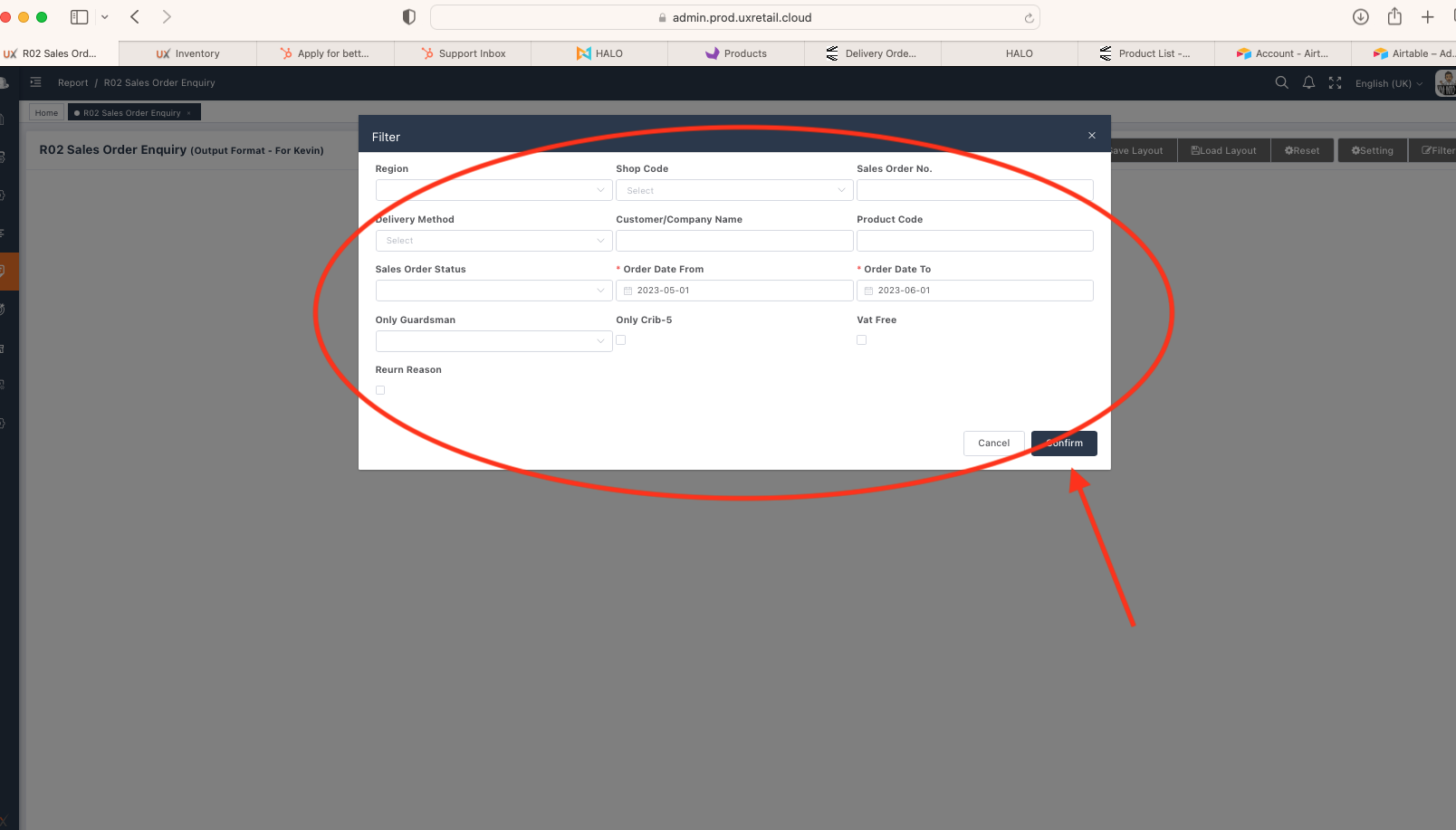
Step 3 - Choose the needed filters, then press confirm
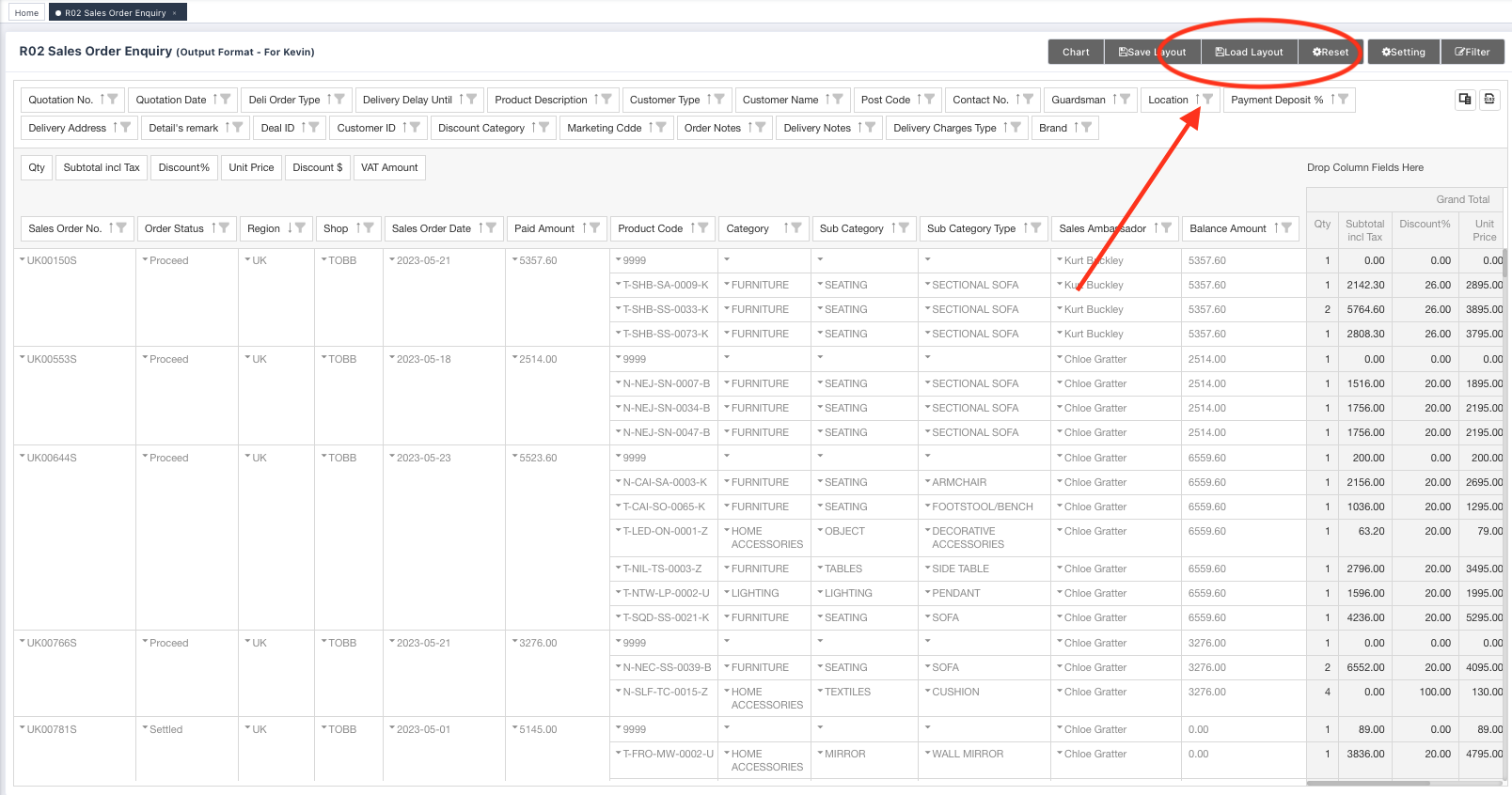
Step 4 - System will generate a report, then choose load layout
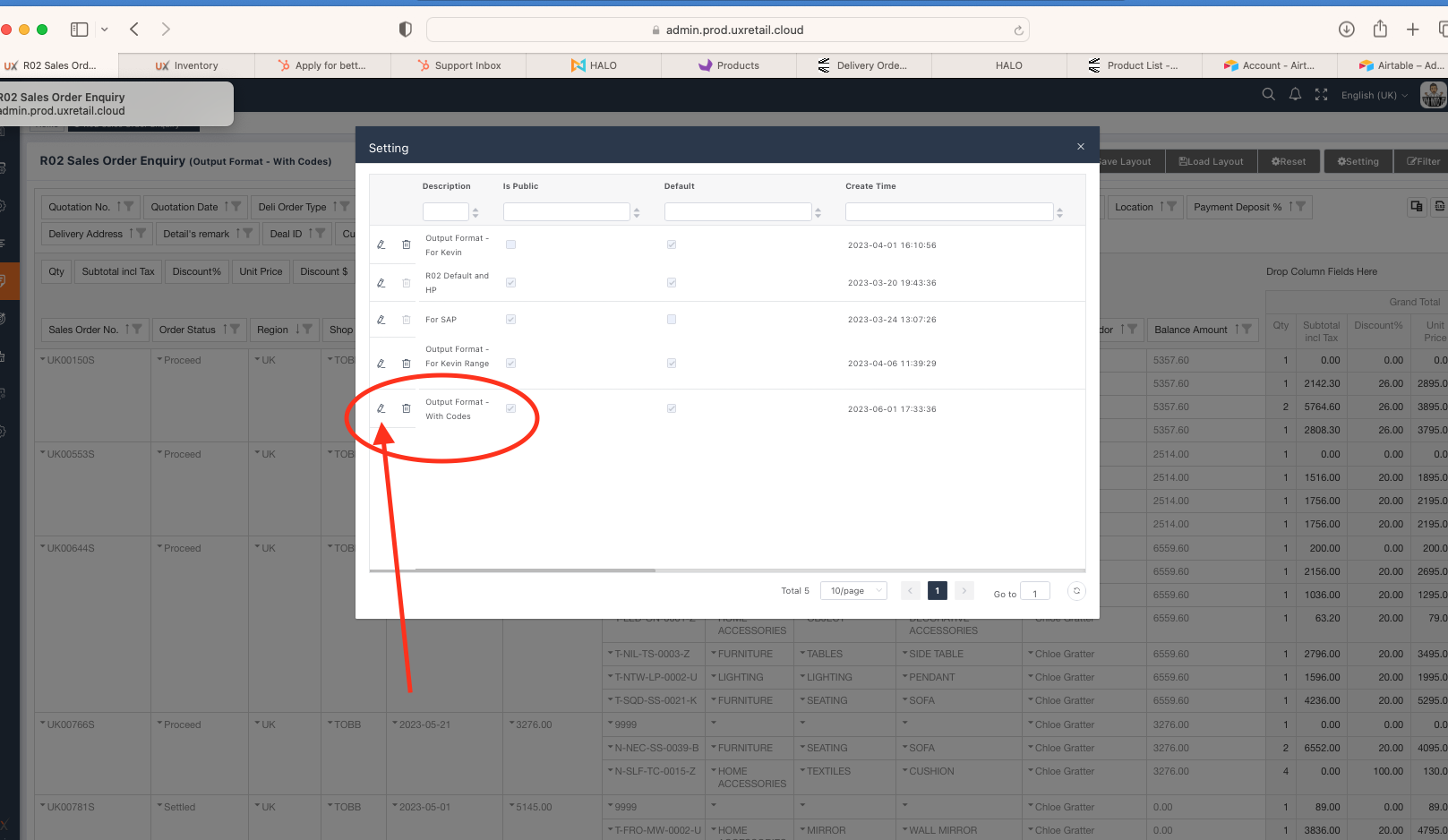
Step 5 - Choose "Output format - with Codes" layout and press the pencil icon to apply
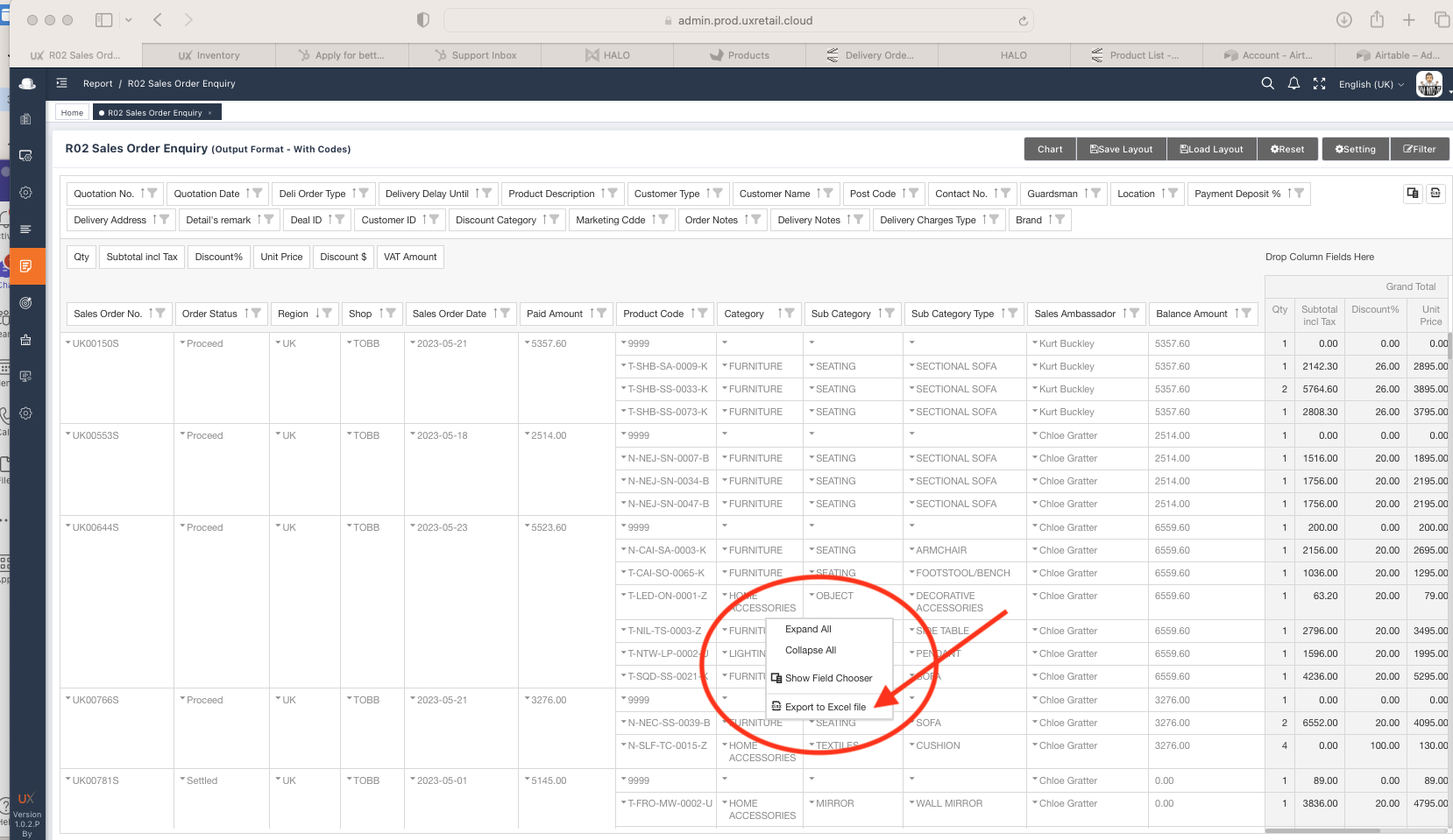
Step 6 - Report will show sales orders within filter result together with line details and codes. Right click your mouse to see export to excel option.
*** Please choose CSV format ***
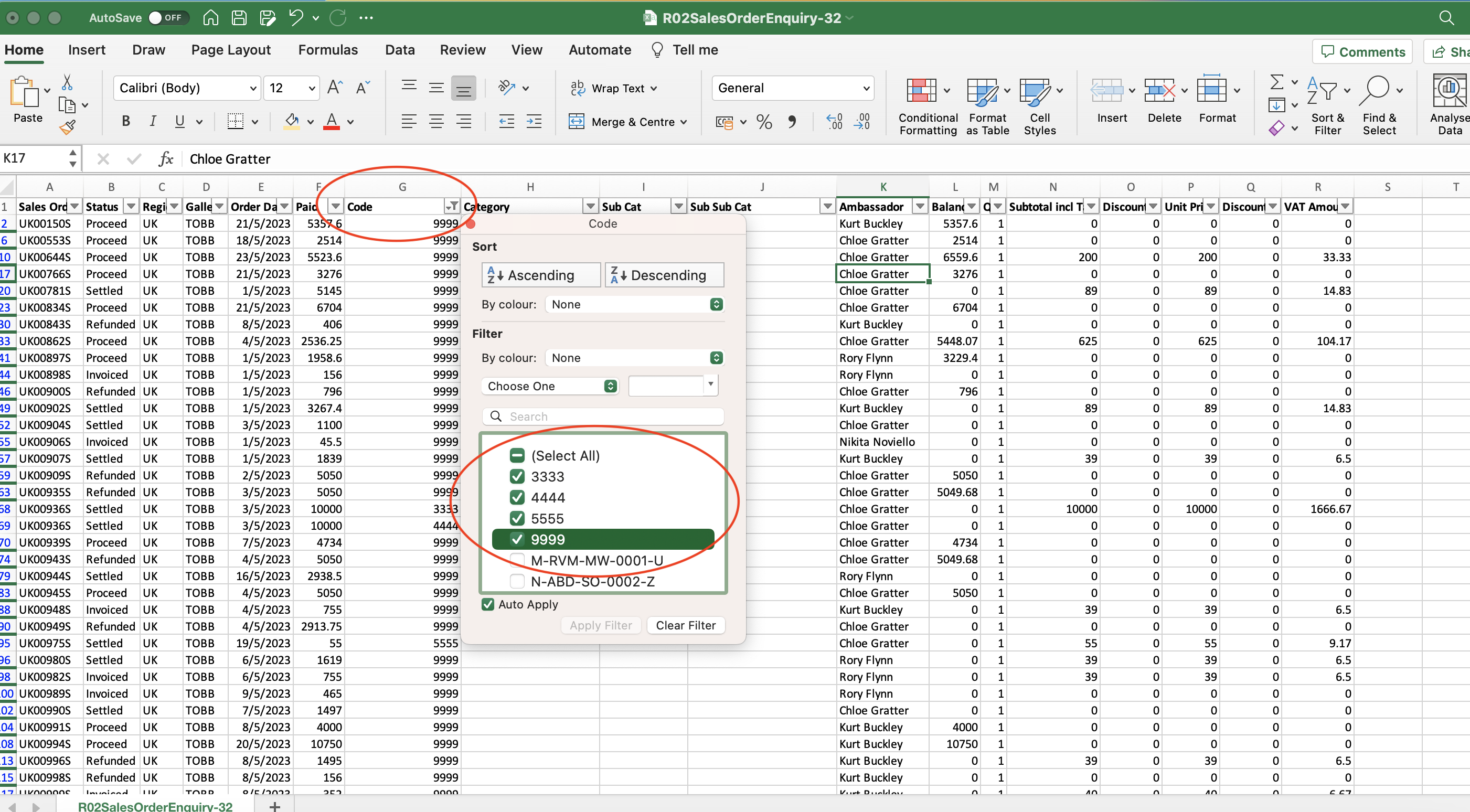
Step 7 - On CVS format you need to add back the titles on each column, this is still WIP by report team. But you can have all line details to filter. In this case please filter code section to shortlist the needed info.