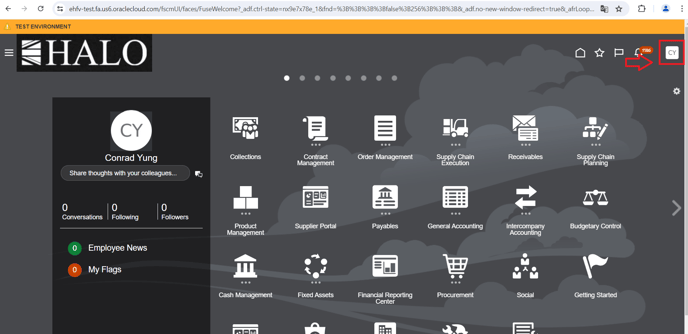
1. First login to the system and then click on user icon.
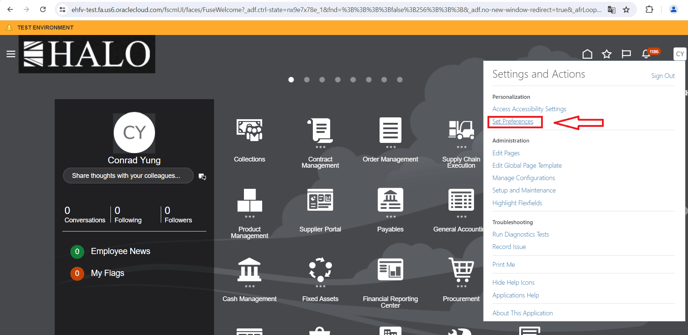
2. After that click on “Set preferences”.
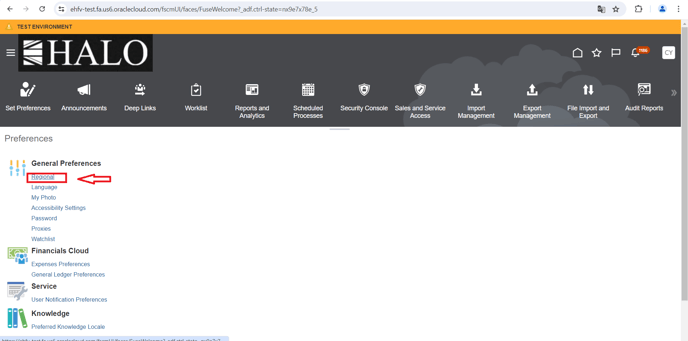
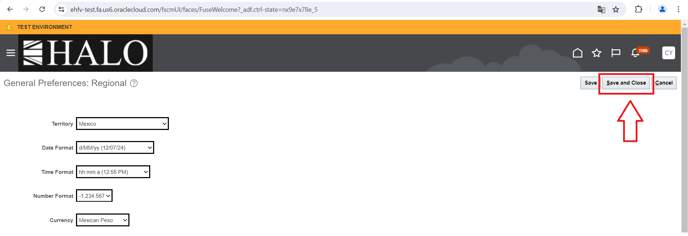
3. Window will change, click on “Regional”.
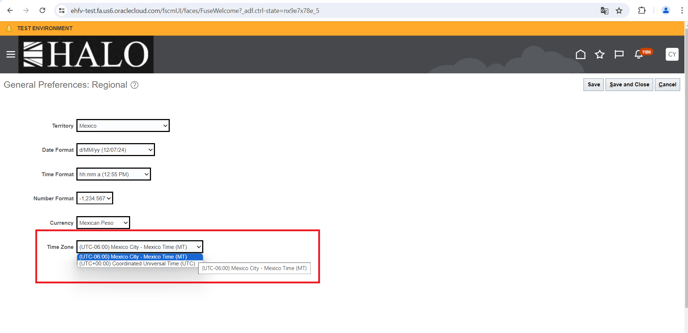
4. Window will change again, click on the “Time Zone” option and select the time zone you need. (Mexico City option is UTC-06:00).
5. Finally click on “Save and Close”.
Note: The time zone will change only for the logged in user.
This manual comes from the following ticket:
"RE: HORA EN TRANSACCIONES DE ORACLE | Wrong Time zone", ID "2923641900".