If the Sales order is invoiced, we need to reverse the Billing document first.
1. Enter T-code VA02 to change the SO as below.
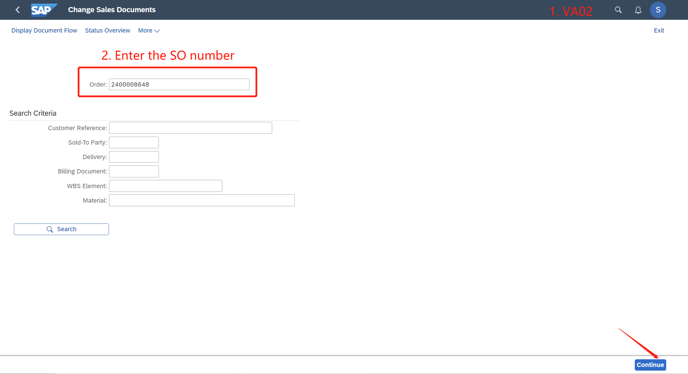
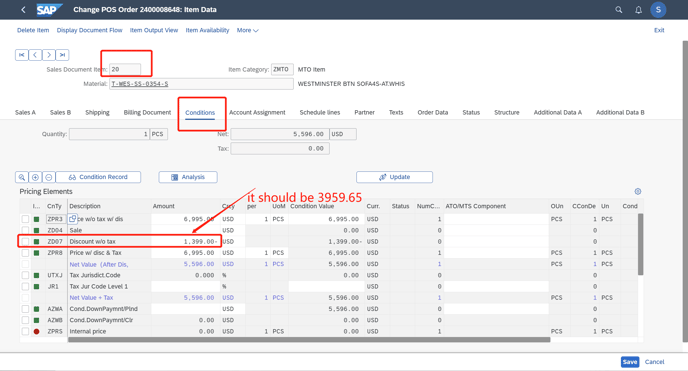
2. Go to the wrong item, the "condition" page. For example in this order, it is line 20 with the wrong amount.
Correct the wrong condition type into the correct one.
After the correction, press "Enter" to refresh other data.
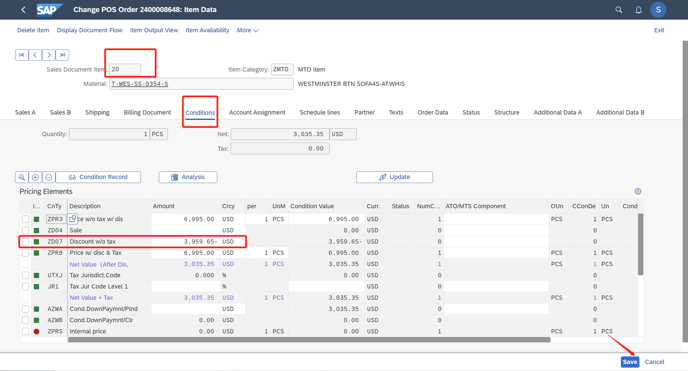
Save this order.