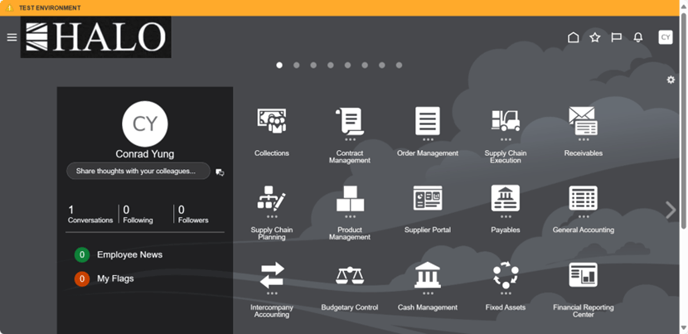
1. First you have to log in to the system.
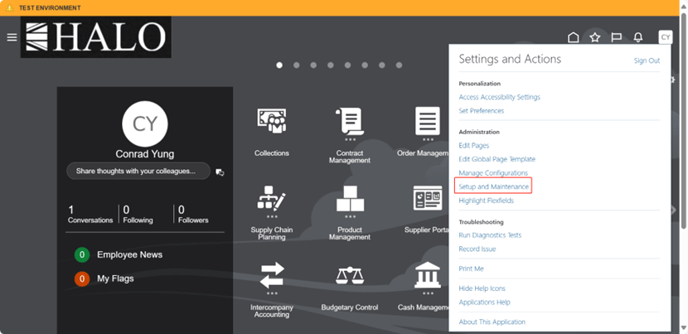
2. Then, in the "Settings and Actions" menu click on "Setup and Maintenance".
3. After that you have to select the Procurement Module and then click on "Approval Management".
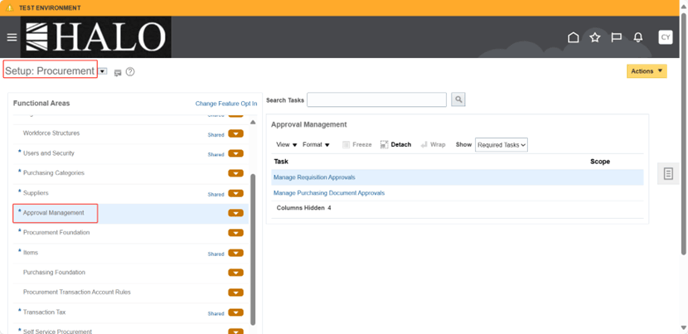
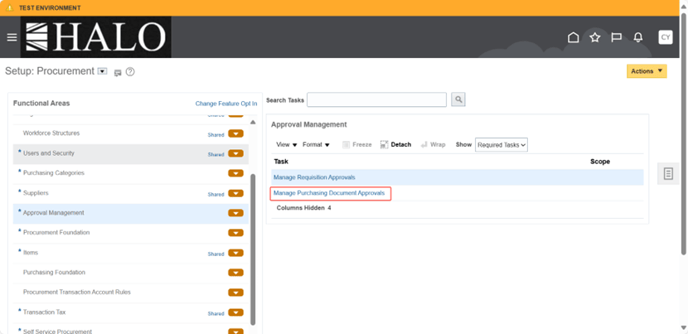
4. Then Click on "Manage Purchasing Document Approvals"
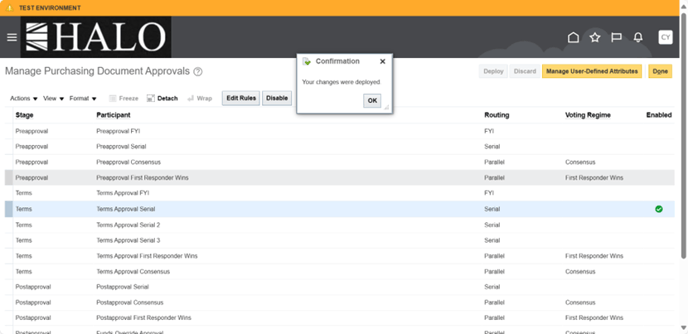
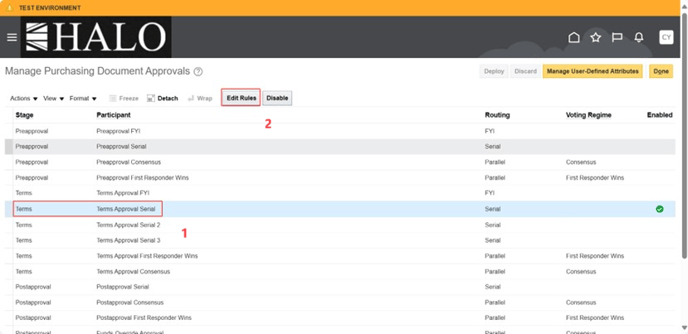
5. It will show a list. First, select "Terms Approval Serial" and after that click on "Edit Rules".
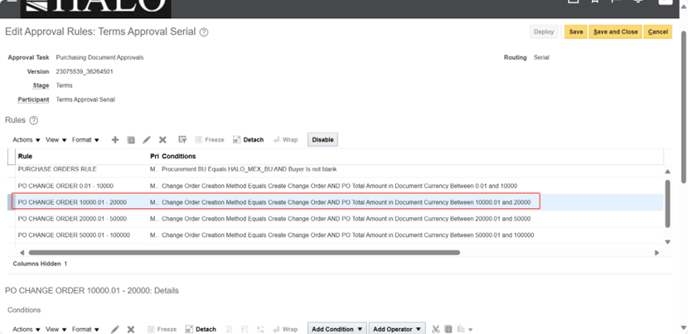
6. Select the rule that needs to be changed the approval person.
7. Then click on the "Edit" icon on the right.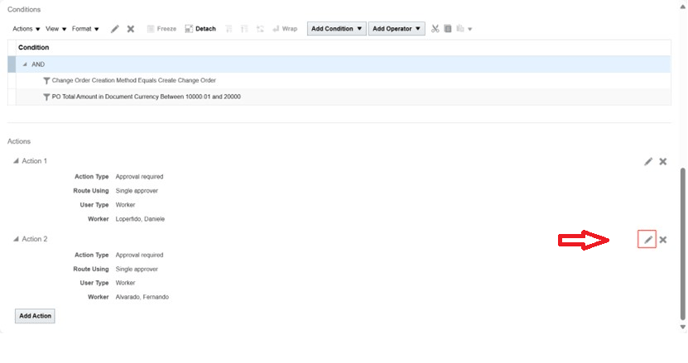
8. It will show a small window. Click on the "Search" icon.
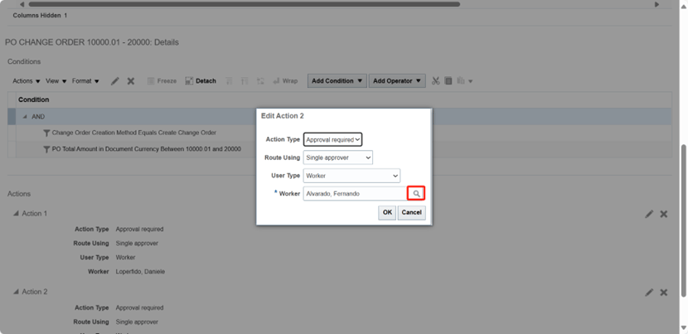
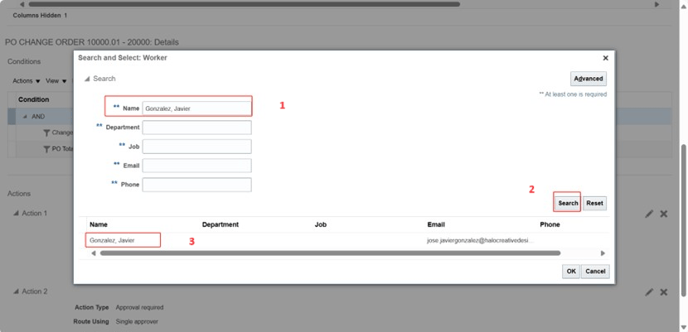
9. Input the name of the new approval person and click on "Search". It will show person's information. Click on "Ok".
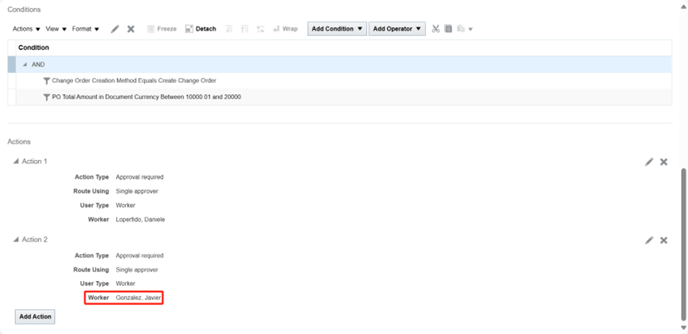
10. Afther this the action worker will be changed.
11. To save the changes click on "save" button in the top right corner.
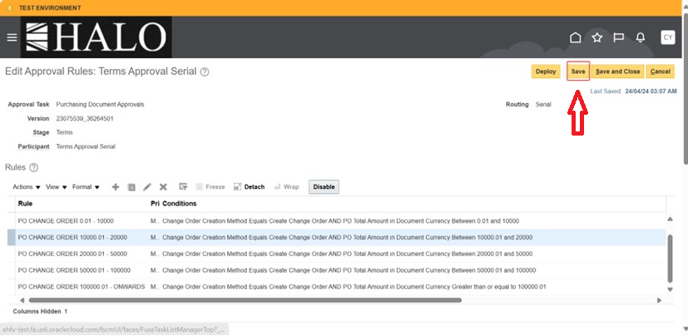
12. Then click on "Deploy" button.
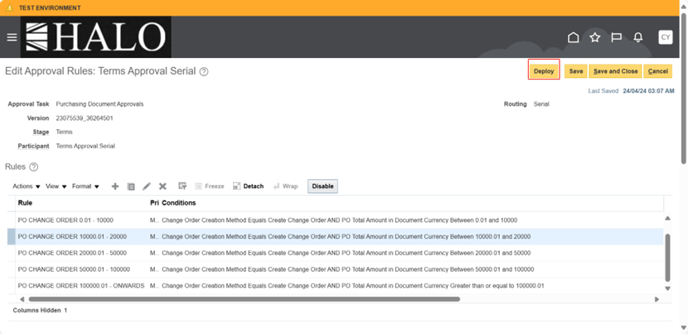
13. It will show a small window asking if you want to continue, click on "Yes".
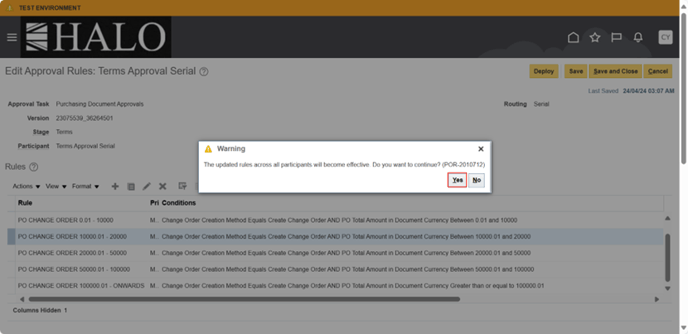
14. Finally it will show another window saying "Your changes were deployed". Click on "Ok".