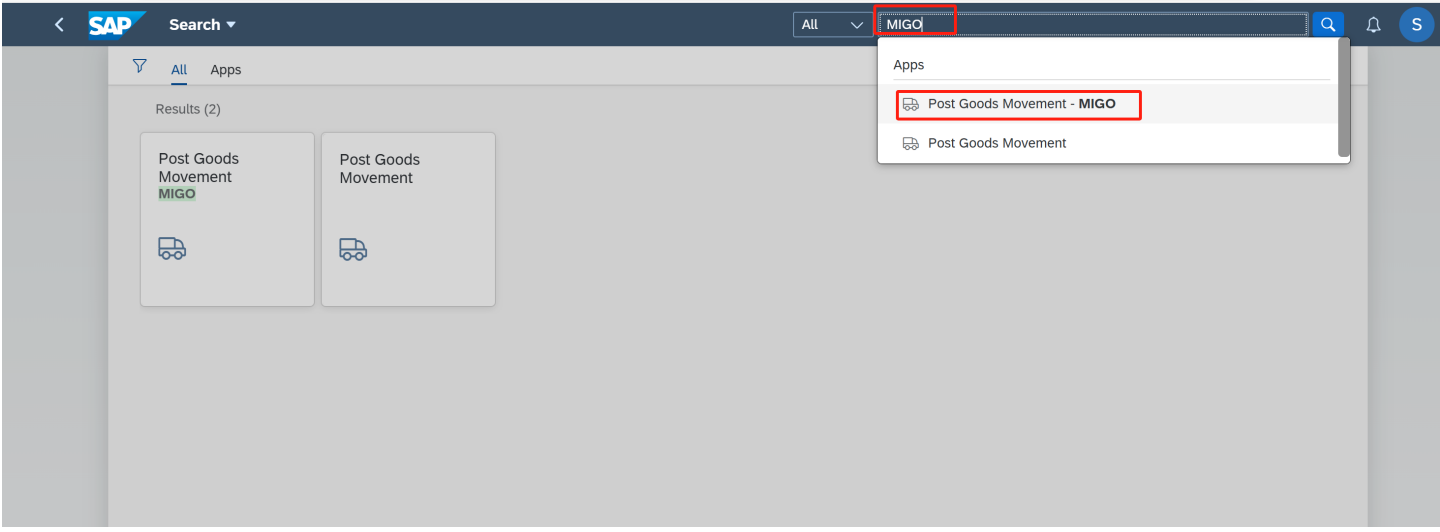
1. Enter APP MIGO
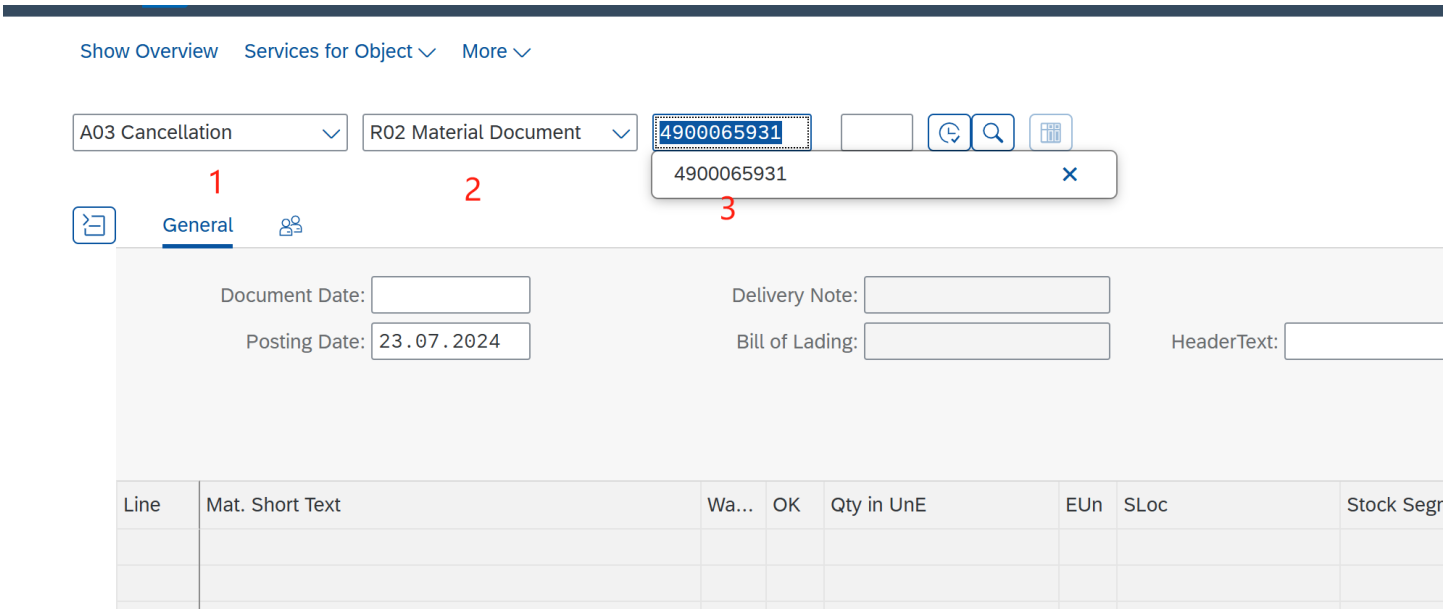
2. Follow the following 3 steps.
Filed 1 Select A03
Filed 2 Select R02
Filed 3 enter material document
3.
Filed 4 Select ‘√’
Filed 5 Finally, click the Posting button.
2. Follow the following 3 steps.
Filed 1 Select A03
Filed 2 Select R02
Filed 3 enter material document
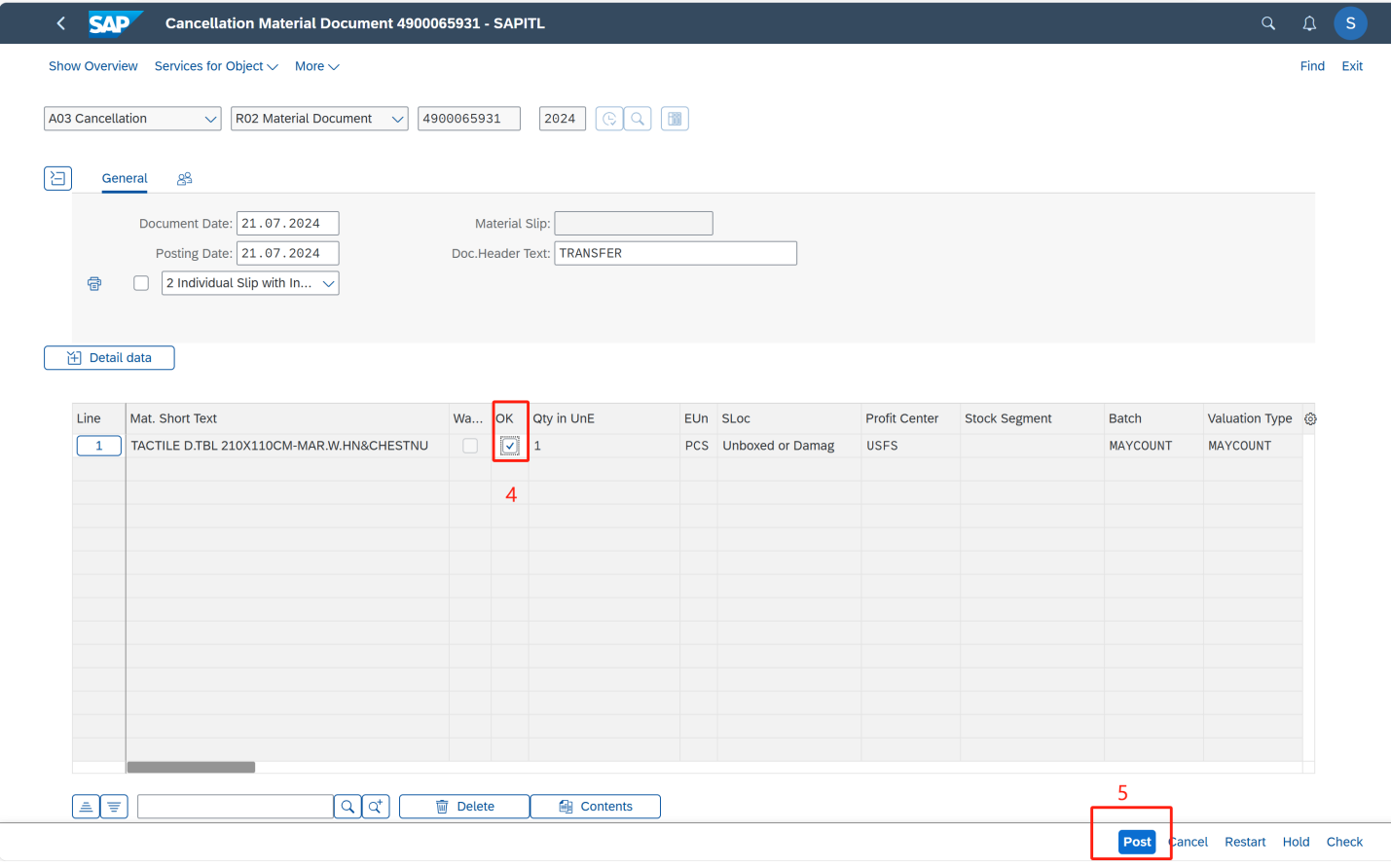
3.
Filed 4 Select ‘√’
Filed 5 Finally, click the Posting button.