1. The order in TMS is loaded/ on water/ at port/ in warehouse

If the customer cancelled NCR order, we need to transfer the stock from Sales stock to unrestricted stock.
Use T-code Migo to achieve this action
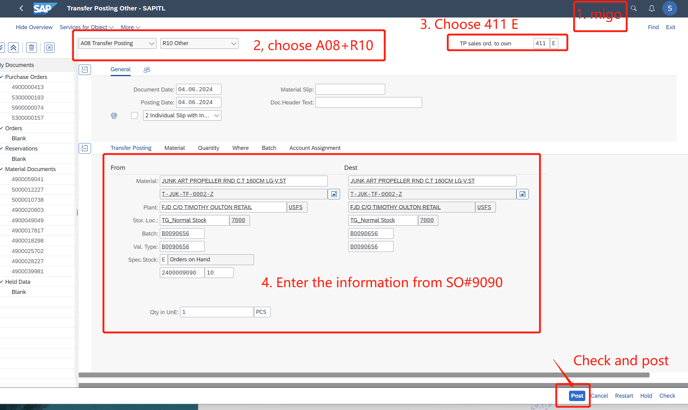
After filling in all the information above, check first.
If sth. missed, just fill in and fix it.
If everything ok, then enter "Post"
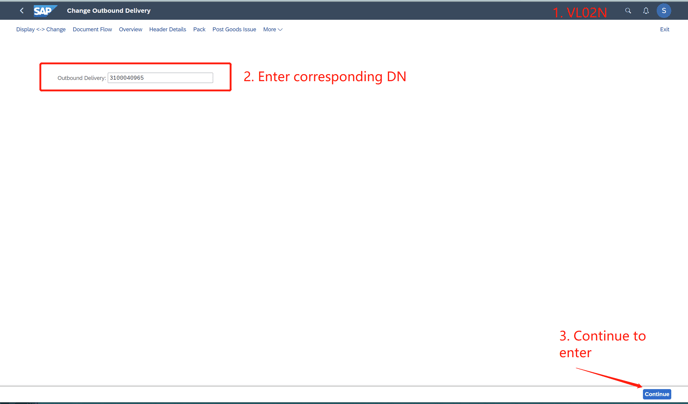
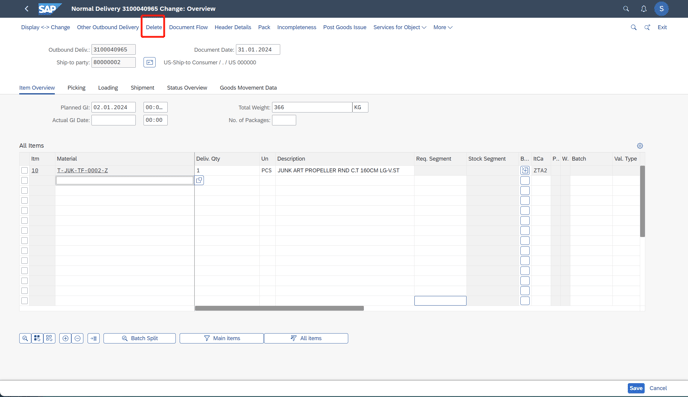
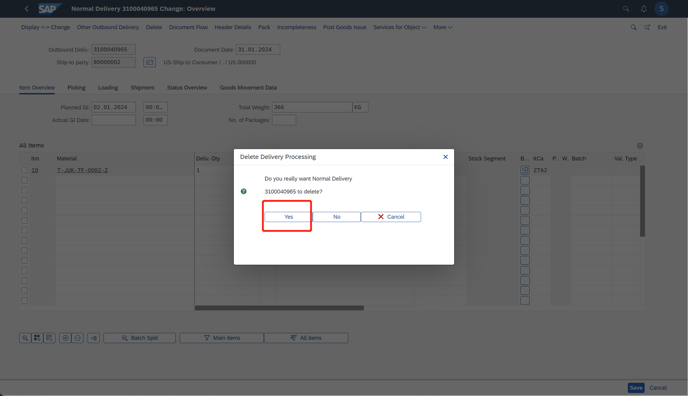
2. Since this order has been delivered with DN. Next, cancel DN.
in the screen below, click "Delete"
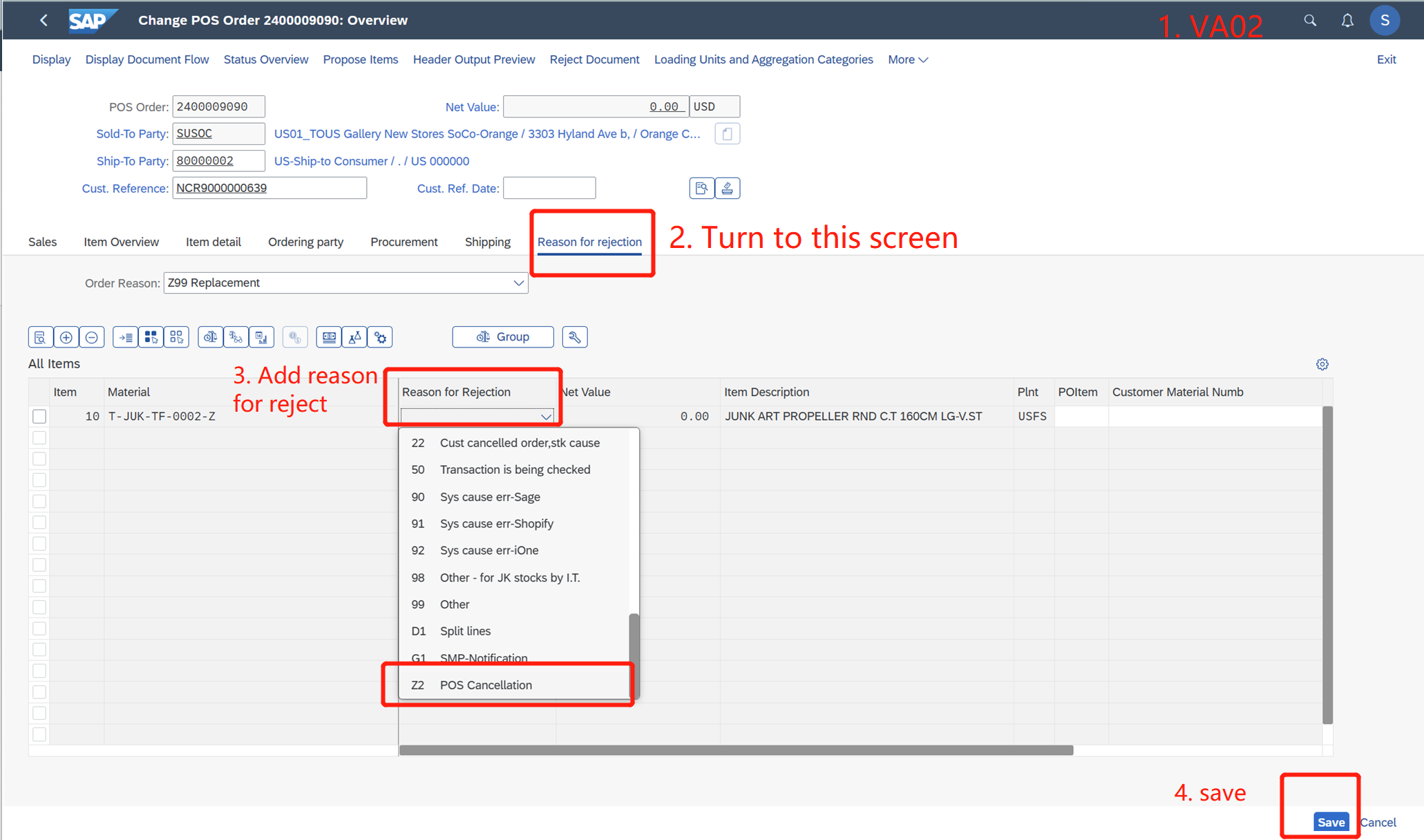
3. After the DN is deleted, go to T-code "VA02" change the sales order. Add a reject reason for this order.