First of all you need to remember the way to consult the attributes of an item:
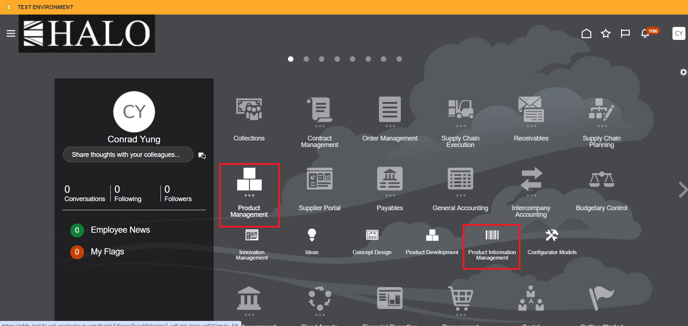
1. You have to follow the route Product Management -> Product Information Management.
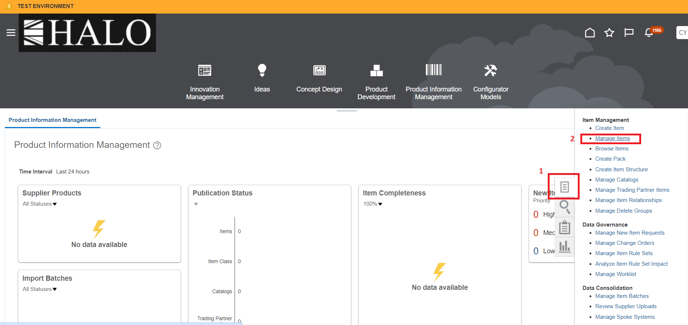
2. Then, click on Tasks -> Manage Items
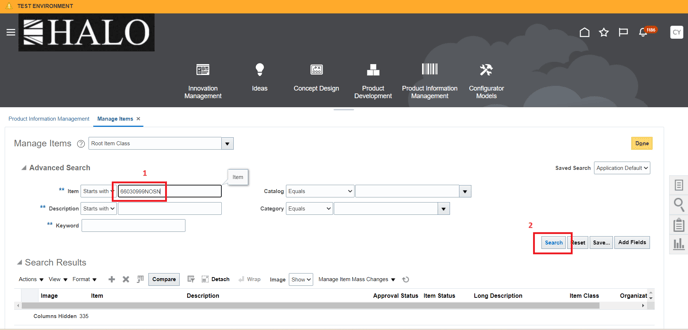
3. After that input item number and click on "Search" button
4. It will deploy 2 lines, click on the item number of the second line.
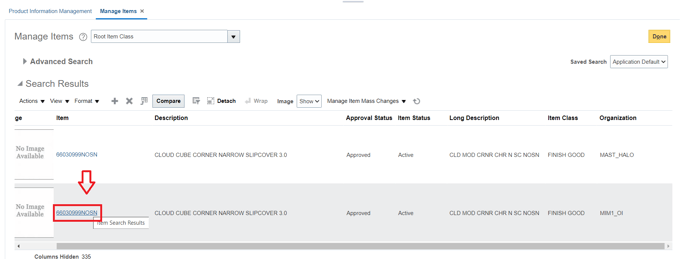
5. Then, click on "Specifications".
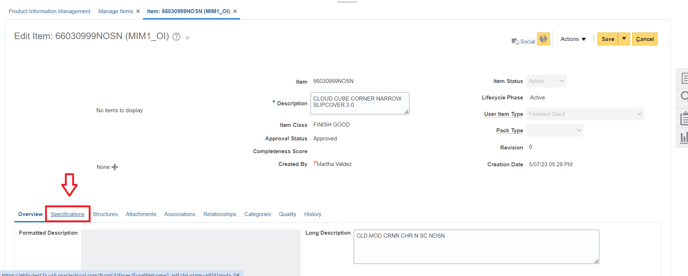
6. And finally on "Additional Attributes".
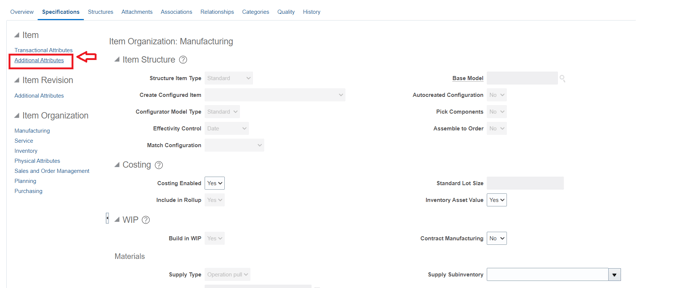
7. It will show all the extra atributtes of the item.
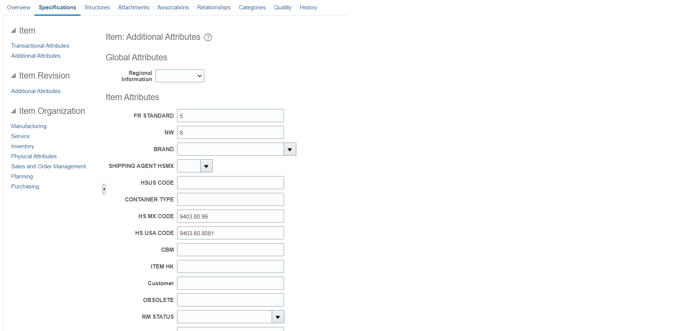
With this in mind, now we are going to add and extra attribute.
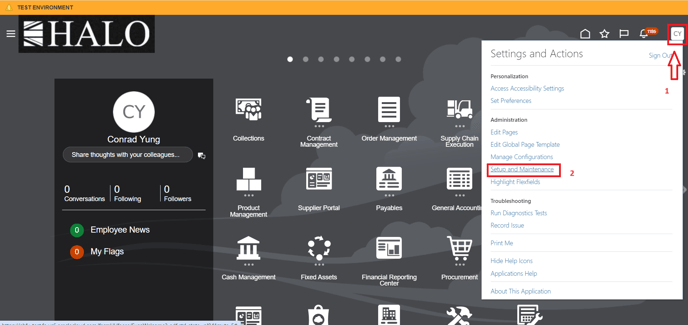
1. First click on user icon and then on "Setup and Maintenance"
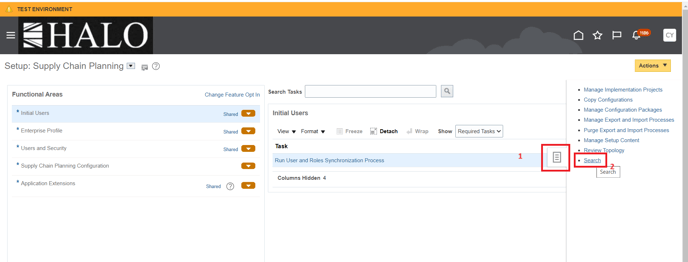
2. After that click on tasks icon and then on "Search"
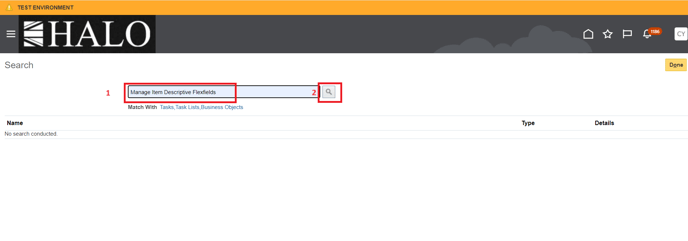
3. Input "Manage Item Descriptive Flexfields" and click on search icon.
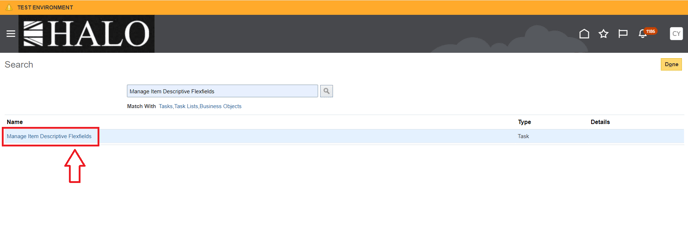
4. It will show a line with the name you inputted, click on it.
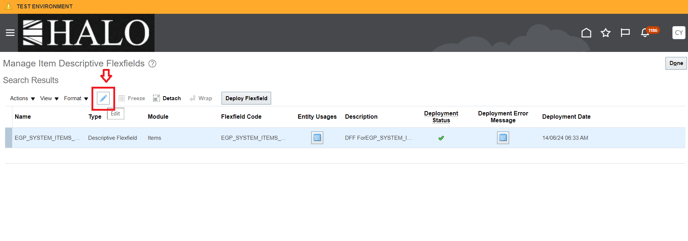
5. After that click on edit icon.
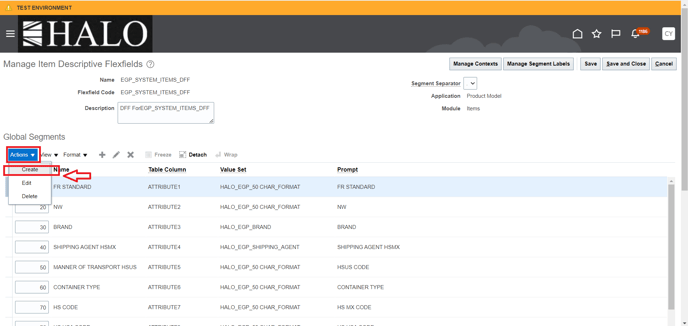
6. It will show the "Global Segments" section. Cick on "Actions" and then on "Create"
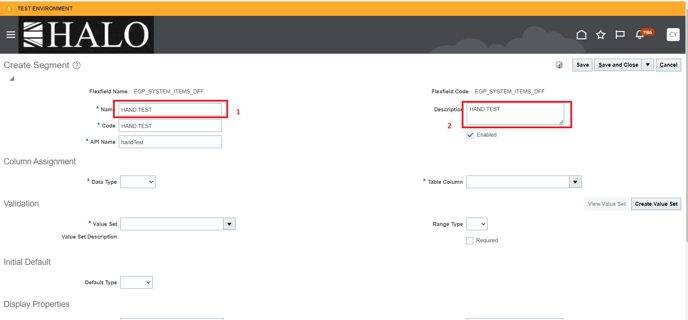
7. Input name and description of the new attribute. The information shown in the screenshots is just an example. You must enter the name and description you need
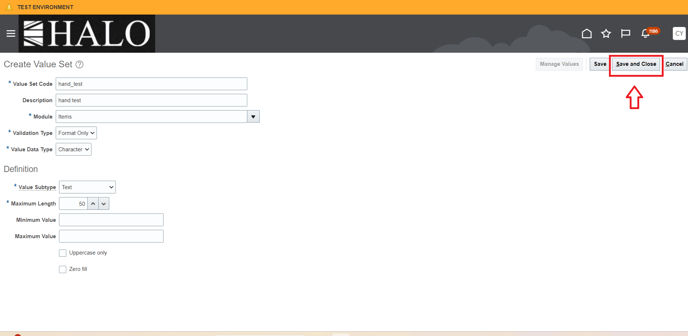
8. In "Data Type" you will have to select "Character" option and then click on "Create Value Set".
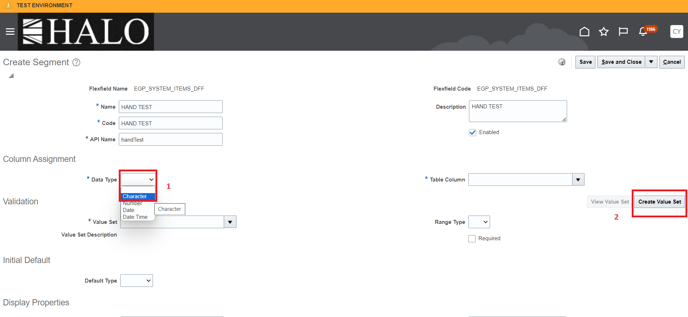
9. After that click on "Save and Close".
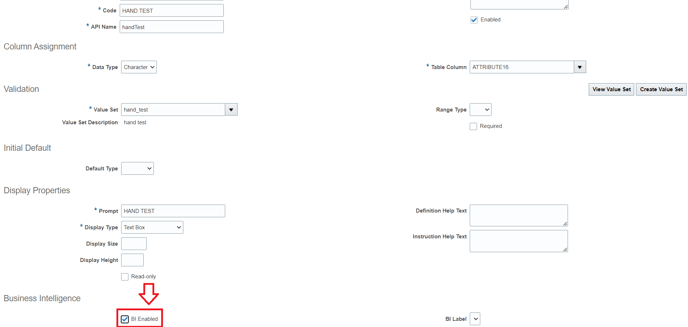
10. It will deploy new information in the window. Scroll down and select "BI Enabled" option.
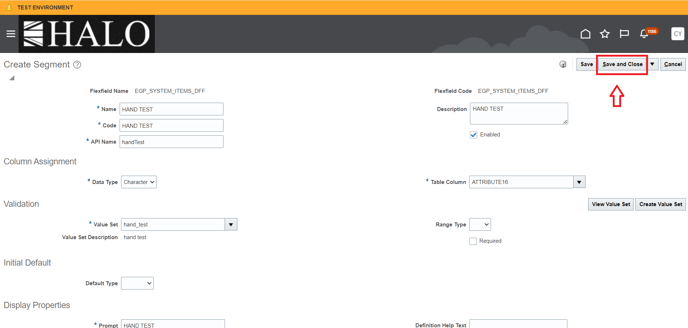
11. Then, scroll up and click on "Save and Close".
12. Window will change. Click again on "Save and Close"
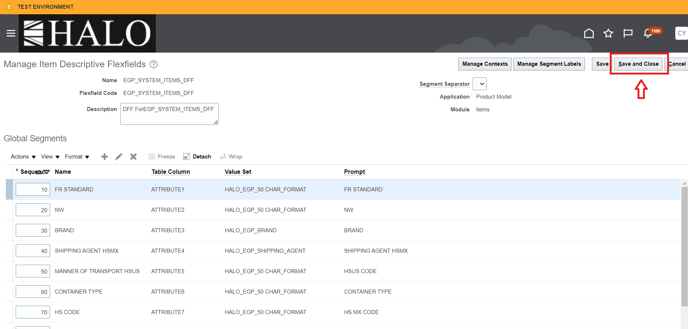
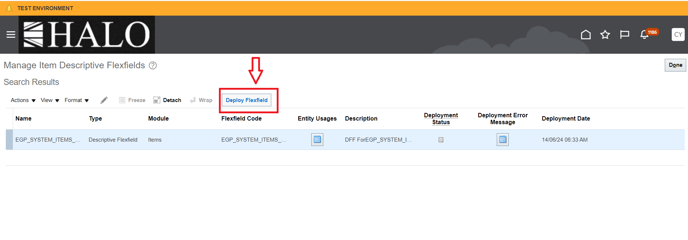
13. After that click on "Deploy Flexfield".
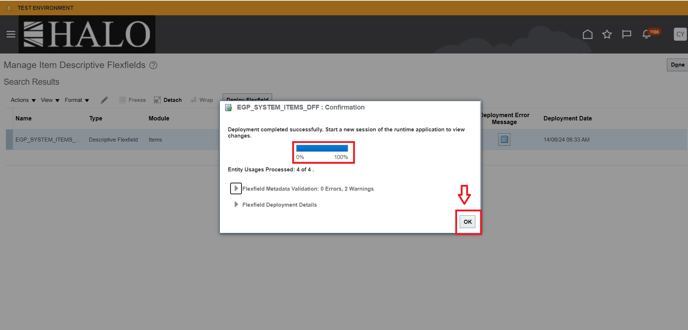
14. It will deploy a small window. Wait until process is completed and then click on "Ok" button.
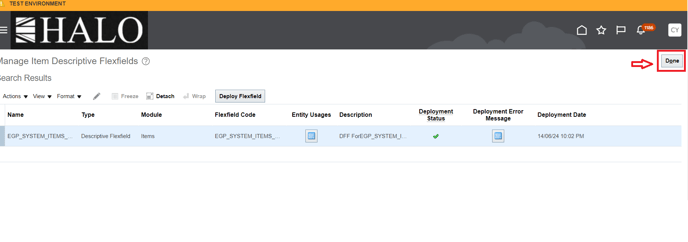
15. You will be back in the previous window, click on "Done".
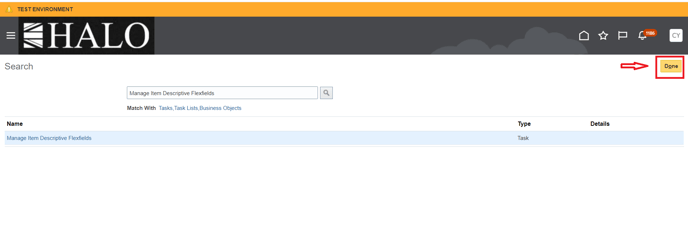
16. And after that click again in "Done".
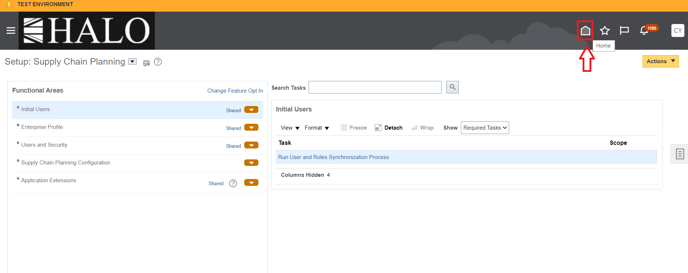
17. Finally, you will have to click on Home page icon.
18. And you will have to check the attributes as indicated at the beginning of the guide to verify that the new attribute has been added
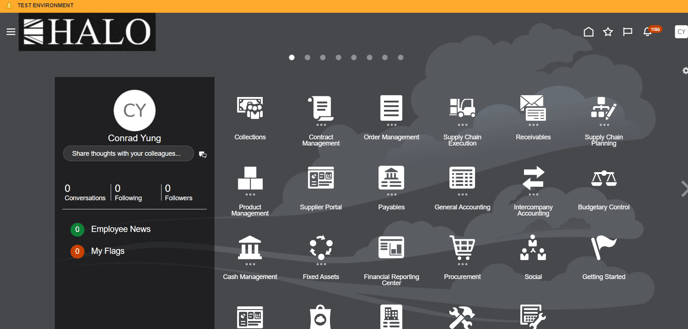
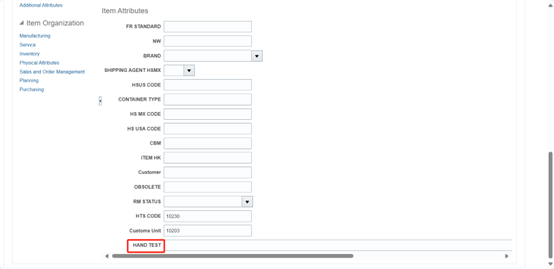
19. Here you can see the new attribute is already added: