Firs, log in to the system.
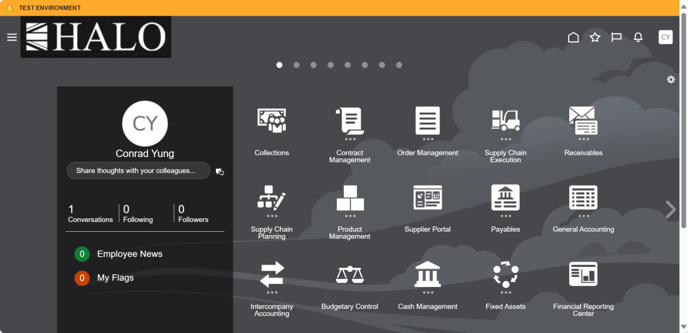
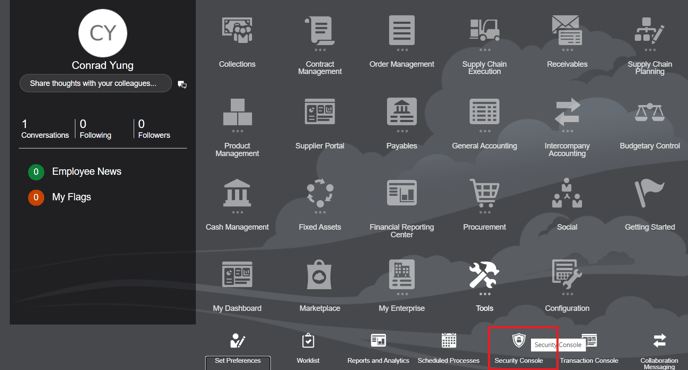
After go to "Security Console". Route is Tools -> Security Console
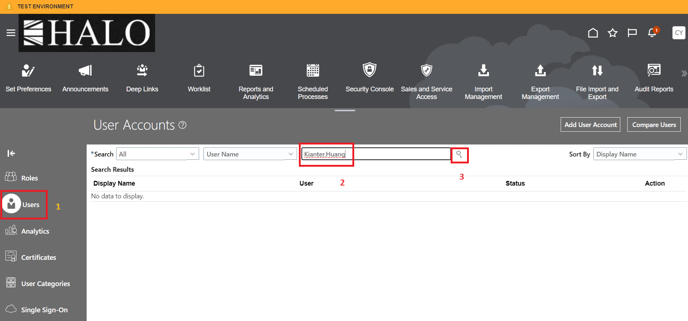
Then, click in "Users", input the user name and click on "Search".
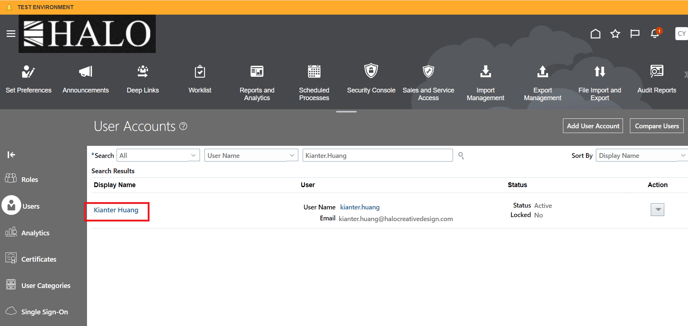
It will be deployed user information. Click on user name.
And after that click on "Edit".
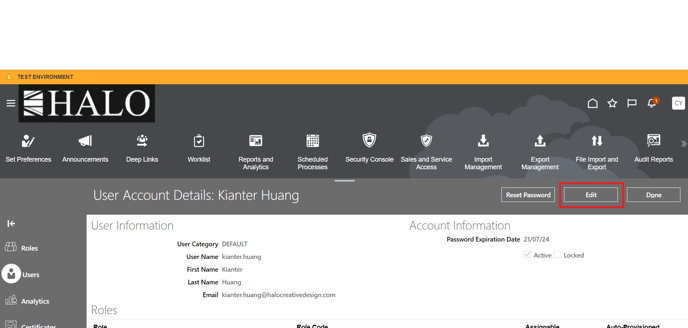
Then Click on "Add Role".
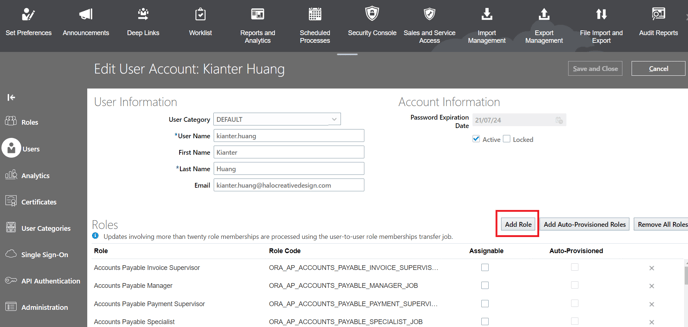
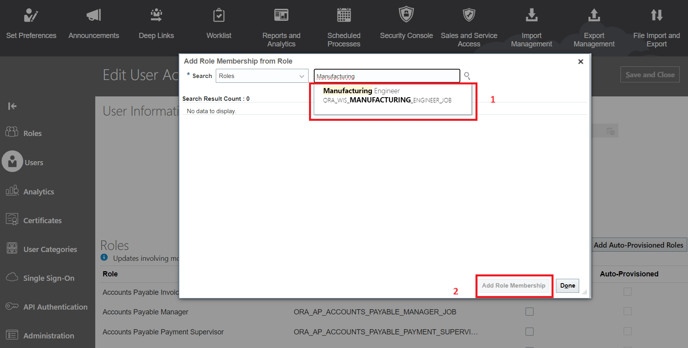
It will be deployed a new window. Input the role you want to add to user and after click on "Add Role Membership".
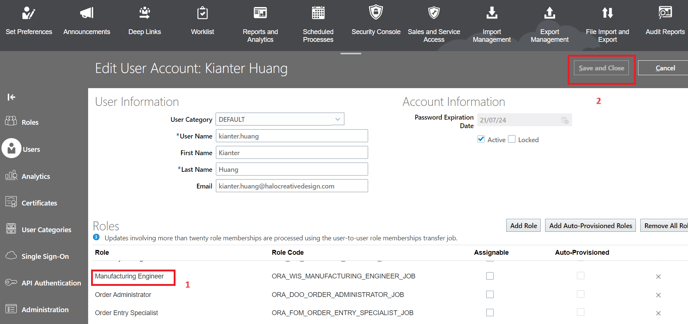
Now you can see the added role in the user list of roles. Finally click on "Save and Close" and after that click on "Done".
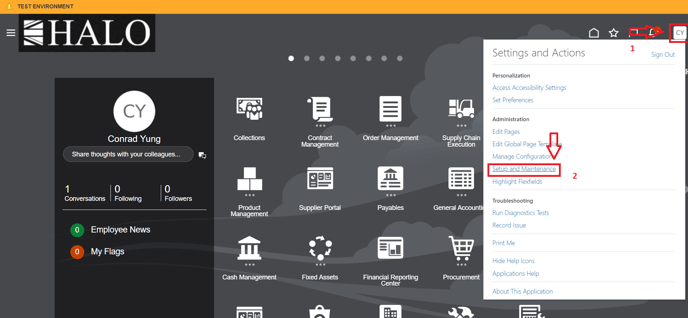
Now we have to assign the new role to the necessary organizations. For that first click on the top right corner , in the user icon, and after that click on "Setup and Maintenance".
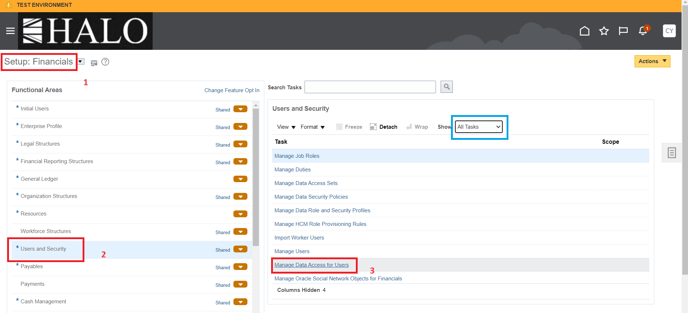
Then you have to select Financial module, after "Users and Security" and finally click on "Manage Data Access for Users", If you can't see this last option so before select "All Tasks".
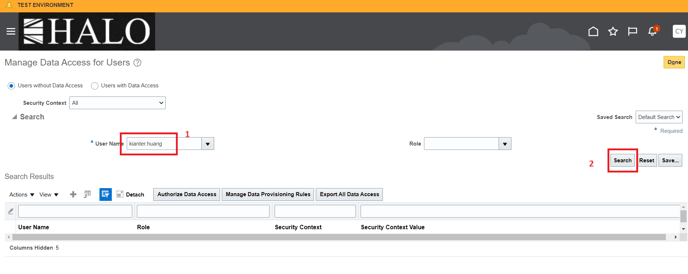
Input user name and then click on "Search".
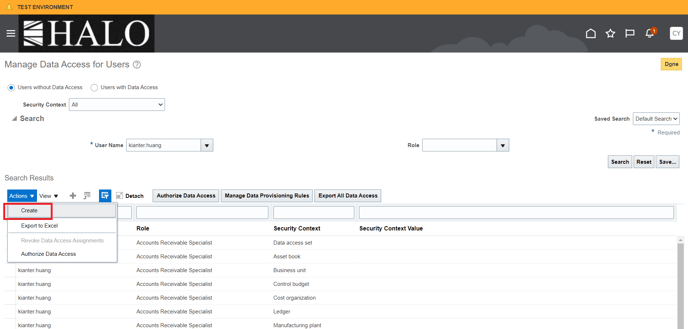
After that click on "Actions" and then select "Create".
It will be deployed a new window. Input all the necessary information. In the field of "Security Context Value" input the organizations.
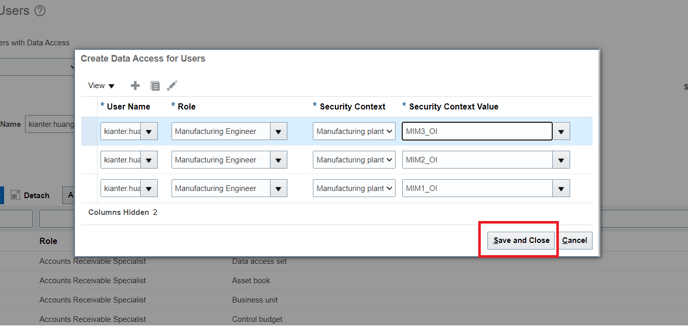
Whit this step assignation of the new role to the organizations is completed.
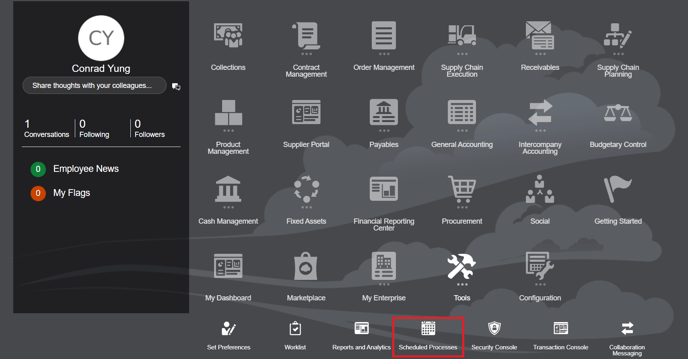
Now the final step is to run the concurrent process. To do that we have to follow the following route: Tools -> Scheduled Processes.
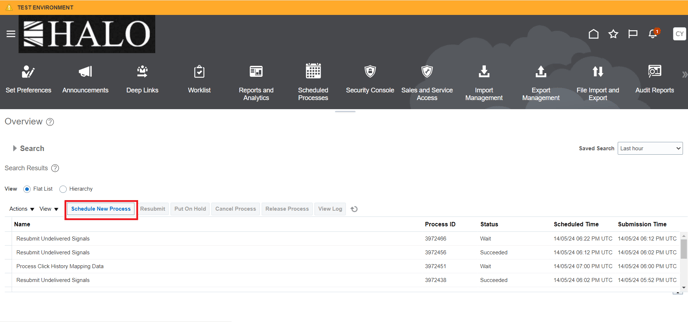
After that click on "Schedule New Process".
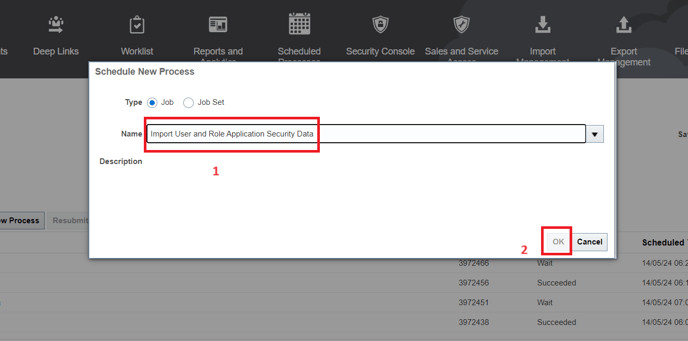
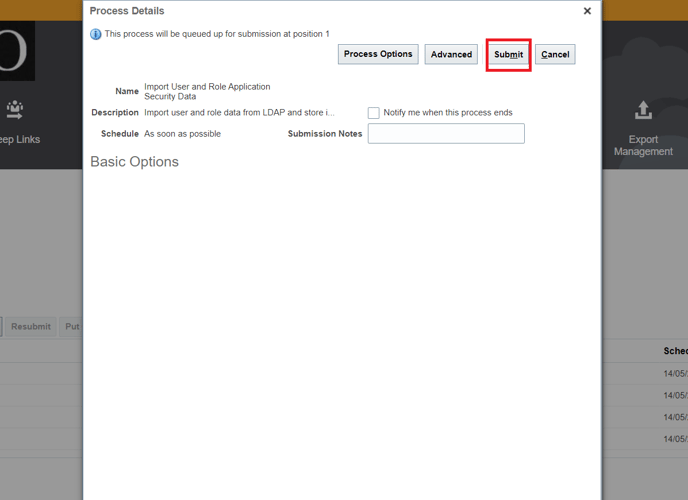
It will be deployed a window. Input the following process: Import User and Role Application Security Data. (you also can search it by clicking in the arrow at the far right of the field "Name").
Finally it will be deployed a new window. Just click on "Submit" and wait until request is finished.
After that you can verify with user if have access to the new role.
Notes:
1. To add a different role you will have to follow a similar procedure.
2. This guides comes from ticket 2694259348 (Missing shipment with account CYUNG).