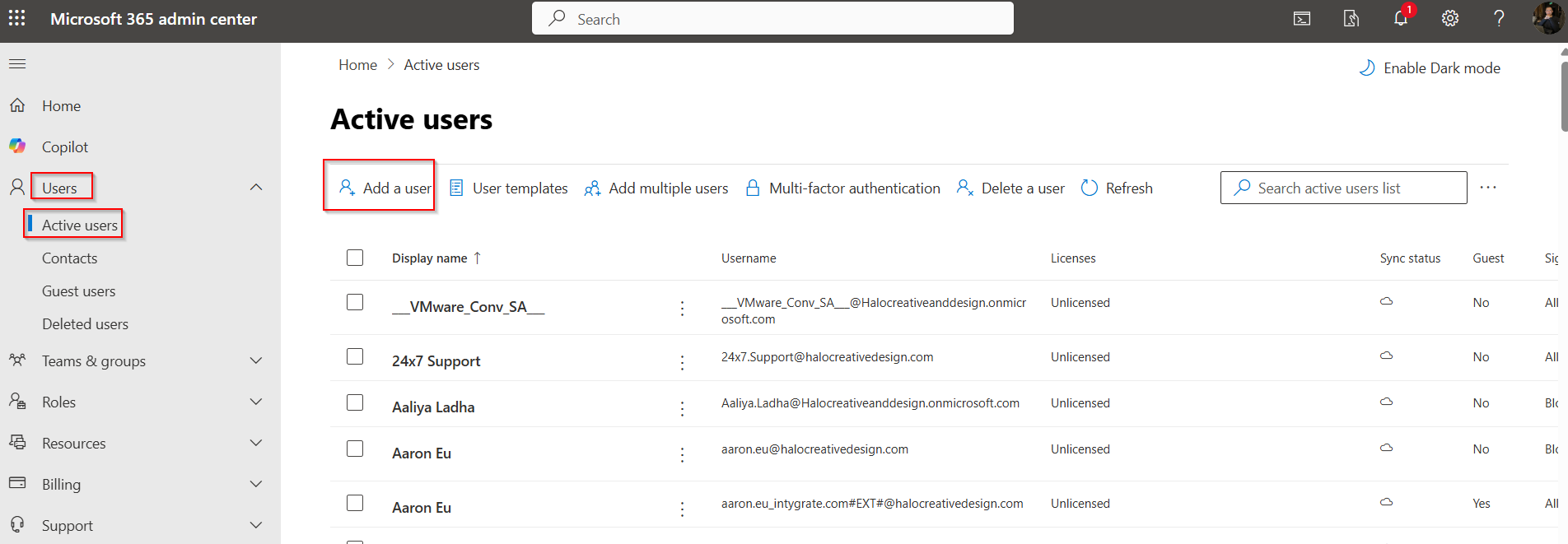
1, Login MS 365 admin console with Org role account, Go to Users>>Active Users>>Add a user
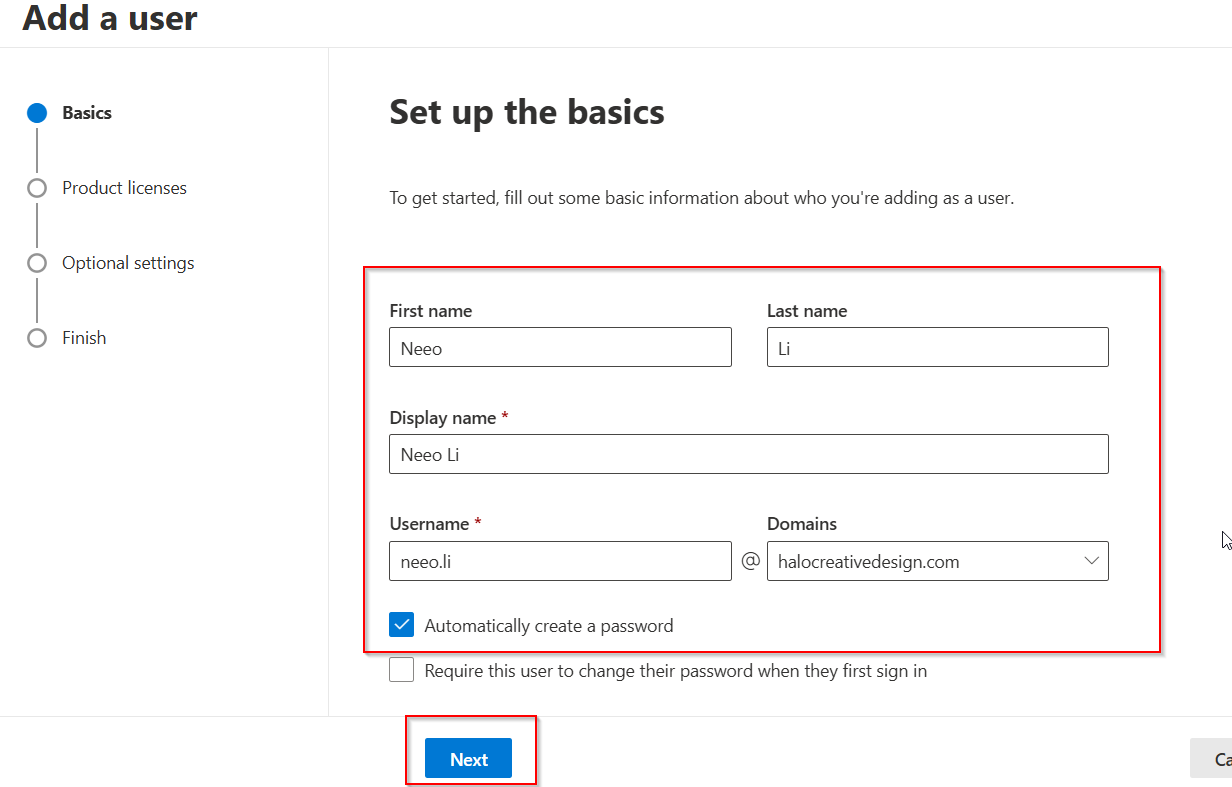
2, Fill in the basic info like First name, Last Name, Username..
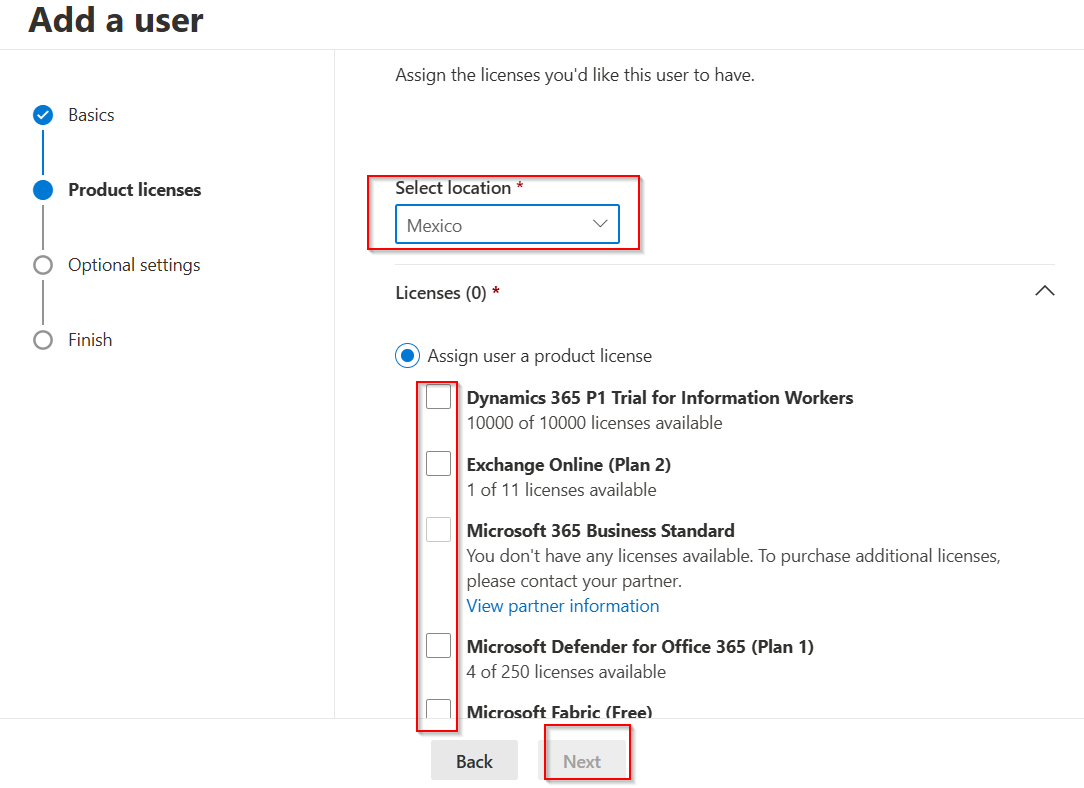
3, Grant the proper License and select the location:
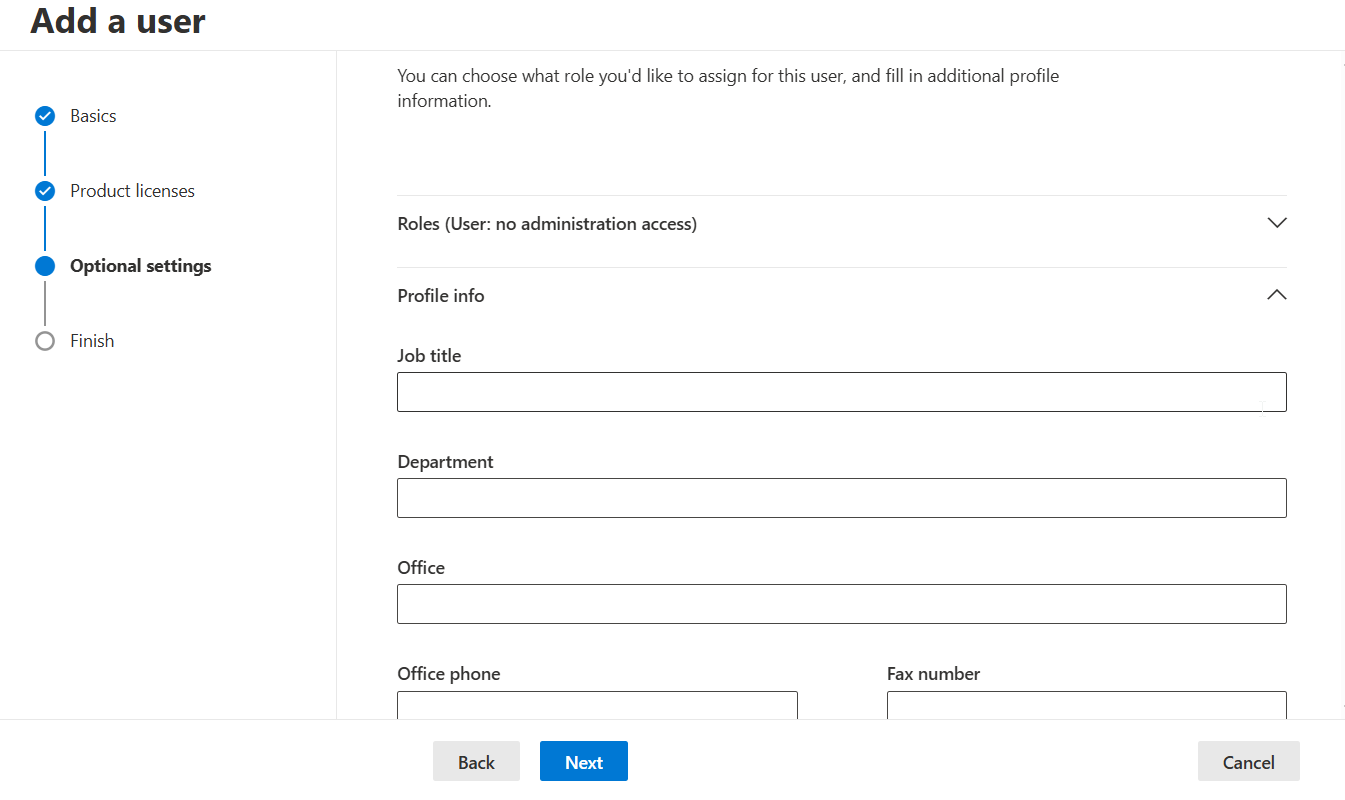
4, Input user optional info, you must to input JOB TITLE, DEPT,OFFICE,CITY, COUNTRY/REGION taps.
5, Finish the account creation and add the account into proper groups: SF_SSO_HSS, DEPT GROUP , SECURITY & COMPLIANCE groups.
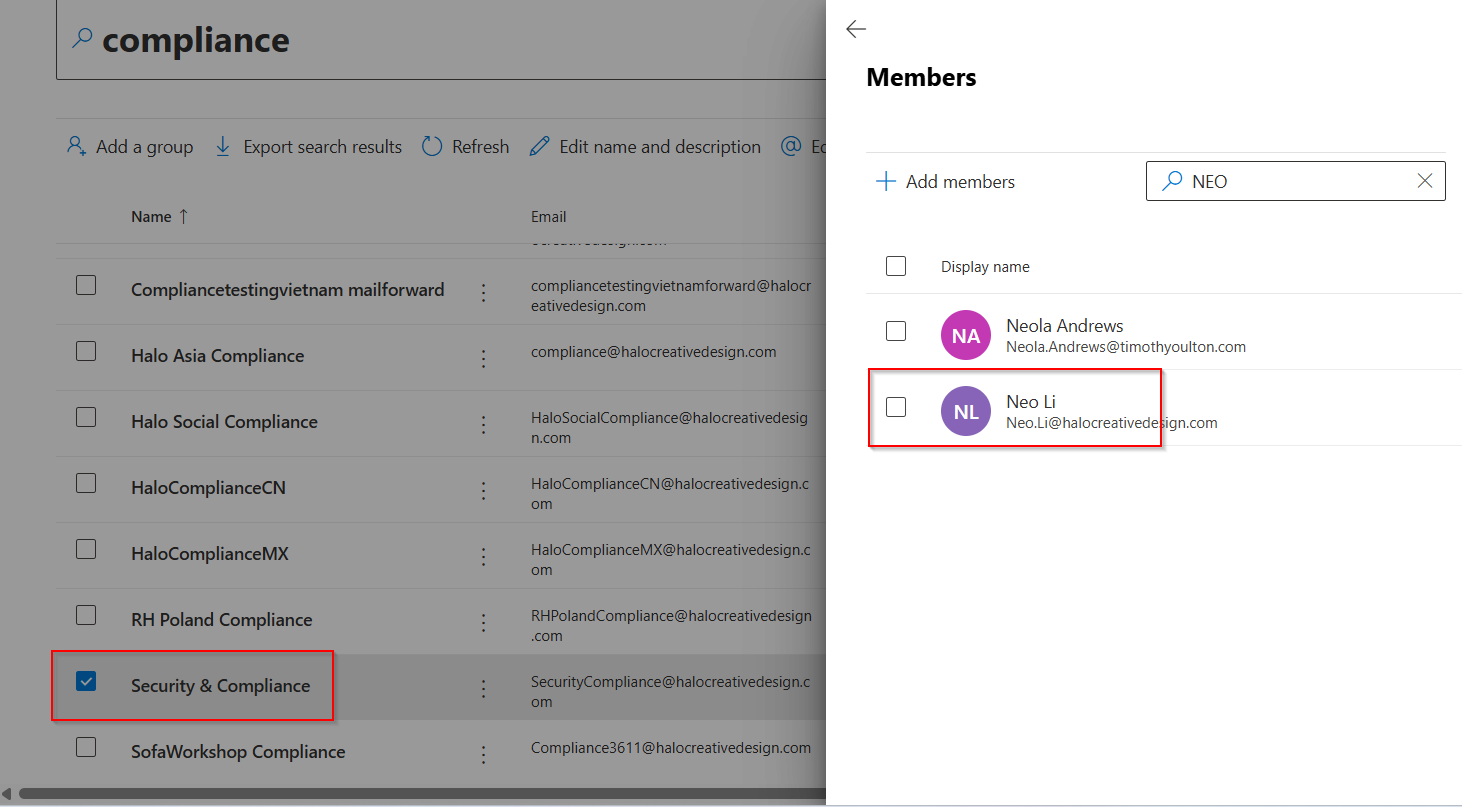
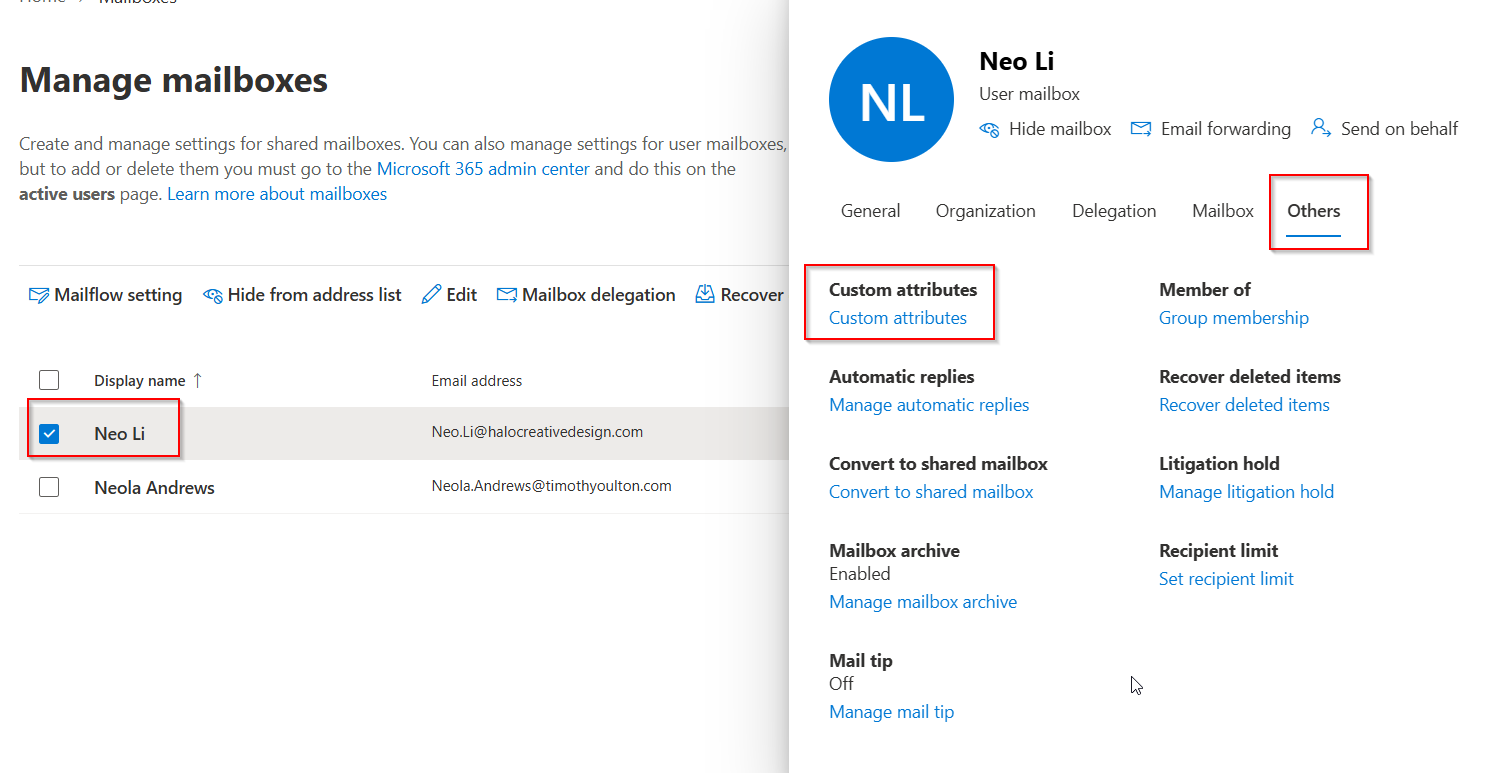
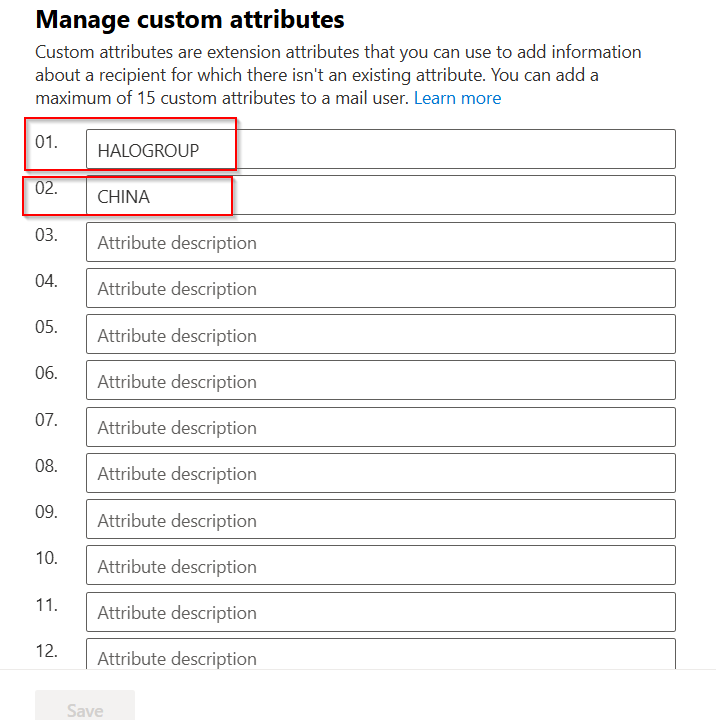
6, wait for 30mins when the account completed and Exchange account setup. You should go to Exchange Manage console to add the ATTRIBUTES (HALOGROUP & COUNTRY/REGION) to the new account. HALOGROUP is a MUST attribute01 for a real user account (System account & vendor do NOT need to add), attribute02 is a country code depends on the new user onboarding country info.
7. After creation you can send the account login info to the user by individual email. All done now.